TOS5300 67
Starting Testing
6
External Control
Obtaining a low-level digital signal
Use the output signal to obtain a low-level digital
signal.
Starting Testing
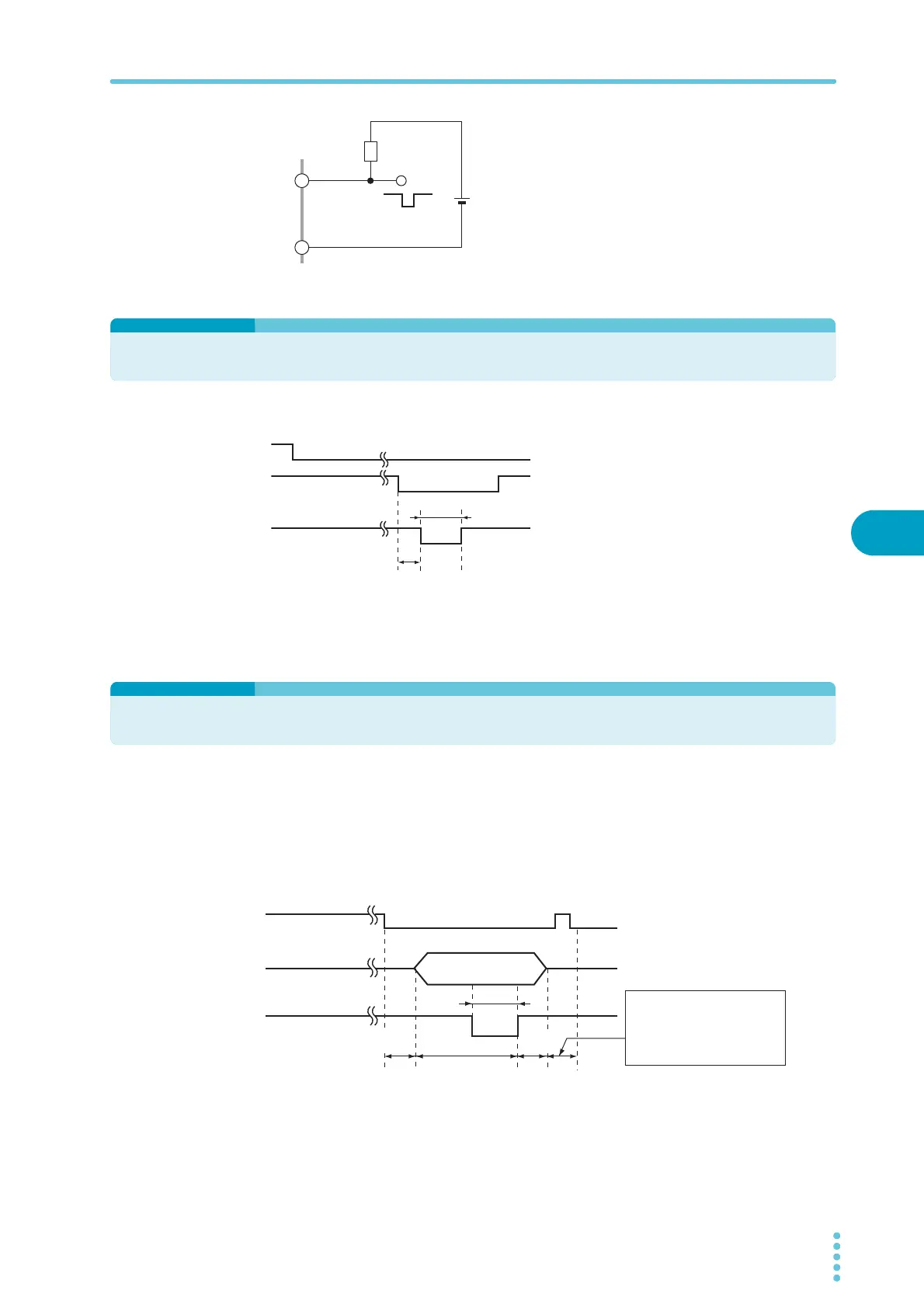
To use the SIGNAL I/O connector to start testing,
set the ENABLE signal to low level. When at least 1
ms has elapsed after the READY signal was set to
low level, set the START signal to low level for at
least 5 ms. After a valid START signal has been
detected, the READY signal is set to high level.
When the ENABLE signal is low, the START signal
of the SIGNAL I/O connector is enabled, and the
panel’s START switch and the START input of the
REMOTE terminal are both disabled.
Recalling Panel Memory and Test Modes
Selecting the panel memory
The PM and STB signals are processed with the timing shown below. Check that the READY signal is
low level.
The relationship between the PM0 and PM1 signals and the panel memory number that is recalled
is shown in the table below.
COM
30 V or less
R
A
Low level during
signal generation
READY (OUT)
ENABLE (IN)
START (IN)
1 ms or more
5 ms or more
READY (OUT)
PM0 / PM1 (IN)
STB (IN)
10 ms or more
1 ms
or more
1 ms
or more
5 ms
or more
An interval of 1 ms or more is
required before the next input
signal is received.
Apply the START signal for at
least 50 ms.



 To Next Page