TOS5300 51
5
Withstanding Voltage and Insulation Resistance Tests
Setting Other Test Conditions
p.47 , p.48
p.49
You can set the following items on the More Test Conditions setup screen.
• Start voltage
• Voltage rise time
• Voltage fall time
• Frequency
• Current detection response speed
• Judgment wait time
1
Press MORE to display the More Test Conditions setup screen.
The items that are displayed vary depending on your TOS5300 Series model.
2
Press MORE to move the cursor to the test condition that you want to set, and
then use the rotary knob to set its value.
Press a key other than MORE, or press STOP to exit the More Test Conditions setup screen and
return to the basic setup screen.
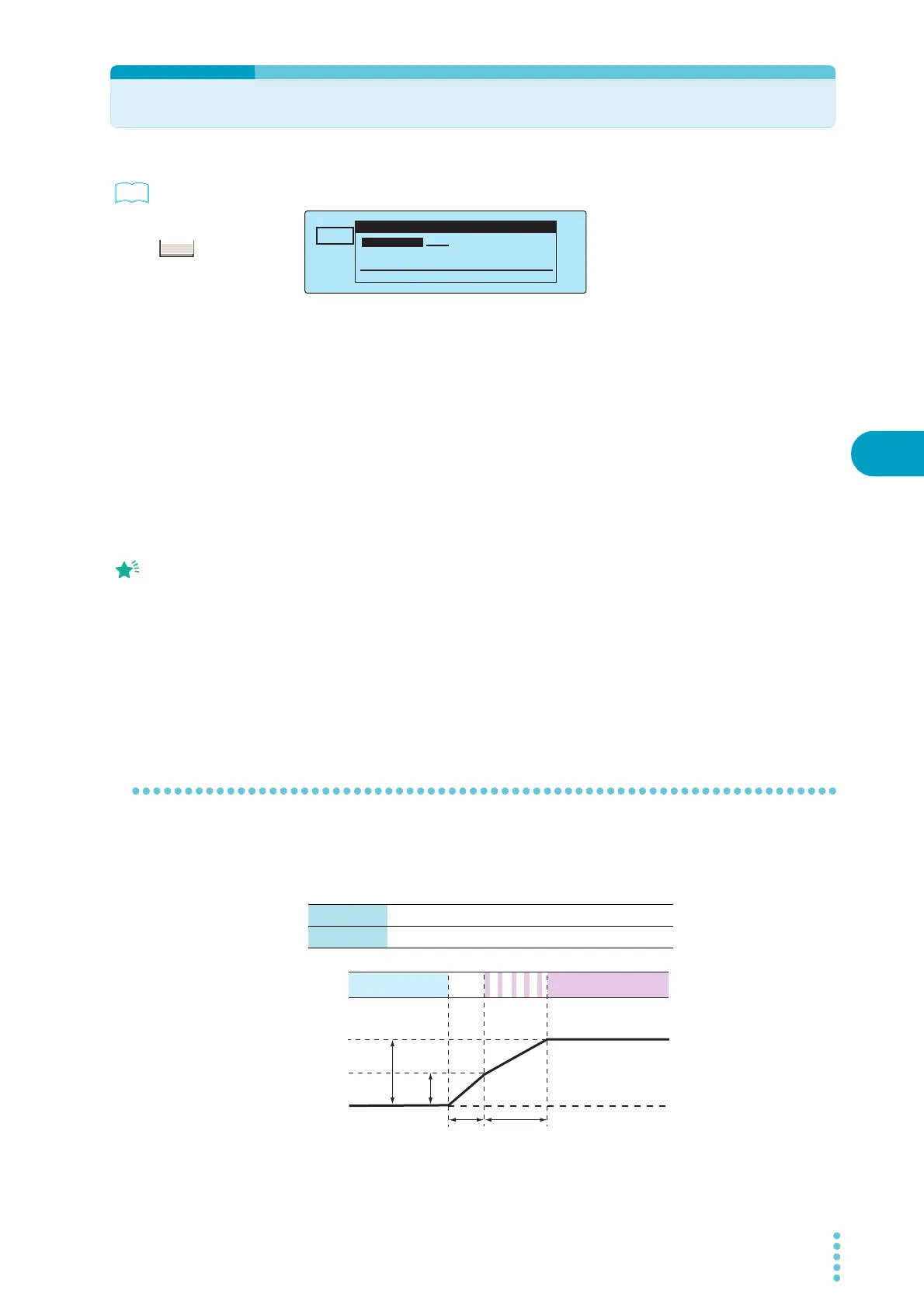
Start voltage
Separate from the test voltage, you can set the voltage that AC and DC withstanding voltage tests
begin at. You can set the start voltage to 50 % of the test voltage. The output voltage reaches this
value approximately 0.1 seconds after the start of testing.
See
TIMER UPPER
LOWER
10.0
mA
0.01
mA
1.50
kV
60
.
0
s
ACW
0
5.5kV
Voltage
More Test Conditions
Start Voltage: OFF
Rise Time: 0.1s
Fall Time: OFF
Frequency: 50Hz
Press more key to select.
*
Example: Selecting the value of the Start Voltage setting on the More Test Conditions
Press MORE to move
between the settings on
the More Test Conditions
screen. Each time that you
press MORE, the cursor
moves to the next setting.
After selecting a setting,
use the rotary knob to set
its value.
50 % The start voltage is set to 50 % of the test voltage.
OFF The start voltage is not set.
READY LED lit Off
Output on
Output off
Start voltage
50 %
100 %
0.1 s Voltage rise
time
TEST LED lit
TEST LED
blinking



 To Next Page