TOS5300 23
2
Installation and Preparation
Turning the Power On
Checking indicators and the status of the interlock feature
p.68
The first time that you turn the POWER switch on after you purchase the TOS5300 Series, the tester
will be in PROTECTION mode through the interlock feature. Connect the included SIGNAL I/O plug
to the SIGNAL I/O connector to release the interlock feature.
Only use the included SIGNAL I/O plug to easily release the PROTECTION mode.
p.68
When you are actually performing tests, use the interlock feature to ensure safety.
During withstanding voltage and insulation resistance tests in which you are using tools, (1) placing
a cover over the DUT so that output is turned off whenever the cover is removed to prevent electric
shock and (2) placing a safety fence around the work area where withstanding voltage and
insulation resistance tests are being performed so that output is turned off whenever the fence is
opened are both examples of effective safety measures.
p.21
1
Check that the power cord and all cables are correctly connected.
2
Check that nothing is connected to the SIGNAL I/O connector.
3
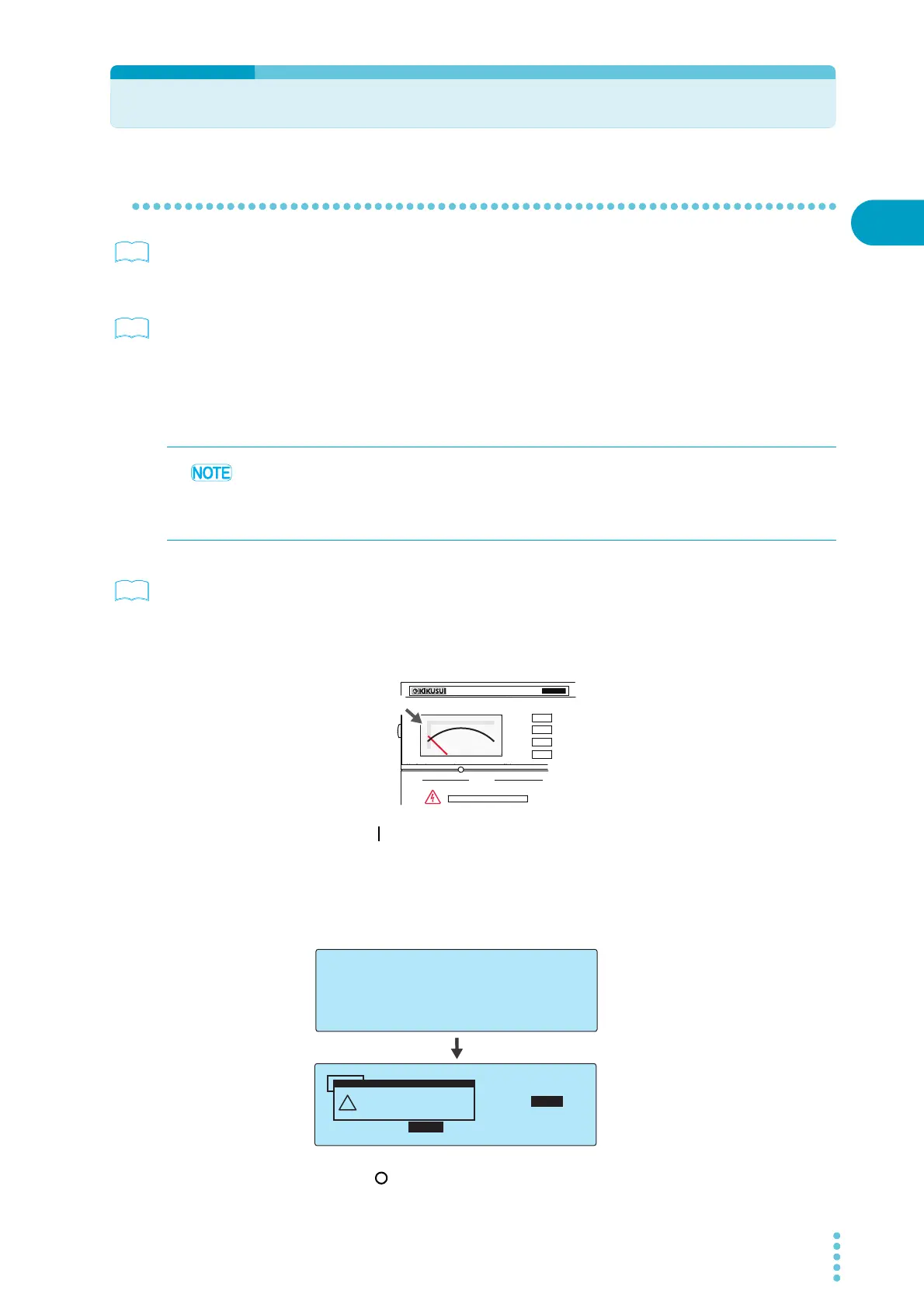
Check that the analog voltmeter is indicating “0.”
4
Press the ( ) side of the front-panel POWER switch to turn the TOS5300 Series
on.
Check that all the front-panel indicators light.
The firmware version screen will be displayed for a few seconds, and then a message
indicating that the TOS5300 Series is in PROTECTION mode will be displayed.
Check that the tester is in PROTECTION mode through the interlock feature.
5
Press the ( ) side of the front-panel POWER switch to turn the TOS5300 Series
off.
See
See
When the TOS5300 Series is turned on, a self-test is run, and all the indicators on the front panel
light. To ensure safety, check that all the indicators light before you use the TOS5300 Series. It is
especially dangerous to use the tester if its DANGER LED is broken.
When the power is turned on, the DANGER LED lights, but no voltage is generated.
OUTPUT
DANGER
T
OS5
300
ACW
AC WITHSTANDING
VOLTAGE TESTER
0
Zero indication
TOS5302 WITHSTANDING VOLTAGE /
INSULATION RESISTANCE TESTER
Version 1.00
KIKUSUI ELECTRONICS CORP.
TIMER UPPER
LOWER
0.02
mA
0.01
mA
0.50
kV
10
.5
s
ACW
InterLock Protection
(Code:0x0001)
!
PROTECTION
Firmware version screen
Interlock protection mode



 To Next Page