Stratos Multi E401N
32
3.3.2 Connecting an Analog Sensor/Second Memosens Channel
CAUTION! Electrostatic discharge (ESD). The modules' signal inputs are sensitive to electrostatic
discharge. Take measures to protect against ESD before inserting the module and wiring the inputs.
Note: Strip the insulation from the wires using a suitable tool to prevent damage. Only use cables that
are rated for use at 75°C / 167°F or higher.
Measuring Modules for Connection of Analog Sensors: pH, ORP, Oxygen, Conductivity
➜ Terminal Assignments of Measuring Modules, p. 34
01. Switch off the power supply to the device.
02. Open the device (loosen the 4 screws on the front).
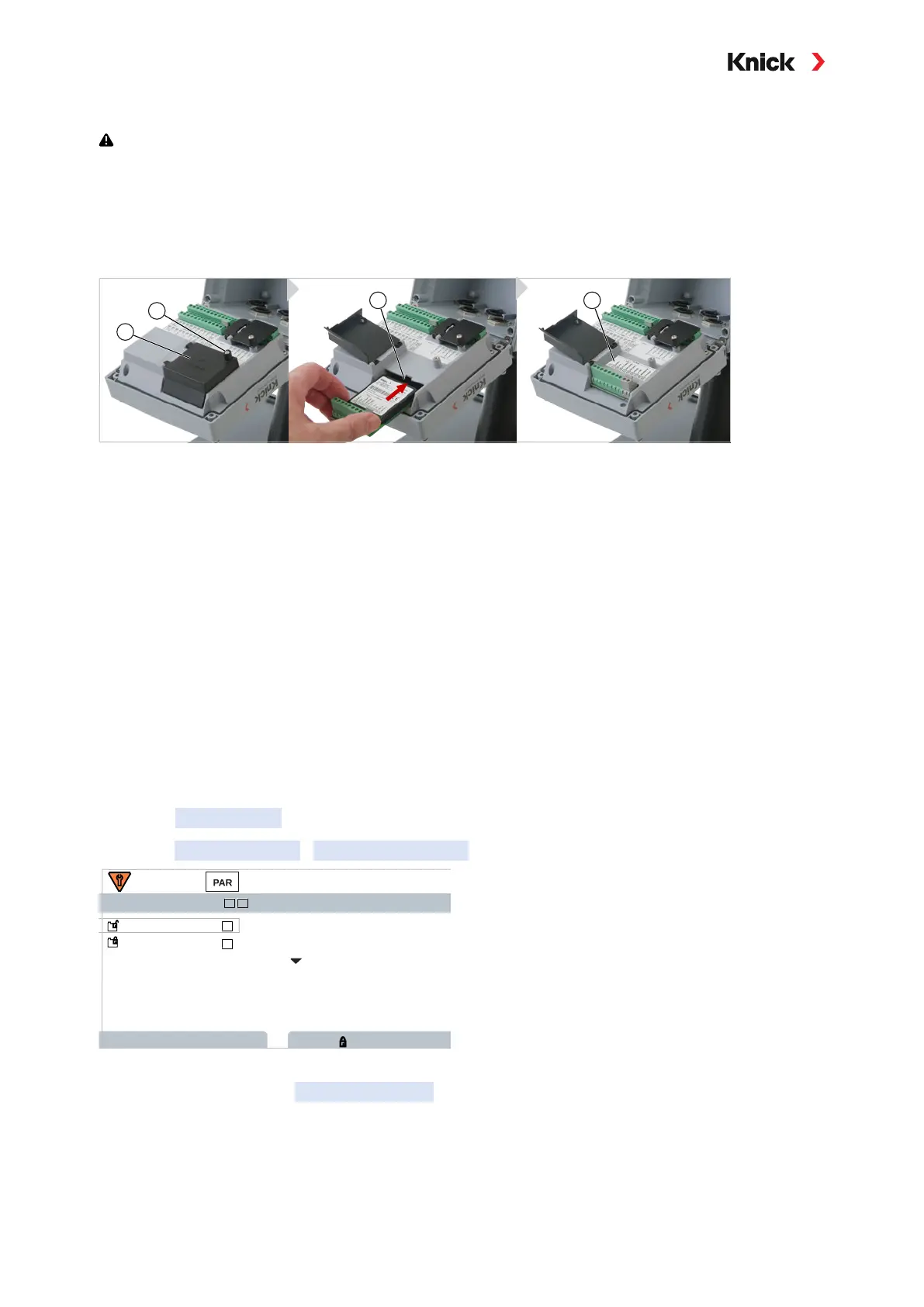
03. Loosen screw (1) on the module cover (2) (“ESD shield”) and open the cover.
04. Insert the module into the module slot (3).
05. Attach the module plate sticker (4).
06. Connect the sensor and separate temperature probe, if necessary; see Wiring Examples.
NOTICE! Moisture ingress. The cable glands must be tightly sealed. Insert blanking plugs or sealing
inserts if necessary.
07. Check whether all connections are correctly wired.
08. Close the module cover (2), tighten screw (1).
09. Close the device by tightening the screws on the front.
10. Switch on the power supply.
11. Then select a measuring function and configure the sensor:
From within measuring mode, press the left softkey: Menu
.
✓ The Menu selection opens.
12. Select Parameter Setting
Sensor Selection [I] [II] .
Sensor Selection
Sensor Selection
Back
Sensor Selection
Lock
Power Out Off
I II
(Admin.)
I
II
Note: Function check (HOLD) is active.
13. Press enter to open the Sensor Selection [II] .
14. Select the module and mode, and confirm with enter.
Set further parameters with the left softkey: Back
.
15. Return to measuring mode to exit parameter setting,
e.g., with the right softkey: Back to Meas
.



 To Next Page