Stratos Multi E401N
45
5.3.2 Parameter Sets
Stratos Multi provides two complete selectable parameter sets (A/B) for different process connections
or process conditions. The currently activated parameter set can be signaled by a relay contact.
➜
Relay Contacts, p. 57.
Parameter set “B“ only permits setting of process-related parameters.
Parameter Setting
System Control
Parameter Sets
Save Parameter Set
The active parameter set is transferred to the Data Card.
Note: The parameter set saved on the Data Card is overwritten.
Load Parameter Set
A parameter set stored on the Data Card is transferred to the device.
Note: This overwrites the current parameter set in the device.
Up to five parameter sets can be stored on the Data Card with TAN option FW-E102.
➜
Parameter Sets 1-5 (FW-E102), p. 210
Selecting Parameter Sets A/B
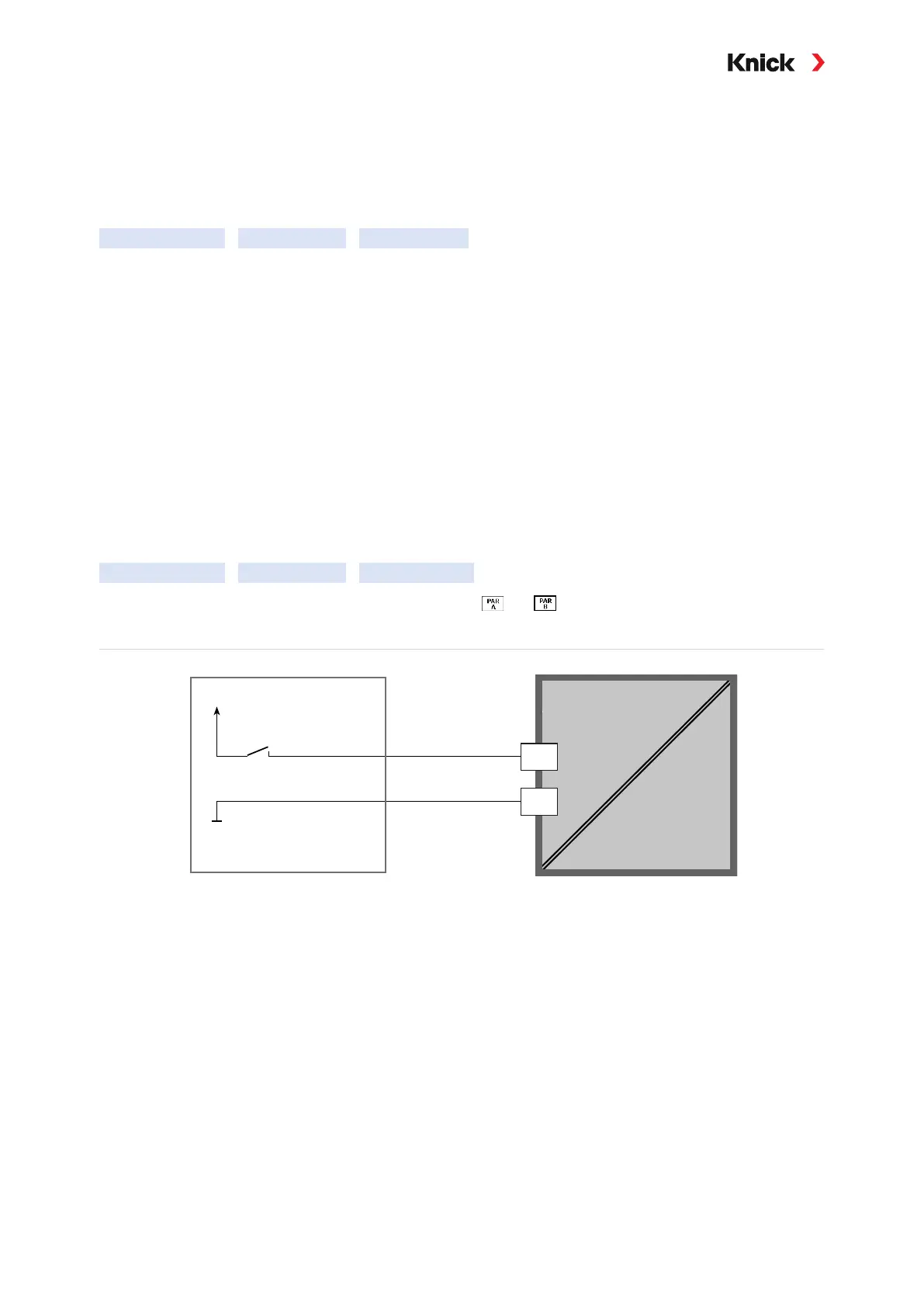
The control element for switching between parameter sets (optocoupler input OK1 or softkey) is se-
lected in:
Parameter Setting
System Control
Function Control
The currently active parameter set is indicated by the or icons.
Selection via a signal at optocoupler input OK1:
Power supply (PWR out)
12 ... 24 V AC/DC
12
11
Optocoupler input
Stratos Multi
0...2 V AC/DC: Parameter set A active
10…30 V AC/DC: Parameter set B active
Note: The selection has no effect when using parameter sets from a memory card. Switching between
parameter sets A and B is possible if they are saved in the device.



 To Next Page