Stratos Multi E401N
95
5.12.2 Calibration Presettings
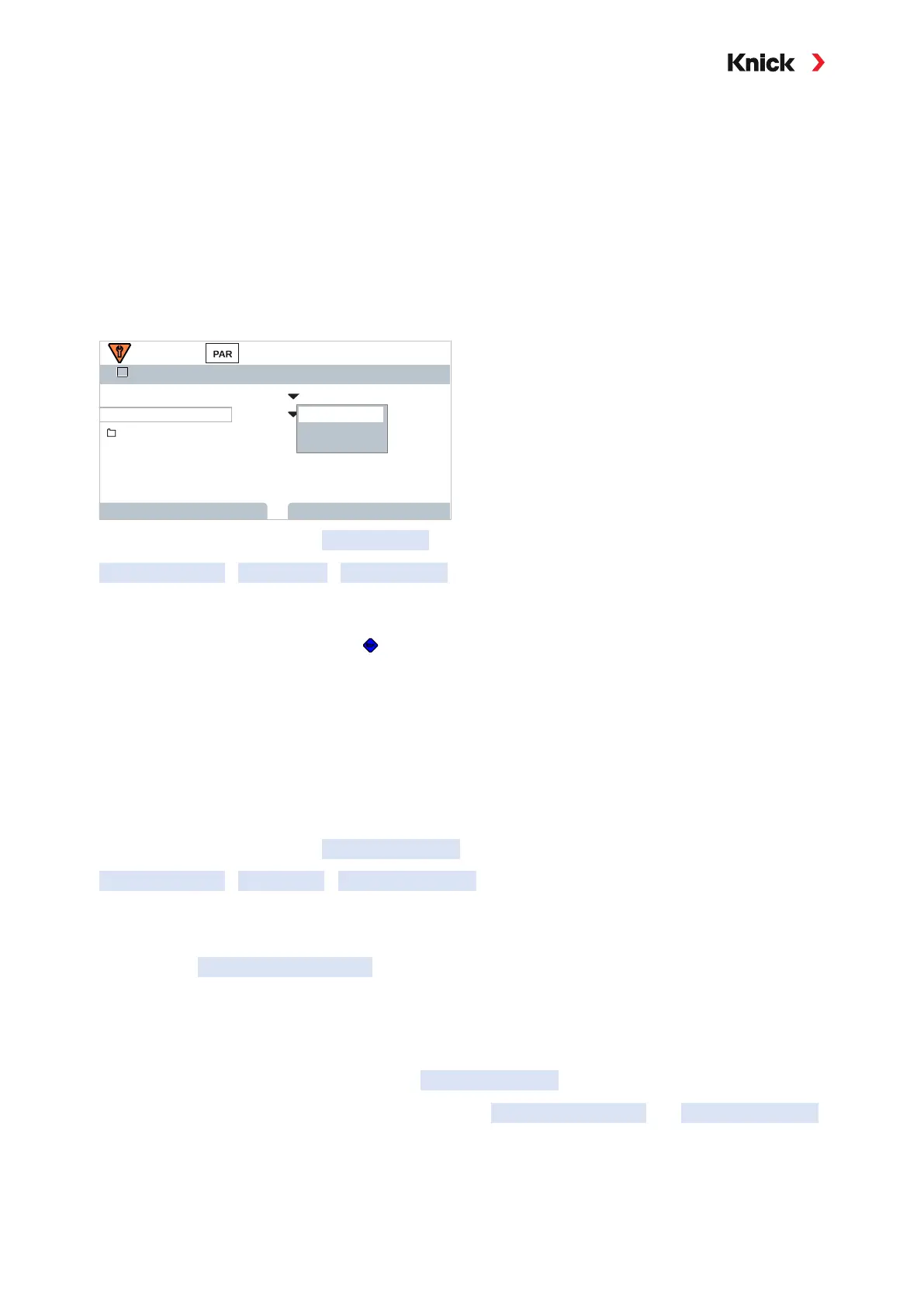
The calibration presettings can be defined in the parameter settings or adjusted directly in the
Calibration menu prior to the calibration.
Calibration mode: Presetting of calibration mode, e.g., in air, in water, data entry, product calibration,
zero calibration, temperature
If you select “Product Calibration” mode, you must also select the measured value: Saturation %air,
concentration (gas), partial pressure
Calibration timer: When a preset calibration interval expires, the calibration timer generates a mes-
sage text to indicate the need for calibration. If “Auto” is selected, the interval is set to 720 h.
If “Individual” is selected, you can select a custom interval.
Cal Presettings (Admin.)
Product Calibration
Back
Calibration Mode
Calibration Timer
Product
Saturation
II
Sat. %Air
Conc. (Liquid)
Partial Pressure
Settings can be changed in the Cal Presettings submenu:
Parameter Setting
[I] [II] … Oxy
Cal Presettings
Note: If Sensoface is enabled, a neutral smiley is displayed once 80% of the interval has expired. Once
the entire interval has expired, a sad smiley is shown, a maintenance required message is generated,
and the corresponding NAMUR icon is displayed. If the current outputs are configured accordingly,
a 22-mA error signal is generated.
5.12.3 Pressure Correction
The pressure used for measurement or calibration can be manually specified (factory setting
1013mbar).
With TAN option FW-E051, “Current Input”, an external pressure transmitter can be connected to the
current input (terminals 8 and 9). This enables automatic pressure correction. The start and end of the
current input can be set in the ranges from 0/4 ... 20mA.
Settings can be changed in the Pressure Correction submenu:
Parameter Setting
[I] [II] ... Oxy
Pressure Correction
Setting Automatic Pressure Correction
(TAN Option FW-E051)
01. Open the Ext. Pressure Transmitter submenu.
02. Select “Absolute” or “Differential” pressure transmitter.
03. Select current input 0 … 20 mA or 4 … 20mA.
04. Enter pressure values for current start and current end
05. Use the left softkey: Back to return to the Pressure Correction submenu.
06. Select an external or manual pressure correction in Pressure during Meas. and Pressure during Cal .



 To Next Page