Stratos Multi E401N
62
Pulse Frequency Controller
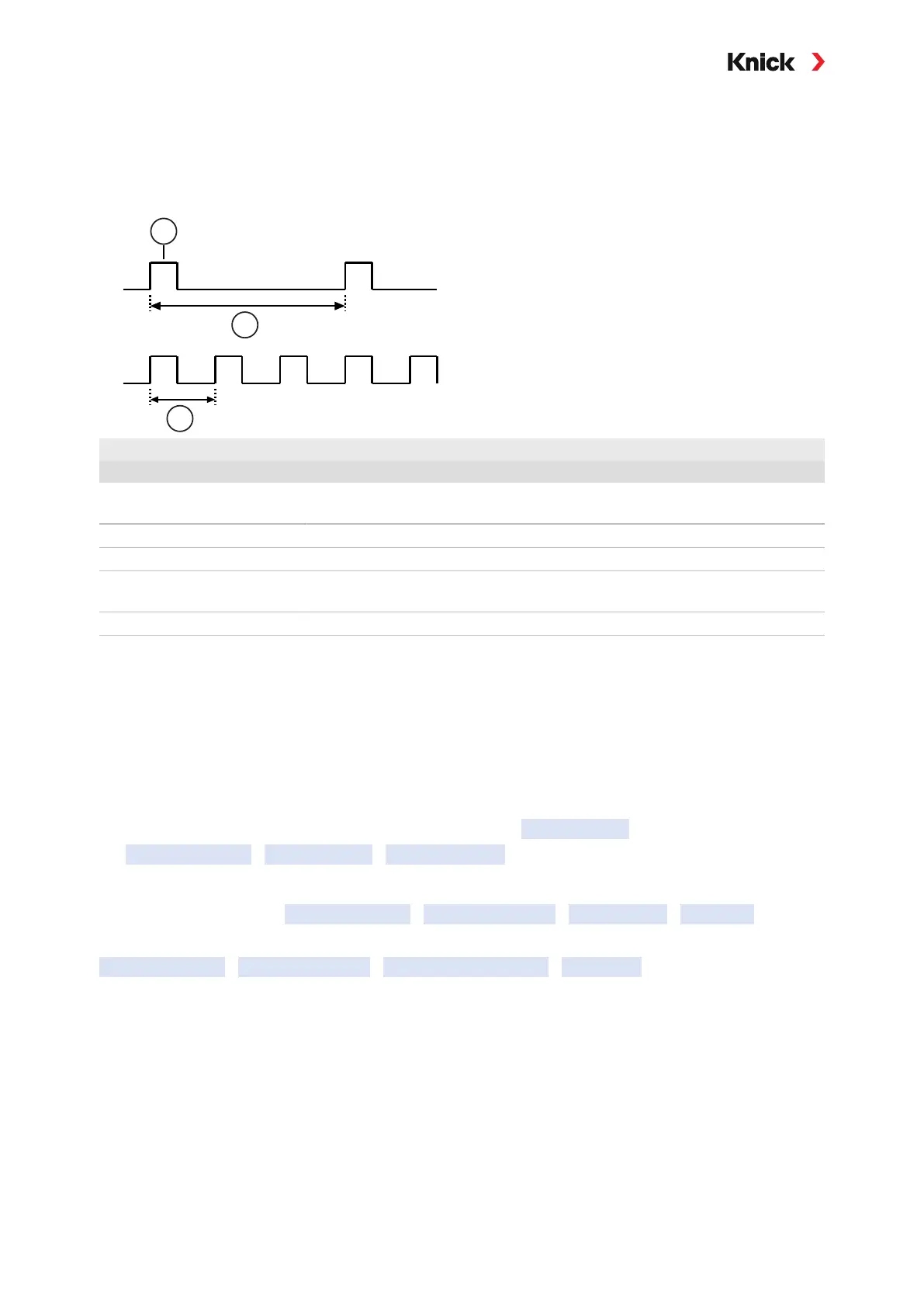
The pulse frequency controller is used to control a frequency-controlled actuator (metering pump).
It varies the frequency with which the contacts are switched on. The maximum pulse frequency [Imp/
min] can be configured, and is dependent on the actuator. The ON time is constant. It is automatically
calculated from the configured maximum pulse frequency.
1 ON time 3 Pulse frequency (Y = 80%)
2 Pulse frequency (Y = 20%)
Adjustable Controlled Variables
Sensor type Controlled variable
pH, ORP pH value, ORP, temperature
Conductivity Conductivity, temperature,
with TAN option FW-E009: Concentration (liquid)
Oxygen Saturation %air, saturation %O
2
, temperature
See also
➜ Basics of PID Control, p. 215
5.5.4 Control Inputs
Stratos Multi provides 2 digital optocoupler inputs (OK1, OK2).
The following functions (depending on the parameter setting) can be started via the control signals:
Input OK1: off, parameter set selection, flow, function check total, or function check channel
• The function of optocoupler input OK1 is defined in the System Control :
Parameter Setting
System Control
Function Control ➜ Function Control, p. 46
Input OK2: off, function check total, or functional check channel.
• Selection in the menu Parameter Setting
Inputs and Outputs
Control Inputs
Input OK2
The switching level for the control signal must be specified:
Parameter Setting
Inputs and Outputs
Control Inputs Contacts
Input OK…
Input level: Active 10 ... 30 V or active < 2 V



 To Next Page