Stratos Multi E401N
77
Selecting an Analog Conductivity Sensor
Parameter Setting
Sensor Selection [I] [II]
Sensor Selection [II]
Selection of a conductivity sensor connected to the MK-COND025N measuring module:
Module: MK-COND
Mode: Analog
Analog 2-channel conductivity measurement with the MK-CC065 measuring module
➜
Dual Conductivity Measurement, p. 89
Adjustable parameters for analog conductivity sensors
Parameter Setting
[II] Analog Cond
Input Filter Pulse Suppression Enable/disable suppression of interference pulses.
Sensor Data
➜
Sensor Data, p. 77
Sensor Type Select the used sensor type: 2-el.-sensor, 4-el.-sensor, SE600,
SE602, SE603, SE604, SE610, SE620, SE630.
Nominal Cell Constant Enter when 2-el. or 4-el. sensor is selected.
Sensoface Enable/disable display of Sensoface messages and icons.
Sensocheck Enable or disable Sensocheck to generate failure or mainte-
nance required messages.
Temperature Detection Set measuring and calibration temperature.
When 2-el. or 4-el. sensor is selected: Select temperature
probe.
Cal Presettings Presetting of calibration mode with corresponding parameters.
➜
Calibration Presettings, p. 79
TC Process Medium
➜ Temperature Compensation of Process Medium, p. 80
Concentration
➜ Concentration (TAN Option FW-E009), p. 80
TDS Enable/disable TDS function
(“Total Dissolved Solids” that influence conductivity)
USP Enable/disable USP function for monitoring ultrapure water and set the USP limit.
➜
USP Function, p. 81
Messages Enable/disable messages for the separate process variables, or specify individual limits.
➜
Messages, p. 82
5.9.1 Sensor Data
Memosens sensors provide relevant sensor data automatically.
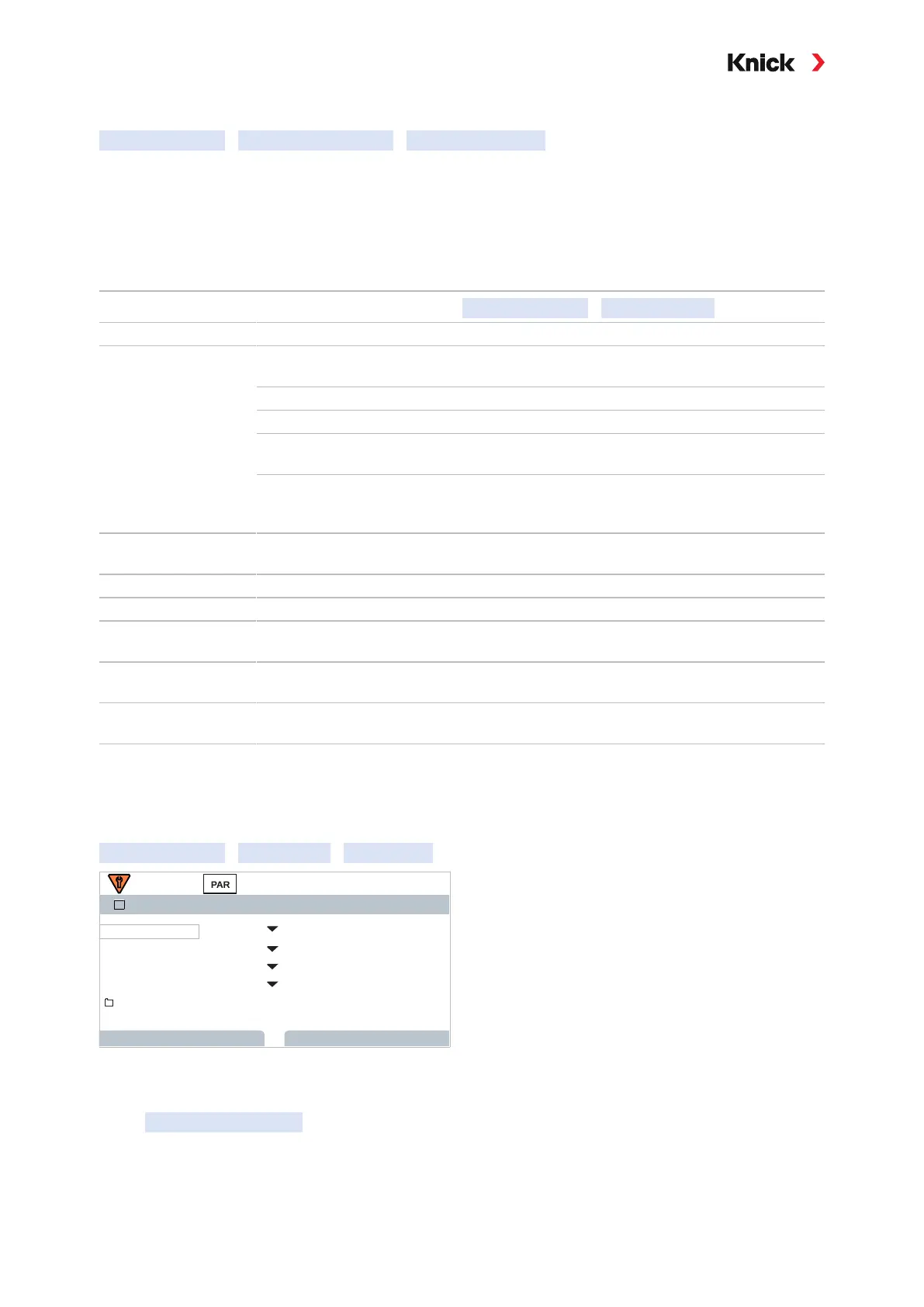
The sensor type must be selected if using analog sensors:
Parameter Setting
[II] Analog …
Sensor Data
Sensor Data
Sensor Type 2-El. Sensor
Back
1.000 /cmNom. Cell Constant
II
Back to Meas.
Temperature Detection
OnSensoface
OffSensocheck
01. Select sensor type.
02. Enter the sensor’s nominal cell constant.
03. In Temperature Detection , select the used temperature probe and whether the temperature is to
be measured automatically or manually during measurement and/or calibration.



 To Next Page