Stratos Multi E401N
33
Measuring Module for Connection of a Second Memosens Sensor
If you want to measure two process variables using Memosens sensors, you must insert an
MK-MS095N Memosens module for the second channel.
01. Insert a Memosens module in the module slot and connect it up (see above).
02. Then select a measuring function and configure the sensor:
From within measuring mode, press the left softkey: Menu
.
✓ The Menu selection opens.
03. Select Parameter Setting
Sensor Selection [I] [II] .
Note: Function check (HOLD) is active.
04. Press enter to open the Sensor Selection [II] .
05. Select module MK-MS.
06. Select process variable, mode, and functionality, and confirm with enter.
Set further parameters with the left softkey: Back
.
07. Return to measuring mode to exit parameter setting,
e.g., with the right softkey: Back to Meas
.
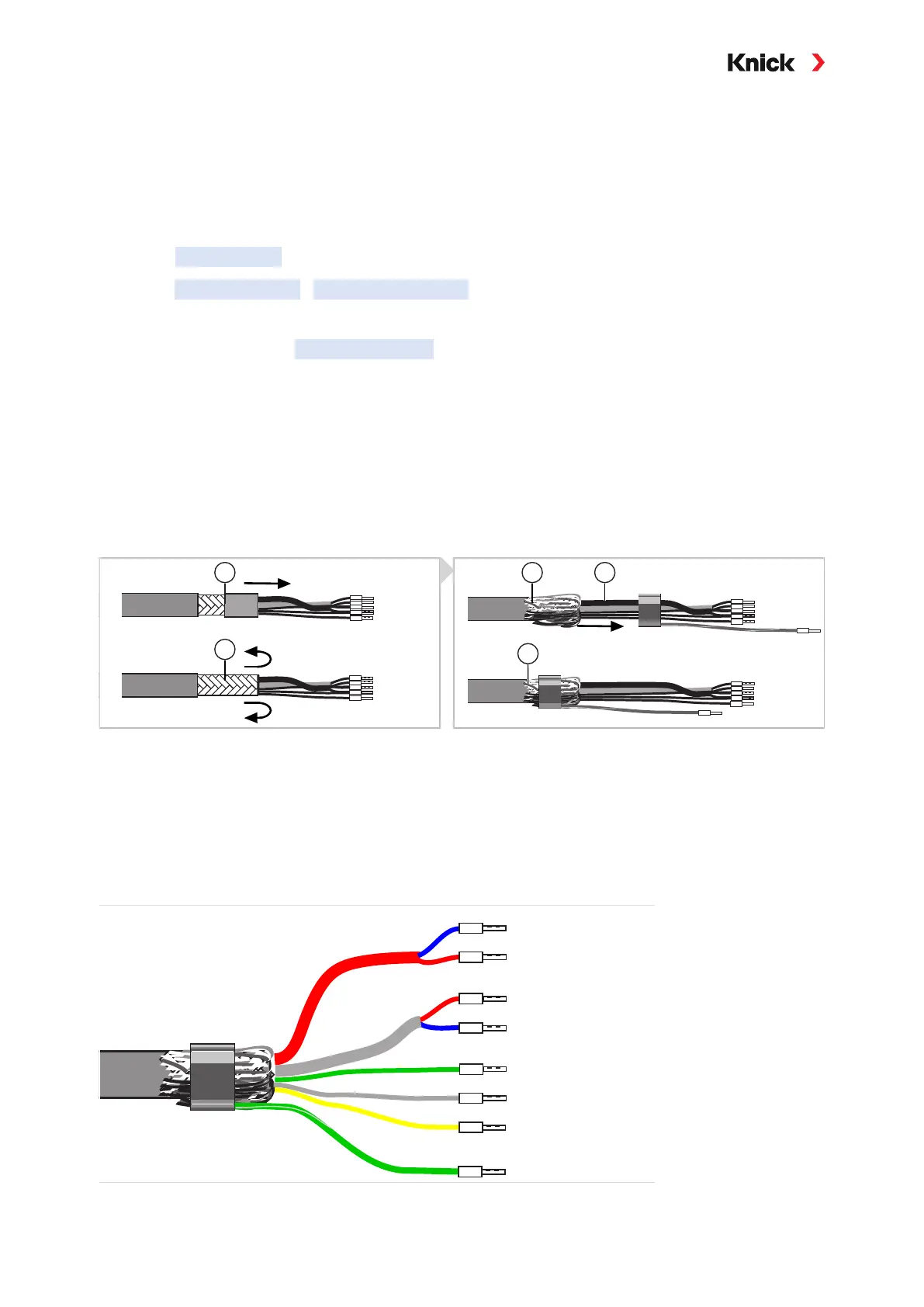
3.3.3 Cable Preparation for SE655/SE656
Preparing the Shield Connection for Toroidal Conductivity Sensors
01. Insert the special cable through the cable entry into the terminal compartment.
02. Remove the previously separated part of the cable insulation (1).
03. Turn the shielding mesh (2) over the cable insulation (1) (3).
04. Then guide the crimp ring (4) over the shielding mesh (5) and tighten it using pliers.
Special Cable Wire Assignment
01. Connect the sensors to the measuring device.
RTD (temp)
Coax red
send lo
Coax white
send hi
receive hi
blue
receive lo
sense (temp)
blue
red
green
red
white
yellow
green
RTD (temp)
shield



 To Next Page