Stratos Multi E401N
151
Error no. Type Message text Notes/solution
H049 Saturation %O2 Diff
HI_HI
Value above configured monitoring limit
H090 Conc. (Gas) Diff Range Concentration value difference. Max/min device limits exceeded:
- Check both concentration values.
- Check sensor/cable connections.
H091 Conc. (Gas) Diff
LO_LO
Value below configured monitoring limit
H092 Conc. (Gas) Diff LO Value below configured monitoring limit
H093 Conc. (Gas) Diff HI Value above configured monitoring limit
H094 Conc. (Gas) Diff HI_HI Value above configured monitoring limit
H200 Param. Calculation
Block
Check the configuration:
Parameter Setting
System Control
Calculation Blocks
10.3 Sensocheck and Sensoface
I
Favorites MenuMenu
pH
II
7.00
µS
cm
25.3
0.154
25.3
°C °C
1
I
Favorites MenuMenu
pH
II
7.00
µS
cm
25.3
245
13.5
°C °C
1
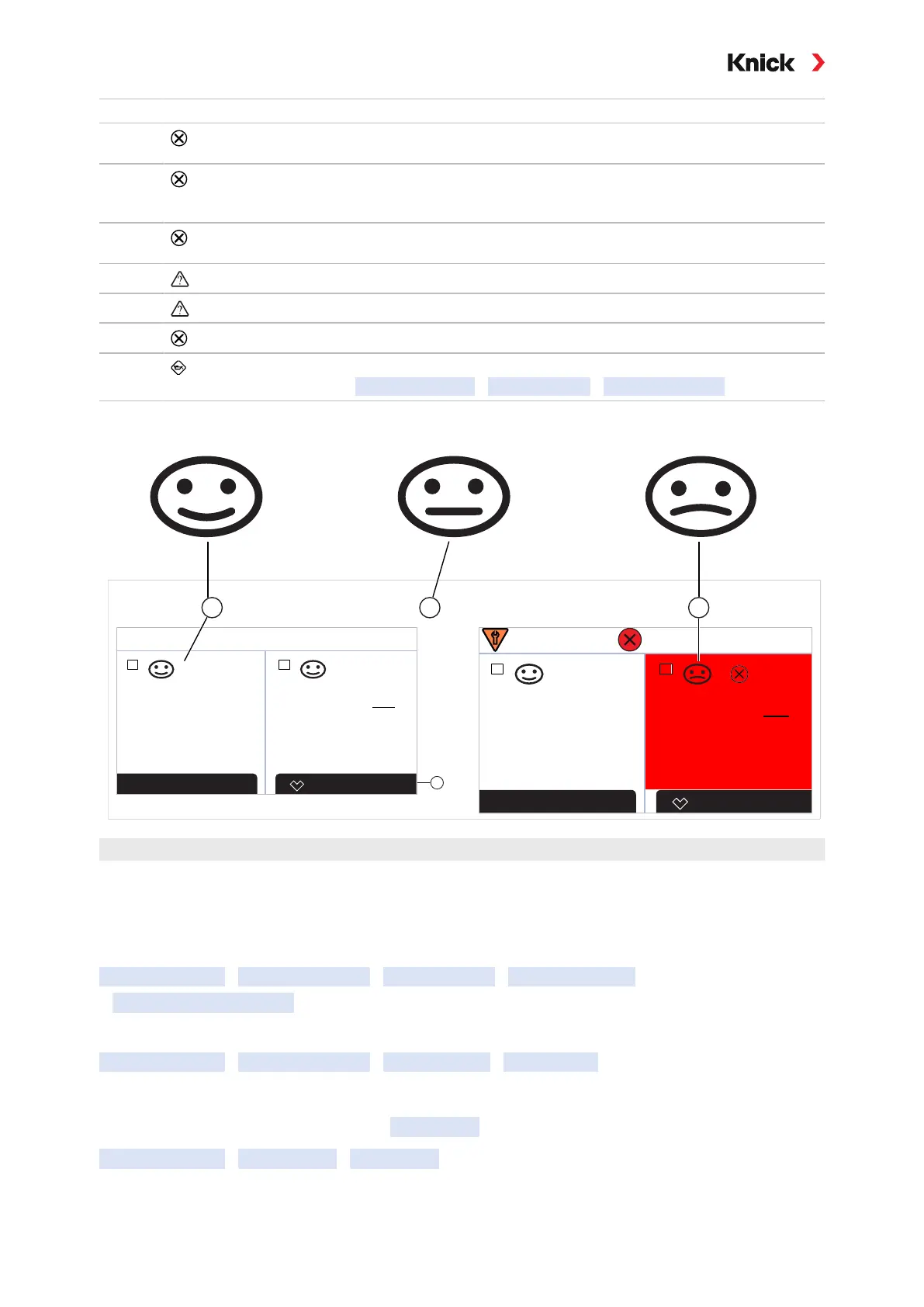
Happy Sensoface
2
Neutral Sensoface
3
Sad Sensoface
The Sensoface icons provide the user with diagnostic information on wear and required maintenance
of the sensor. In measuring mode, an icon (happy, neutral, or sad smiley) is shown on the display to
reflect the continuous monitoring of the sensor parameters.
You can configure the current outputs so that a Sensoface message generates a 22-mA error signal.
Parameter Setting
Inputs and Outputs
Current Outputs
Current Output I…
Behavior during Messages
The Sensoface message can also be output via a relay contact:
Parameter Setting
Inputs and Outputs
Relay Contacts
Contact K… ➜ Usage: Sensoface, p. 60
Enabling/Disabling Sensoface
Sensoface is enabled and disabled in the Sensor Data submenu:
Parameter Setting
[I] [II] [Sensor]
Sensor Data
Note: After a calibration, a smiley is always displayed for confirmation, even if Sensoface is disabled.



 To Next Page