Stratos Multi E401N
39
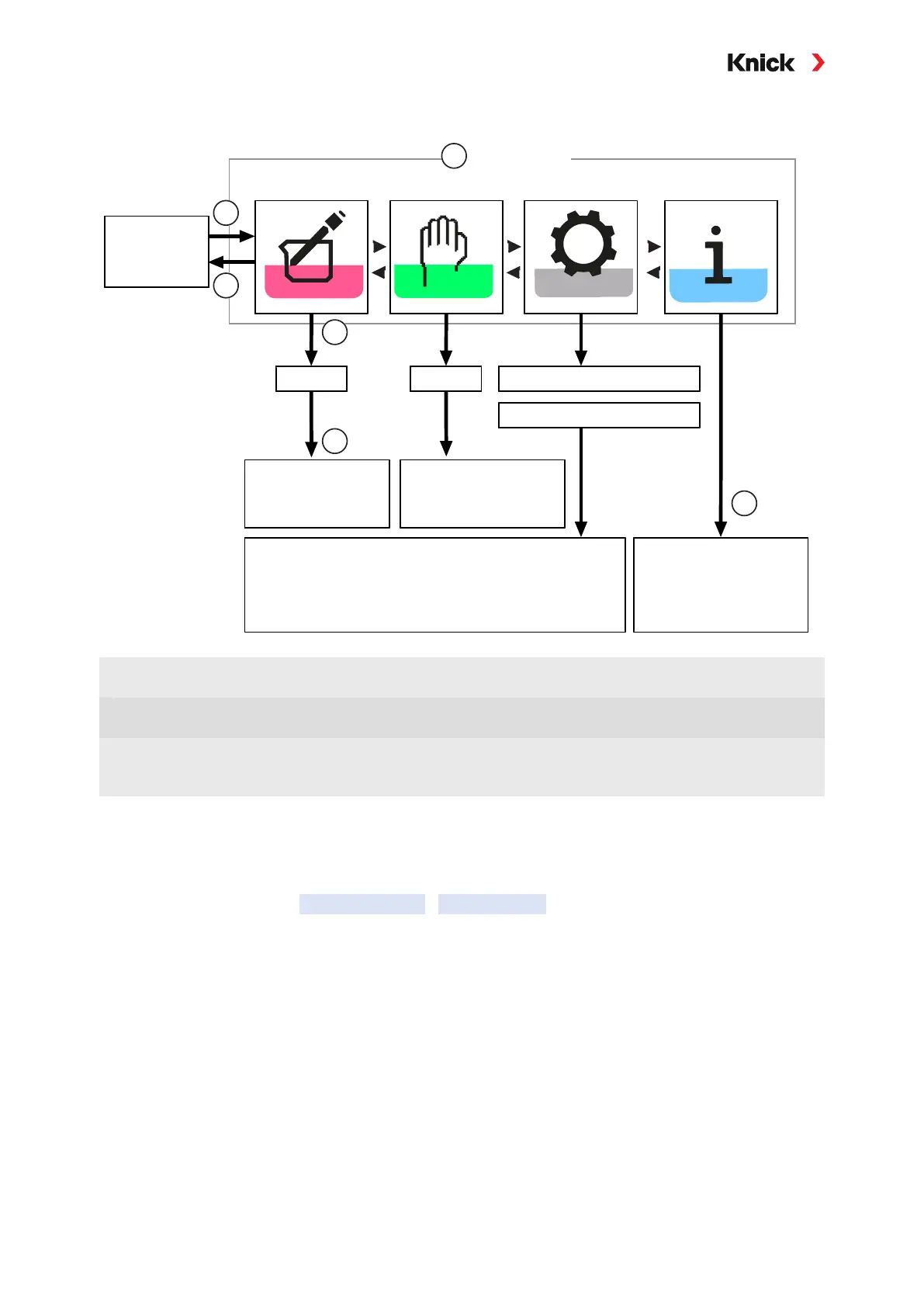
4.3 Menu Structure Overview
Measuring
2958
1989 Administrator Level
1246 Operator LevelPasscode:
(factory
setting)
Calibration Maintenance Parameter Setting Diagnostics
Menu
1147
Message list, log,
device and sensor
information
System control (time, firmware update, options,
passcode entry), sensor selection, general
(language, measurement display), inputs and
outputs, measuring channels I and II
Maintenance of
sensors and current
outputs
Calibration mode,
calibration points,
buffer set
1
2
3
4
5
6
Submenus:
1
Left softkey: Pressing Menu accesses the menu
selection.
4 Press enter to confirm, enter passcode.
2 Right softkey: Back to Meas. returns to measure-
ment.
5
Further submenus and menu items are shown.
3 Select a menu using the arrow keys. 6
Selected functions in the Diagnostics menu can
also be accessed in measuring mode by pressing
the right softkey
(Favorites menu).
4.4 Access Control
Access to the device functions is regulated and limited by individually adjustable passcodes. This pre-
vents unauthorized modification of device settings or manipulation of the measurement results.
Passcodes are configured in Parameter Setting
System Control ➜ System Control, p. 43



 To Next Page