Stratos Multi E401N
38
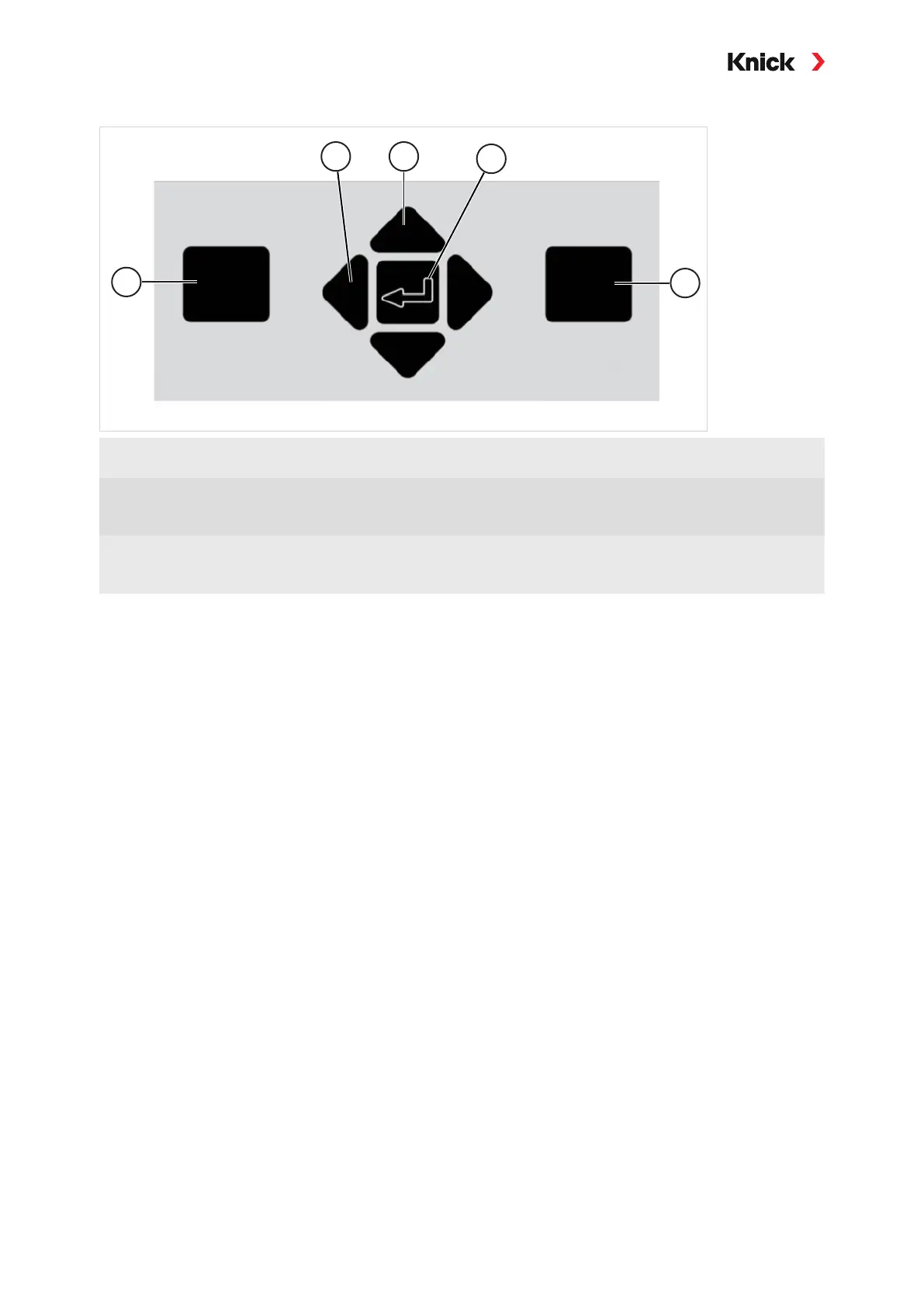
Keypad
1 Left softkey:
Function as shown on left function display
4 enter:
Open menu, confirm inputs
2 Left/right arrow keys:
Menu selection: prior/next menu, move left/
right
5 Right softkey:
Function as shown on right function display
3 Up/down arrow keys:
Row selection from selection window,
increase/decrease a numeral
Entering Text and Numbers; Selecting Signs
01. Select a number using the left/right arrow keys.
02. Enter numbers or letters using the up/down arrow keys.
Change the sign, required.
03. Switch to signs using the left arrow key.
04. Set the sign value with the up or down arrow keys.
05. Confirm with enter.
Note: If you enter values outside the specified value range, an information window showing the per-
missible value range is shown.



 To Next Page