2-6
2.1 Before Printing
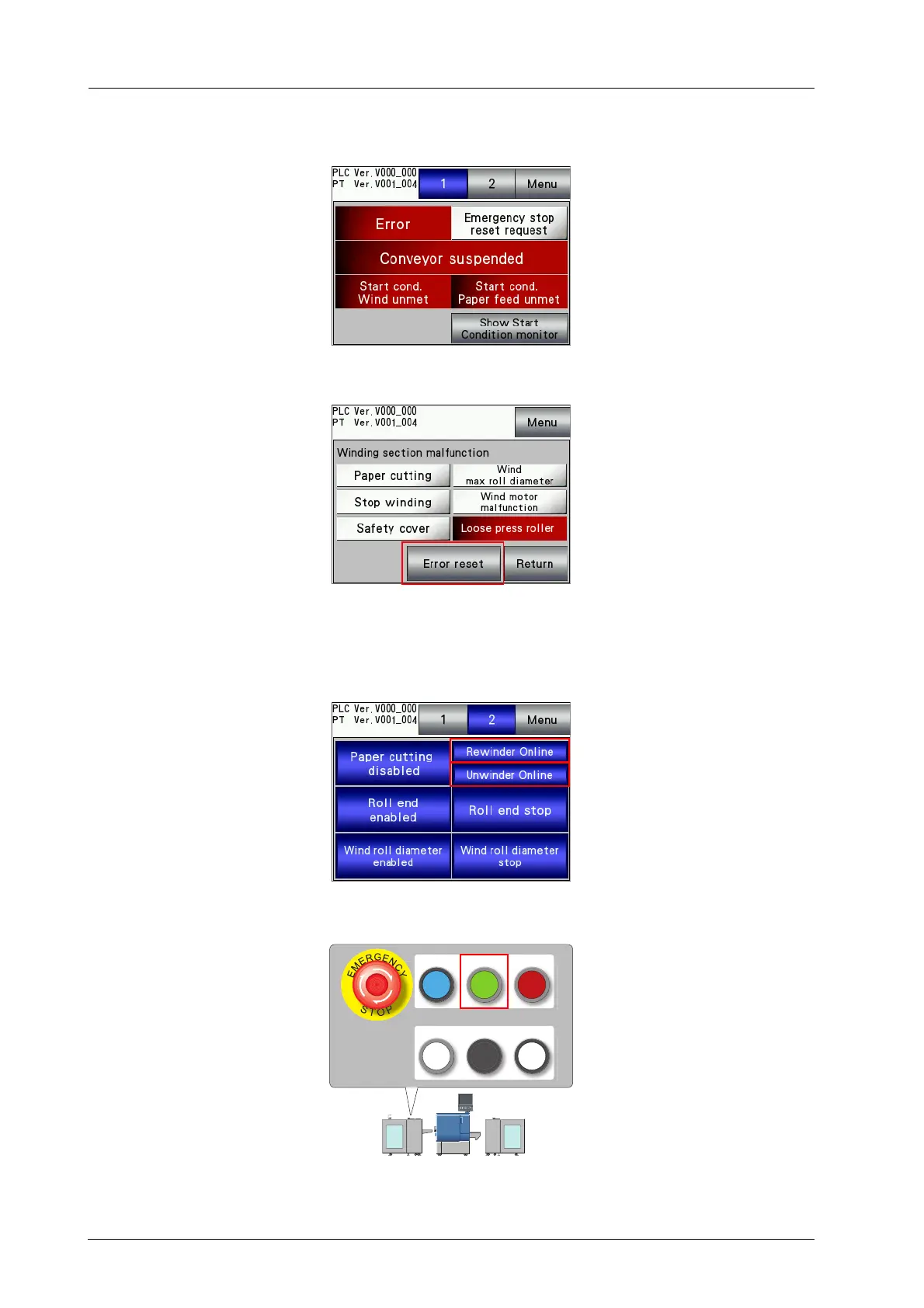
F When an error has occurred, resolve the error.
Check the error position on the error screen, resolve the error, and then press [Error reset].
For details on the error screen, refer to the HTML User's Guide.
G On the touch panel of Roll Winder RW-201, select [Menu] - [1. Machine state/2.
Machine setting] - [2] to set [Unwinder Online], [Rewinder Online].
H Press the REWIND MOTOR ON on the control panel of Roll Winder RW-201.
REWIND MOTOR
ON
REWIND MOTOR
OFF
EMG.RESET
READY JOG
STOP



 To Next Page