3-6
3.2 Changing the Media
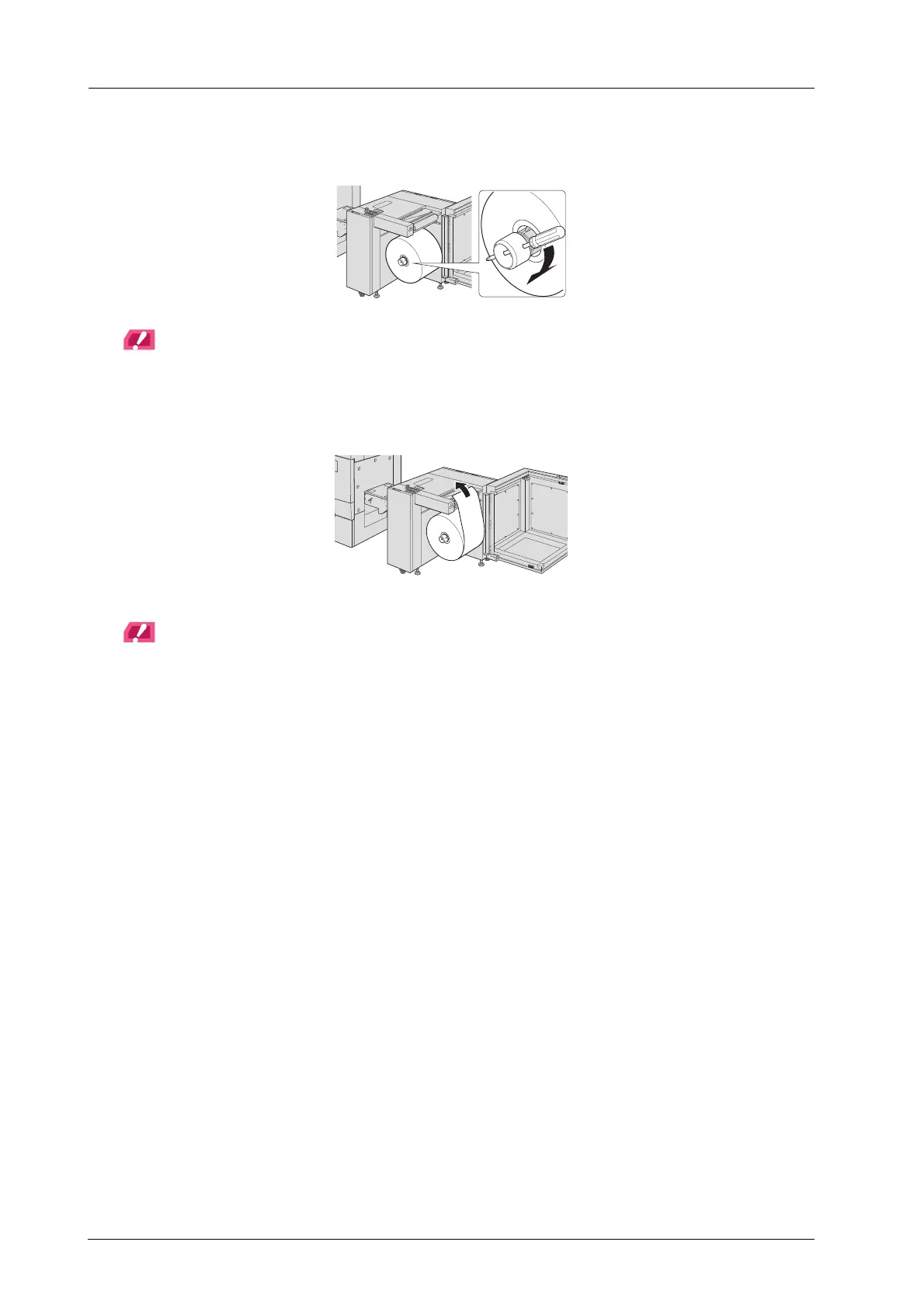
J Insert a Phillips screwdriver etc. through the hole of the lug protruding/retracting
handle and tighten clockwise.
NOTICE
If the media is not properly held, feeding shaft may rotate unnecessarily. Please note that if lug
protruding/retracting handle is rotated hard, the media core may be damaged.
K Pull out the media edge.
NOTICE
If the tension of the feeding shaft is set OFF, the media can be pulled out easily.
The tension of the feeding shaft can be changed ON or OFF as needed on the touch panel of Roll Winder RW-
201 ([Menu] screen - [1. Wind/2. Paper feed] - [2]).
Continuously, connect the media.



 To Next Page