3-5
bizhub PRESS C71cf
3
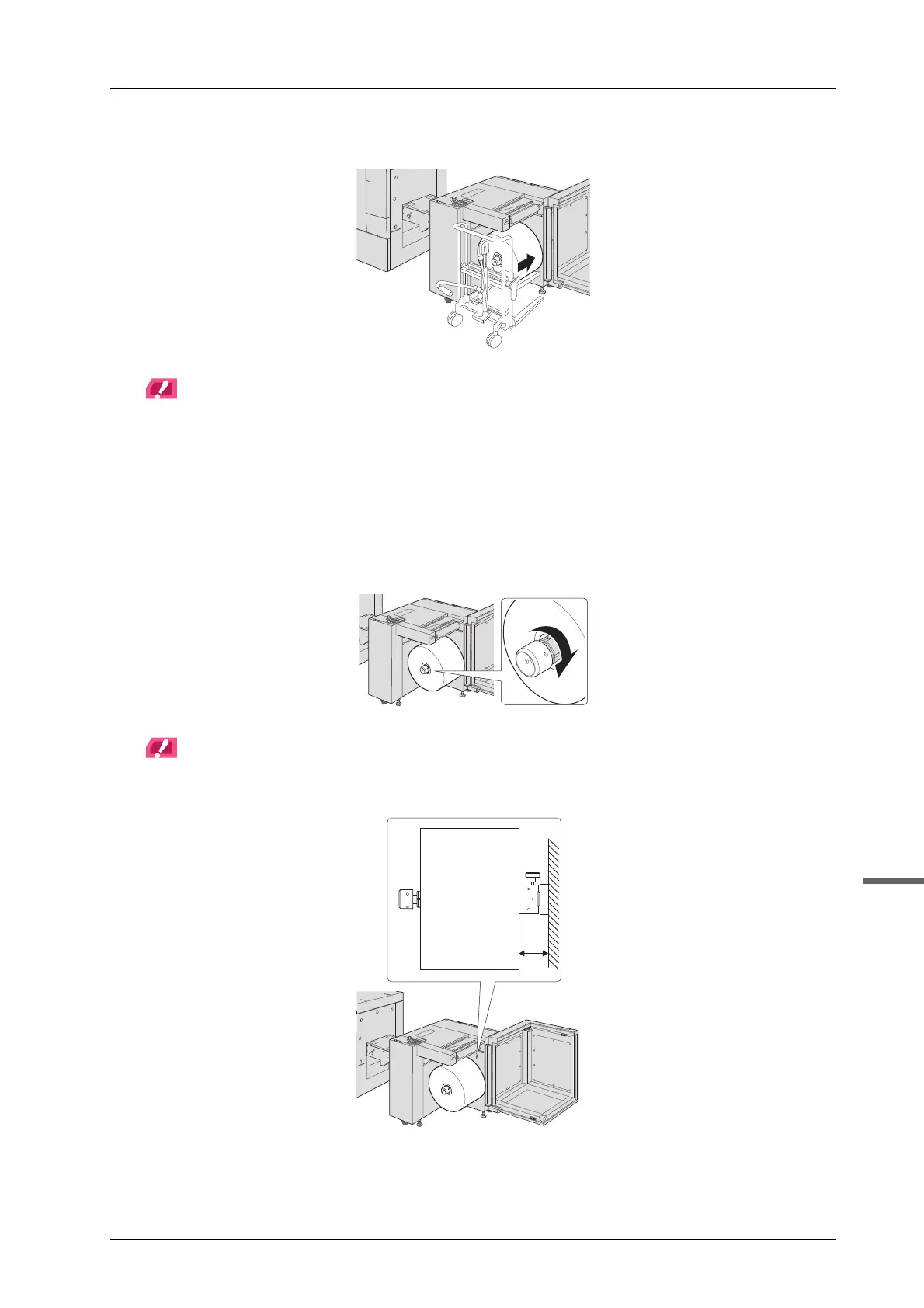
H Set the media in the feeding shaft.
NOTICE
When the media is inserted up to or beyond the half way point of the feeding shaft, pull the lifter out in a forward
direction, then carefully push the remaining media to the specified position by hand. Note that if Roll Winder
RW-101 is subjected to a strong shock, the installation location may become misaligned and cause media
meandering.
When setting the media, if it is stuck at the rear side and cannot be pushed, raise the rear side of the media and
move.
I Rotate the lug protruding/retracting handle clockwise until it stops by holding the
media and tighten it.
NOTICE
Confirm that the edge of the media is set at the position located 105 mm (±0.25 mm) / 4.13" (±0.01") from the
metallic surface inside Roll Winder RW-101.
105 mm



 To Next Page