3-8
3.2 Changing the Media
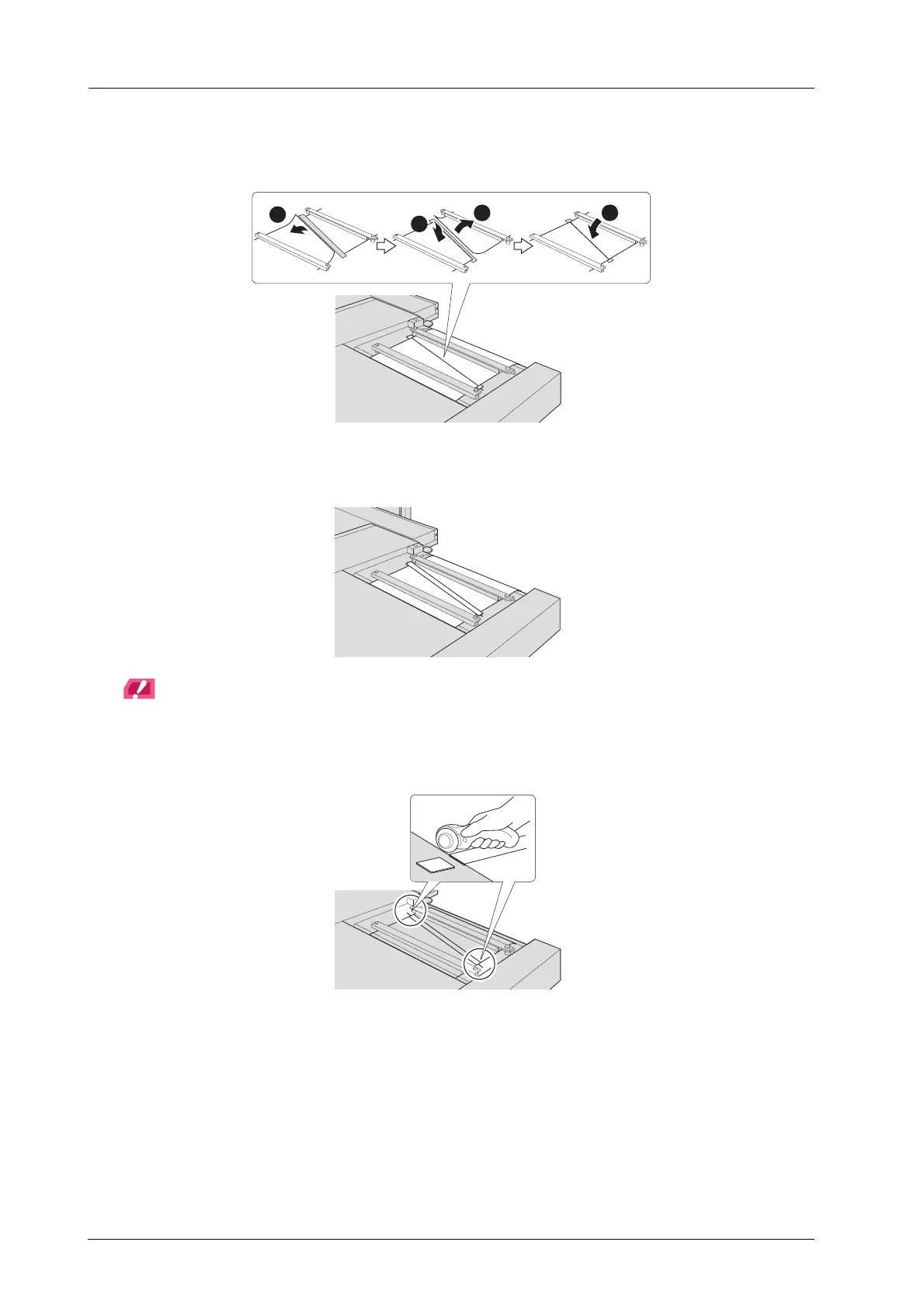
D Stick the joint part of the media from the back side with masking tape.
Stick to protrude the masking tape from both ends of the media.
E Stick the joint part of the media from the front side with masking tape.
Stick to protrude the masking tape from both ends of the media.
NOTICE
Adhere the joint firmly by rubbing the surface of the masking tape to avoid peeling the media during transport.
F Cut the protruded parts of the masking tape from both ends of the joint part.
2
1
3
4



 To Next Page