6 CONTROLS 100
– Press the button briefly and repeatedly until the symbol shows BACK... in the info
display.
– Press the MODE button briefly.
– Press the button briefly and repeatedly until the symbol shows EXIT SETUP in the
info display.
– Press the MODE button briefly.
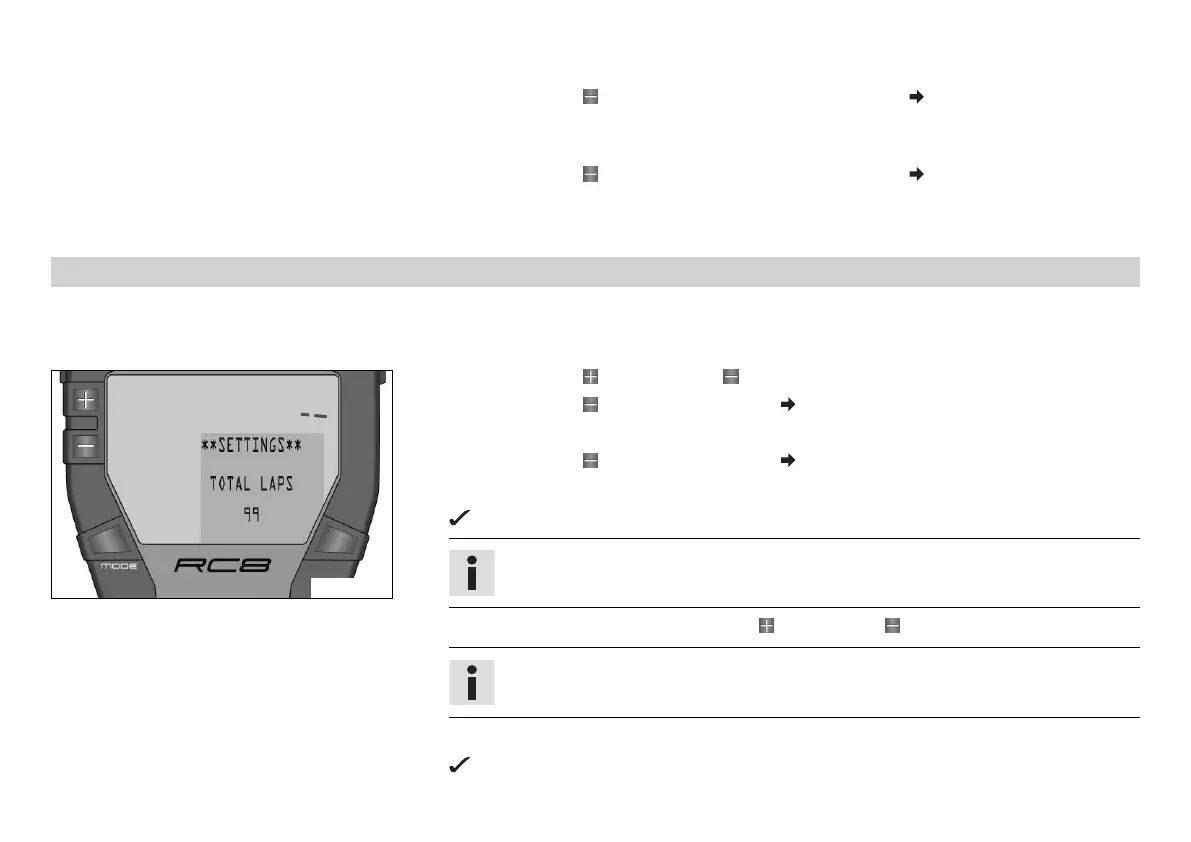
6.13.53 Setting the number of laps SET NUM LAPS
Condition
The ignition is on.
The motorcycle is stationary.
400462-01
– Press the button and the button for 3 - 5 seconds.
– Press the button twice until the symbol shows SETTINGS in the info display.
– Press the MODE button briefly.
– Press the button twice until the symbol shows SET NUM LAPS in the info display.
– Press the MODE button briefly.
TOTAL LAPS appears on the info display with the number of laps.
Info
When delivered, the number of TOTAL LAPS is set to 99 laps.
– Set the number of laps with the button or the button .
Info
You can set TOTAL LAPS to between 1 and 99 laps.
– Press the MODE button briefly.
The settings are stored and the display switches to the SETTINGS menu.


 To Next Page
 Loading...