Using Android Auto
Android Auto can be used by connecting a smartphone to the multimedia system
using a data USB cable.
This function is not available in some countries or areas.
1 Confirm that the Android Auto application is installed on the smartphone to
connect.
2 Connect the smartphone to the USB port.
● The Android Auto home screen is displayed.
● It may take around 3 to 6 seconds to return to the original screen, depending on the
smartphone being connected.
● If an operation failed screen is displayed, follow the operation instructions on the
screen.
● If guidance is displayed on the smartphone screen, follow those operation instruc-
tions.
● If the Android Auto home screen is not displayed, check the following.
•
Touch [
] from the main menu.
•
If [ ] of the main menu is not displayed, select the smartphone to use with
Android Auto and set [Use for Android Auto] to ON.
• After confirming the 2 items above, touch [Connect] in the Bluetooth
®
settings
to connect your smartphone.
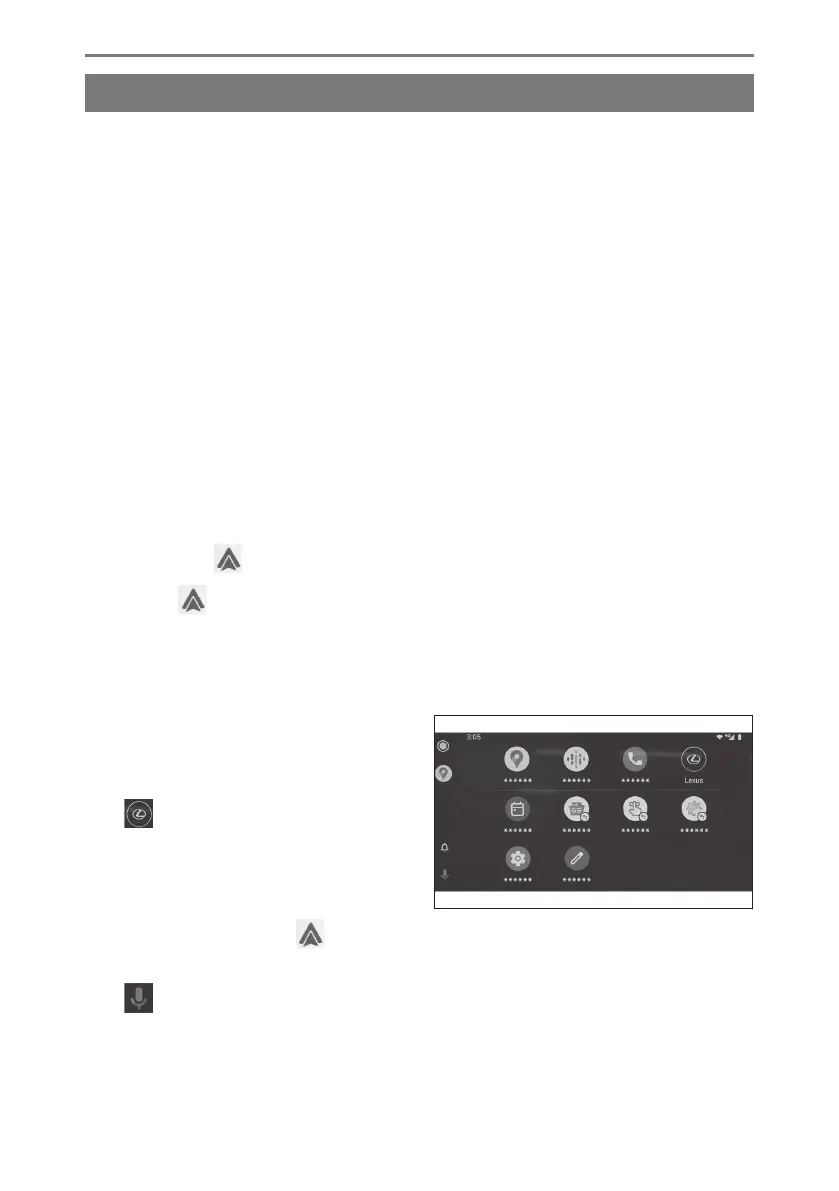
3 Operate Android Auto.
Applications that support Android Auto
can be used by touching the application.
[ ]
Displays the multimedia system
screen.
To display the Android Auto home
screen again, touch [ ] from the
main menu.
[
]
Start Google Assistant
™
.
3-3. Using Apple CarPlay and Android Auto
136













 To Next Page