Radio operation
Listening to the radio
Switch to your preferred frequency and listen to the radio.
INFORMATION
● When a stereo broadcast is received, the broadcast switches to the stereo broadcast
automatically.
● If the signal becomes weak, the radio reduces the amount of channel separation to
prevent the weak signal from creating noise. If the signal becomes extremely weak, the
radio switches from stereo to mono reception.
1
Touch [ ] from the main menu.
2 Touch [Sources].
3 Touch [FM].
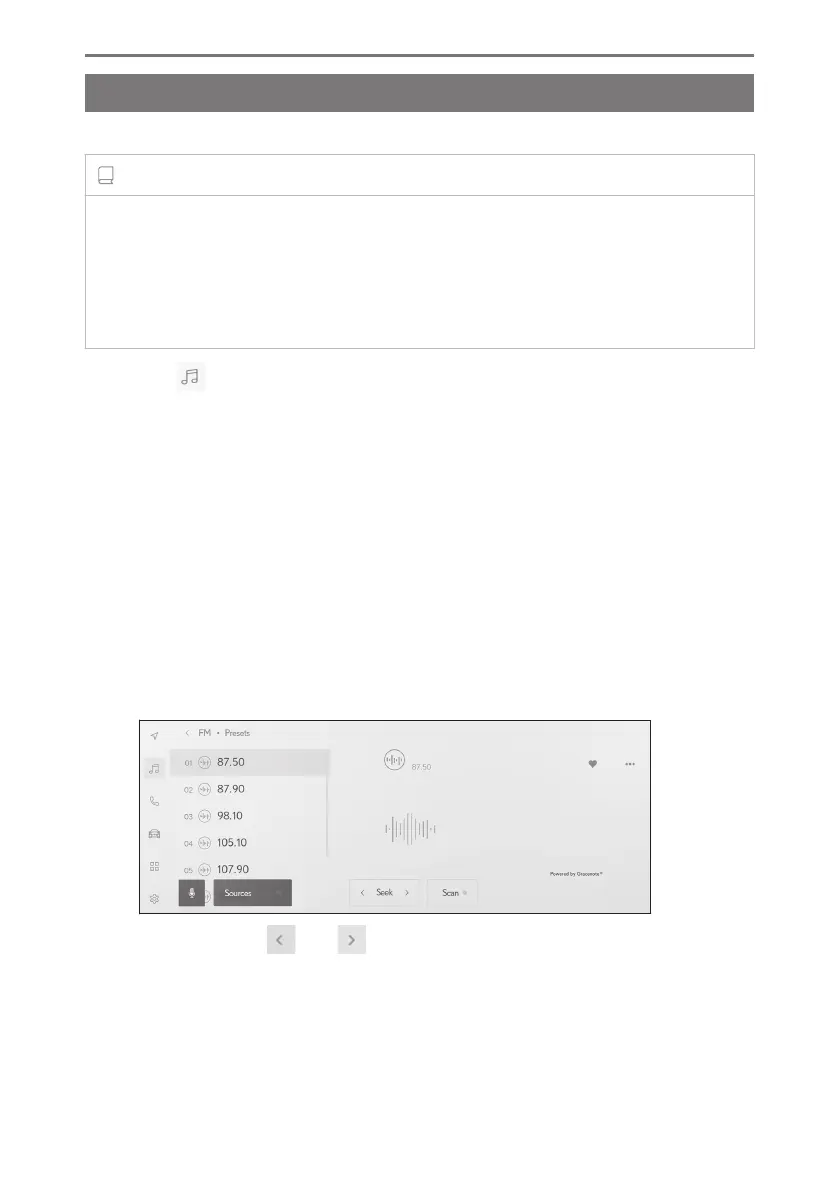
4 Select the station selection method as necessary.
[Presets] : Select the broadcasting station from the stations registered in the
presets.
[Station list] : Select the broadcasting station from the broadcasting station list.
[Direct tune] : Select the broadcasting station by entering a frequency with the
numeric keypad.
5 Operate the radio that is being received as necessary.
● Perform operations from the screen
[Seek] : Touch [ ] or [ ] to automatically select the broadcasting
station closest to that position with the best reception sensitivity.
Touch and hold to switch frequencies. When released, the broadcast-
ing station closest to that position with the best reception sensitivity is
selected automatically.
5-1. Radio operation
178













 To Next Page