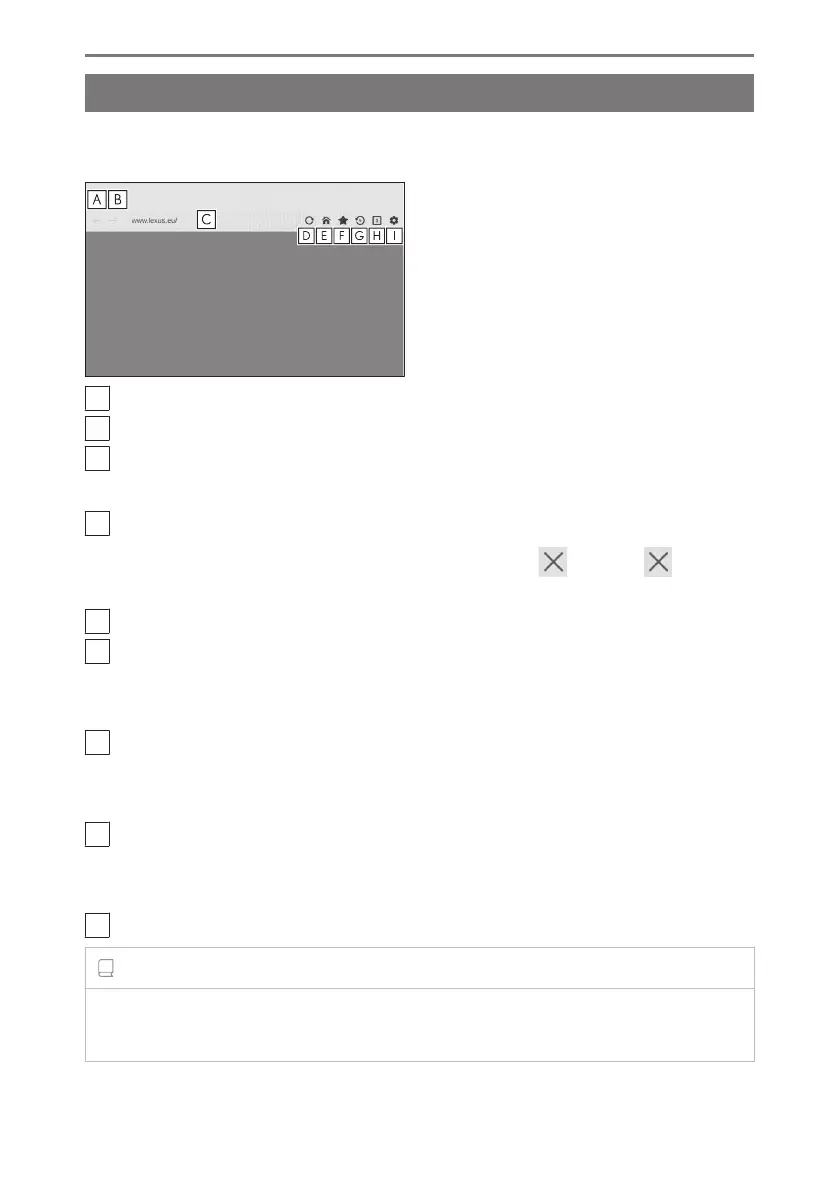
Operating the web browser screen
The web browser screen can be operated by touching displayed items on a page
or the toolbar at the top of the web browser screen.
A
Return to the previous page.
B
Proceed to the next page.
C
Displays the URL of the page.
Touch to enter a URL and display the corresponding page.
D
Reload the displayed page.
While a page is reloading, the button will change to [ ]. Touch [ ] to
cancel reloading of the page.
E
Display the home page.
F
Display the bookmark management screen.
By touching the name of a bookmark on the management screen, the corre-
sponding page will be displayed.
G
Display the browsing history management screen.
By touching the name of a page on the management screen, the correspond-
ing page will be displayed.
H
Display the tab management screen.
By touching the name of a tab on the management screen, the corresponding
tab will be displayed.
I
Display the settings screen.
INFORMATION
● While a page is being reloaded, the status can be checked by the changing of the
background color of the toolbar.
7-1. Web browser (Internet)
262













 To Next Page