● By touching and holding text on the screen, text can be selected to copy. To copy the
text, touch the copy button. Copied text can then be pasted into the URL display area
by touching it.
Related Links
Managing bookmarks(P. 263)
Managing Browsing history(P. 264)
Managing tab(P. 264)
Setting web browser function(P. 265)
Managing bookmarks
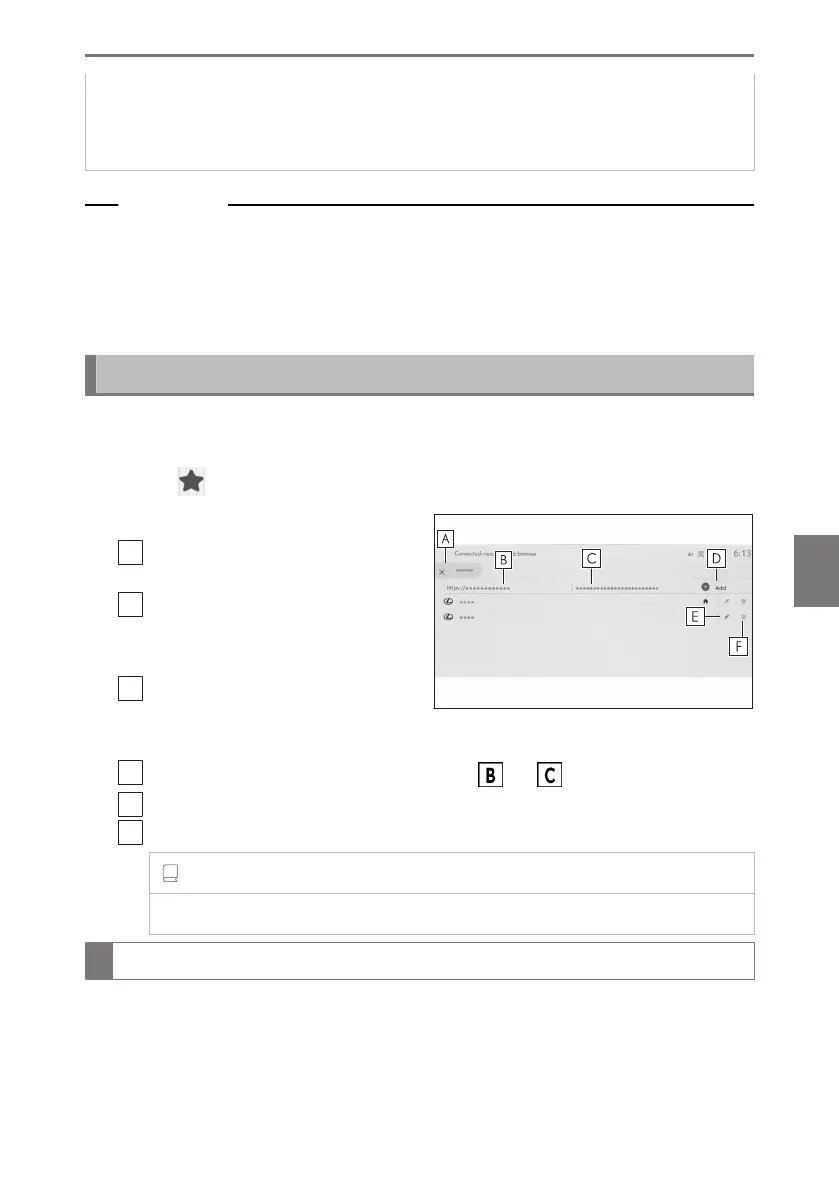
Bookmarks can be registered/edited/deleted on the bookmark management
screen.
1 Touch [
] on the toolbar.
2 Touch the desired items.
A
Close the bookmark management
screen.
B
Displays the URL of the last dis-
played page.
Touch to edit the URL.
C
Displays the bookmark name for the
most recently displayed page.
The bookmark name can be edited by touching it.
D
Add a bookmark with the content entered in and .
E
Edit bookmarks.
F
Delete bookmarks.
INFORMATION
Up to 100 items can be saved as bookmarks.
Editing bookmark
The bookmark name and URL can be edited and a bookmark can be set as the
homepage.
7-1. Web browser (Internet)
263
7
Connected services













 To Next Page