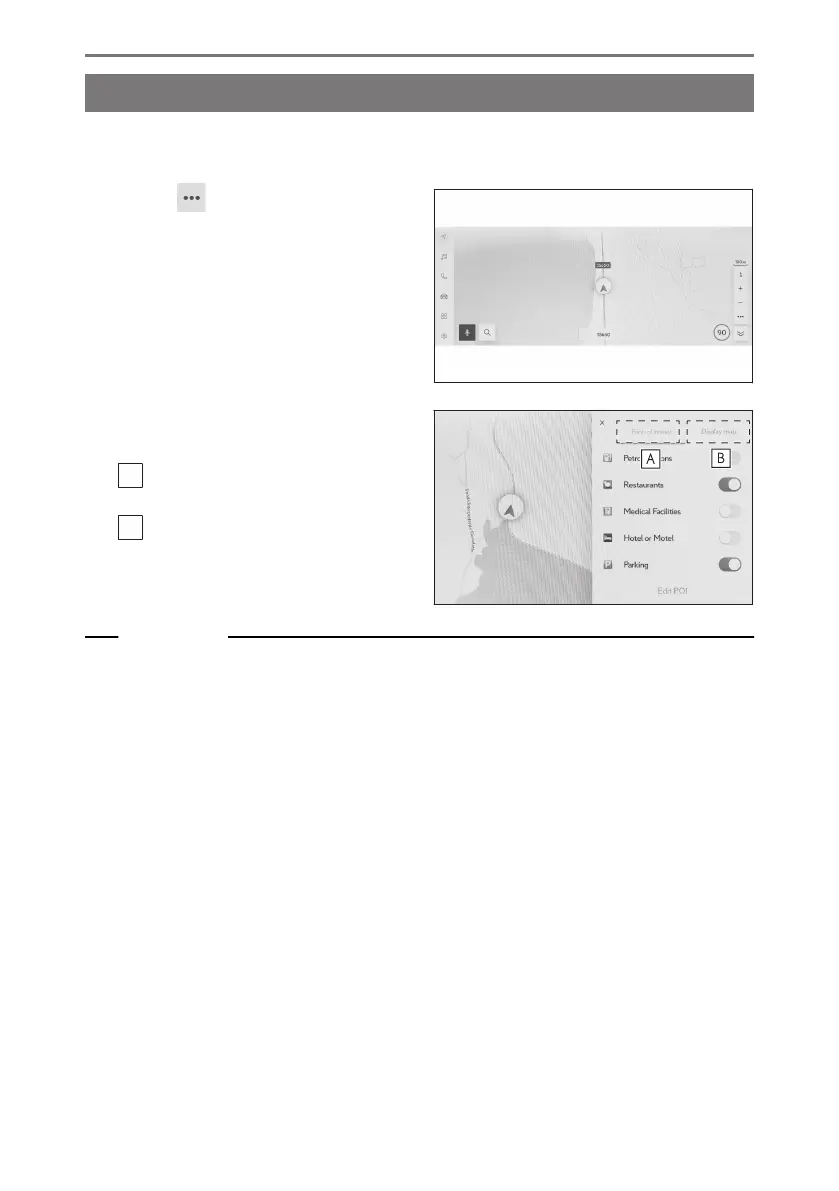
Map options screen
Information displayed on the map, such as POI icons, traffic information, etc., can
be set.
1 Touch [ ] on the map screen.
2 Touch [Points of interest] or [Display
map].
A
The POI icons displayed on the map
can be set.
B
The information displayed on the
map can be set.
Related Links
Displaying POI icons(P. 149)
Map display settings(P. 151)
4-2. Map information
148













 To Next Page