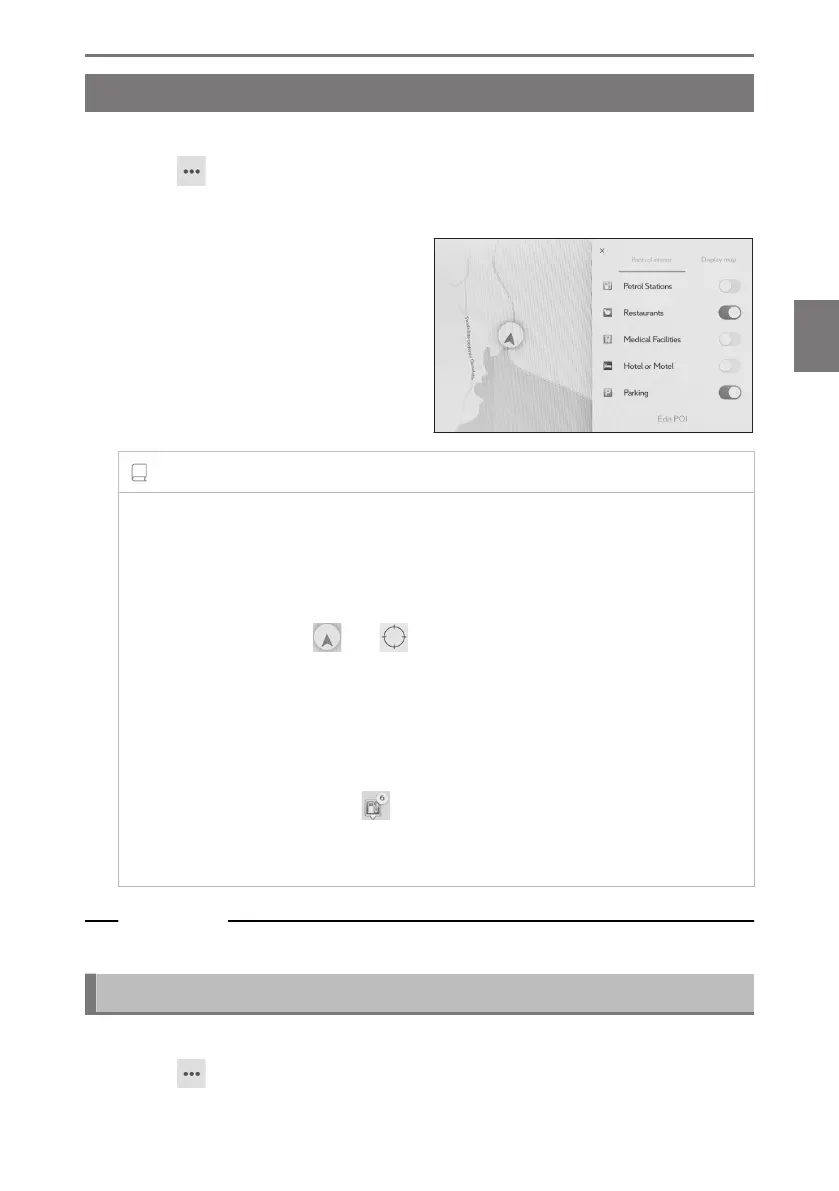
Displaying POI icons
POI icons, such as for restaurant, etc., can be displayed on the map.
1 Touch [ ] on the map screen.
2 Touch [Points of interest].
3 Touch the POI you wish to display on
the map screen.
To set a genre of POI other than those
displayed, touch [Edit POI].
INFORMATION
● POIs which are not included in the map data cannot be displayed.
● When the map scale is set to higher than 1 km (0.6 miles) POIs will not be
displayed.
● Only POIs which are within an approximately 10 km (6 miles) radius of the
current position mark [ ] or [ ] can be displayed (Up to 200 POIs).
● When the map scale is set to 800 m (0.5 miles) or lower, instead of densely
displaying each POIs whose category(ies) are set to be displayed , a POI icon in
an area will be displayed as a representative image. (This will make roads on the
map easier to see.)
The displayed icon will show the number of POIs it represents at the top right
corner of the icon (example: [
]).Touch the icon to display all of them.
● The display of nearby POIs can also be set on the detailed navigation settings
screen.
Related Links
Changing the map display settings(P. 80)
Setting displayed POI icons
Changes to options is limited while driving.
1 Touch [ ] on the map screen.
2 Touch [Points of interest].
4-2. Map information
149
4
Navigation













 To Next Page