Driver settings
Changing and registering a user profile
The user profile can be registered or changed. By registering a user profile, driving
positions, multimedia settings, and various other individual vehicle settings can be
saved as a profile for each driver.
1
Touch [ ] from the main menu.
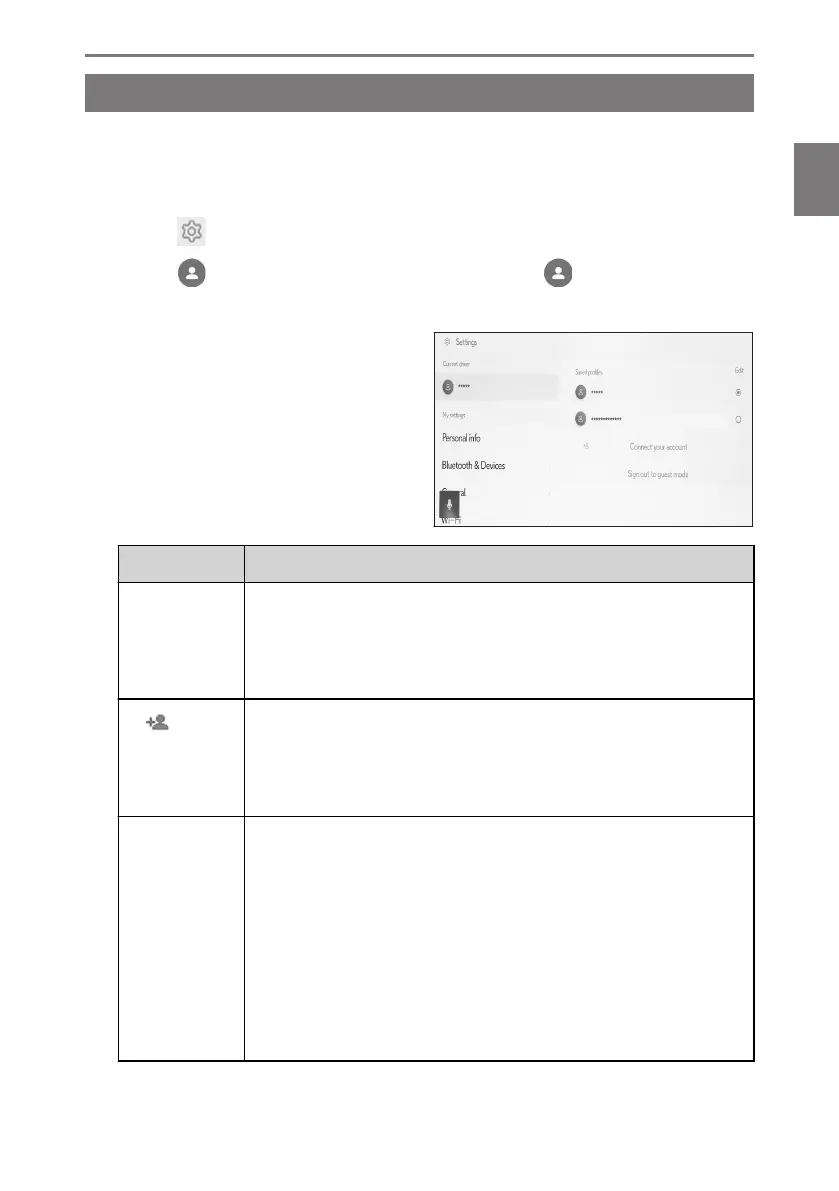
2 Touch [ ] (User profile name or vehicle name) or [ ][Guest] on the
submenu.
3 Select the desired item.
Setting Description
"Saved pro-
files"
The user profiles registered on the vehicle are displayed in a list.
The user profile can be switched for usage by touching the desired
profile name.
Touching [Edit] enables you to delete a registered user profile.
[ ][Con-
nect your ac-
count]/[Cre-
ate profile]
Register a new user profile.
[Sign out to
guest mode]
Select to change to the guest driver.
By using the guest driver, personal settings can be adjusted and
not saved to another user profile. When handing your vehicle off
to another person, touching [Sign out to guest mode] will hide the
personal information of the connected device. This can be used to
protect private information, such as the search history or personal
settings.
Profiles other than the search history or personal settings will be
applied to the guest drivers.
2-3. Driver settings
59
2
Settings and registration













 To Next Page