Updating and checking the software information
Check and update software information. The software is updated for the purpose
of improving multimedia system functions and operations for more smoother
usability.
1
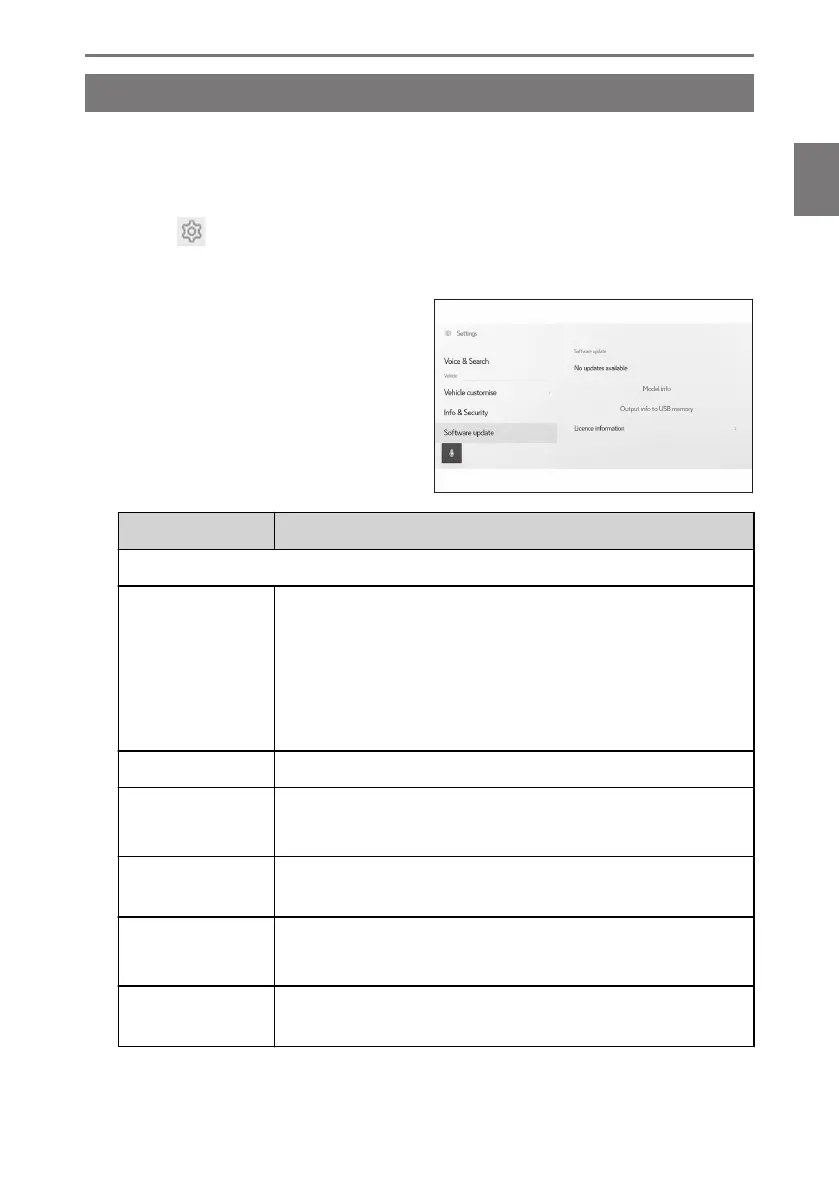
Touch [ ] from the main menu.
2 Touch [Software update] on the submenu.
3 Select the desired item.
Setting Description
"Software update"
[Updates availa-
ble]
Touch [View ] to check software update information. After
checking whether there is an update available and the content
of the update, the updated data can be downloaded and soft-
ware update can be installed.
If there is no updated data available, [No updates available] will
be displayed.
[Model info] Check the current software version etc.
[Update software]
Updating the software.
This will not be displayed if there is no update data available.
[Output info to
USB memory]
The function for this item is unavailable for this vehicle.
[History]
Check software update history.
This setting will not be displayed if there is no update history.
[License informa-
tion]
Check the software license information.
*1 : This function is not available in some countries or areas.
2-7. Vehicle settings
75
2
Settings and registration













 To Next Page