In-call operations
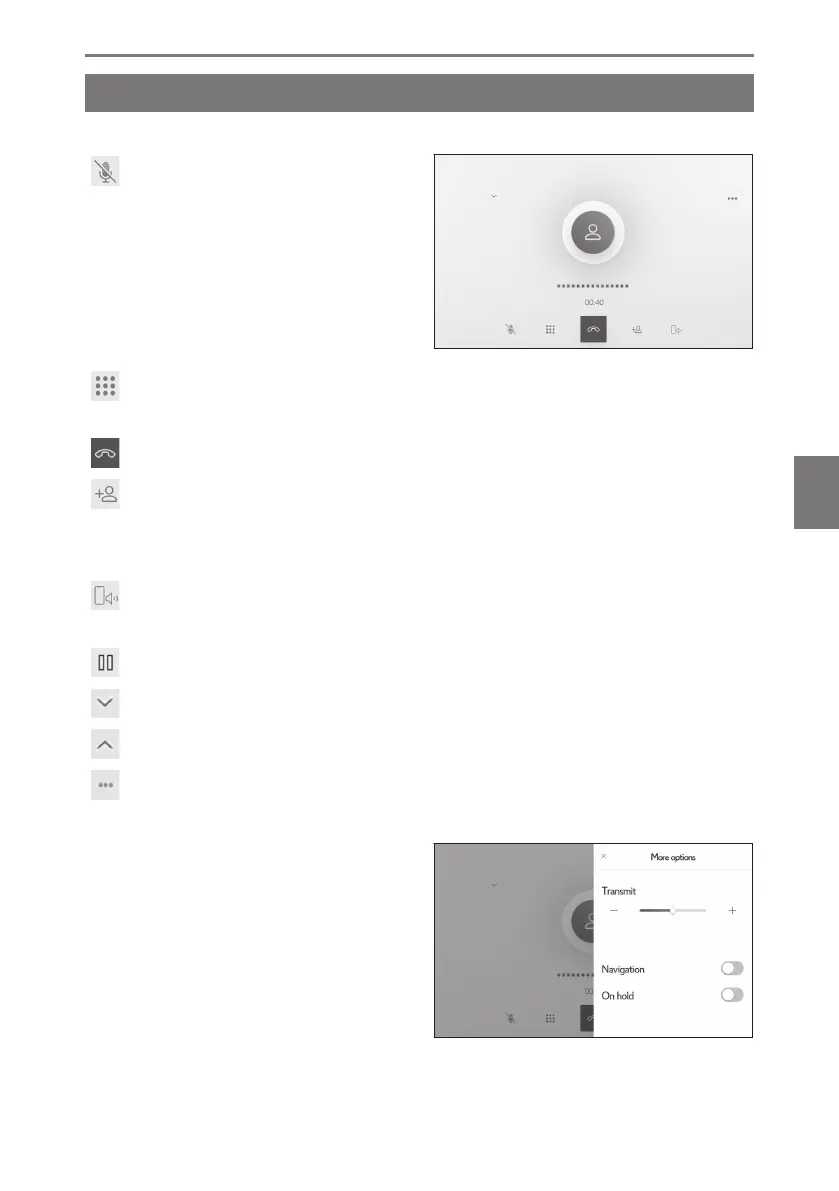
Perform operations from the in-call screen
During a call, various operations can be performed from the in-call screen.
[ ] : Mute the transmitted sound so
that the other party cannot hear the spo-
ken voice. The button turns blue during
mute.
To cancel, touch the button again.
You will be able to hear what the
other party is saying.
[
] : Displays the keypad screen. The call screen will be displayed as small while
the keypad screen is displayed.
[
] : Hang up during a call.
[ ] : Display the contact list in the submenu to make a call to another person.
●
You can make a call to another person by touching the phone number during a
call to make a call.
[ ] : Allows a call to be switched between the cellular phone and the multimedia
system. During a cellular phone call, the button changes to blue.
[ ] : Cancel the pending call. Only displayed on hold.
[
] : Reduce the call screen.
[ ] : Display the call screen in the main area.
[ ] : Displays the option screen.
The following operations can be performed on the option screen.
● [Transmit] : Adjusts the transmission
volume.
Changing the transmission volume
may cause the sound quality to de-
teriorate.
● [Navigation]
*1
: Mutes the navigation
system's voice guidance.
Turn on [Navigation] to deacti-
vate.
6-5. In-call operations
237
6
Hands-free calls













 To Next Page