Zooming in on the screen
Zooming in on the screen can be done if the image on the screen is too small and
hard to see.
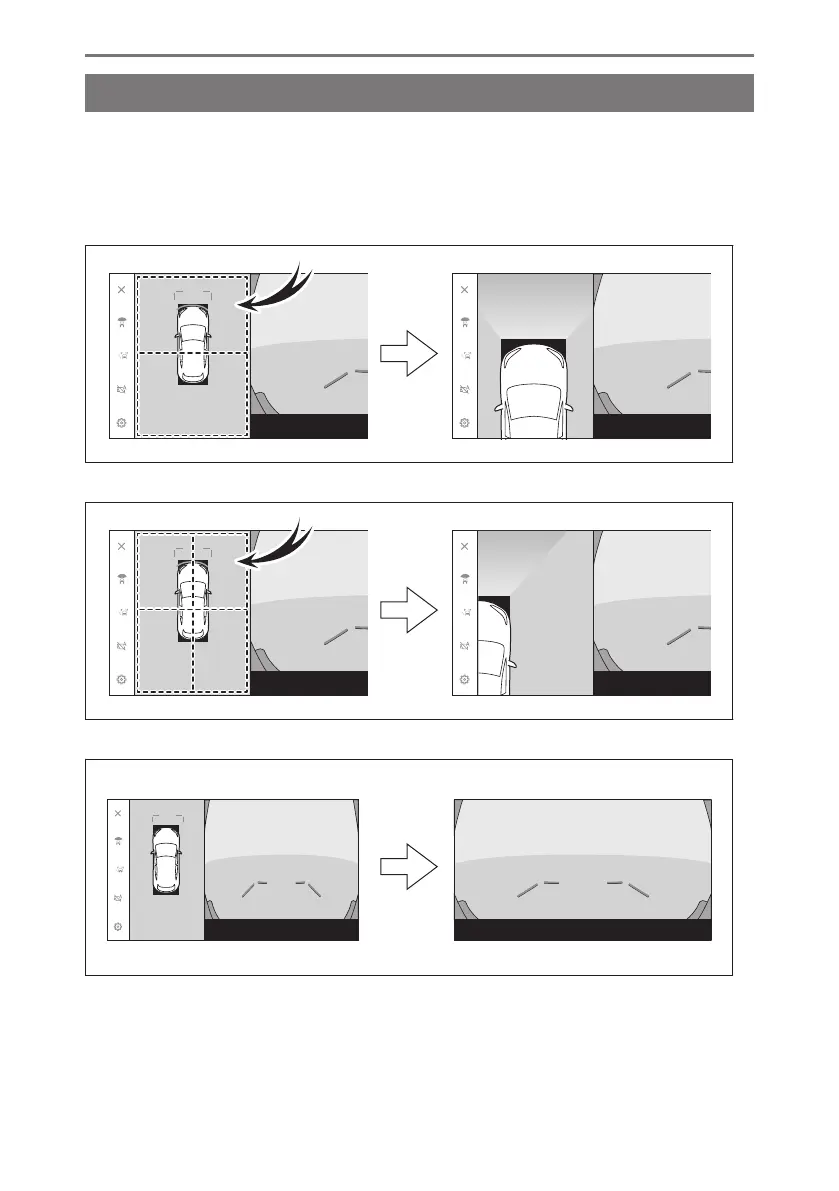
Touch the area that you want to zoom in on the panoramic view or wide front view.
▶ Panoramic view (14-inch display)
▶ Panoramic view (9.8-inch display)
▶ Wide front view (9.8-inch display)
● The selected area is zoomed in on.
● In panoramic view, you can zoom in one of the two places in front or rear of
the vehicle (or one of the four places in front right/left or rear right/left of the
vehicle
*1
).
8-2. Panoramic view monitor
312













 To Next Page