Calling using a wait or pause signal
Numbers that include wait (w) or pause (p) signals can be called. The transmission
of the numbers that follow the wait (w) or pause (p) signal is suspended or stopped
for about 2 seconds.
● A wait (w) signal suspends the transmission of the number. Transmission resumes
after an operation by the user until the next wait (w) signal. Numbers that include
pause (p), transmission stops for about 2 seconds before the following numeral
is transmitted.
● A pause (p) signal stops the transmission of the number for about 2 seconds.
1 Touch [
] from the main menu.
2 Touch [Contacts] on the submenu.
3 Select the contact.
4 Select the phone number that includes a wait (; or w) or pause (, or p) signal.
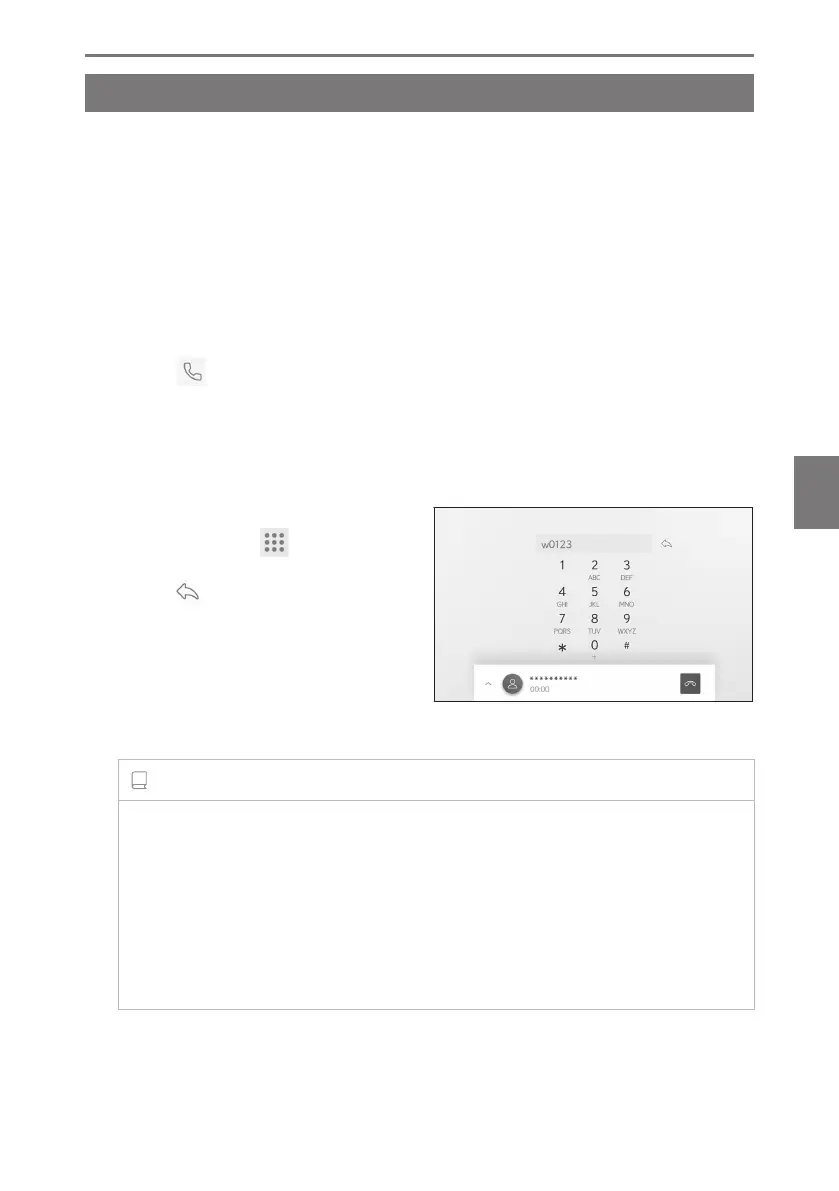
5 If the phone number includes a wait
(w) signal, touch [
].
When [ ] is touched, the number that
was suspended by the wait (w) signal re-
sumes transmission until the next wait (w)
signal. Numbers that include pause (p),
transmission stops for about 2 seconds
before the following numeral is transmit-
ted.
INFORMATION
● Depending on the model of cellular phone, the wait signal may be displayed as
a comma (,) and the pause signal may be displayed as a semi colon (;) on the
cellular phone screen.
● This function is used to make international calls.
● Release tones can be used when automated operation of a phone based service
such as an answering machine or bank phone service is desired. A phone number
with wait(w) or pause(p) signals can be registered in the contact list.
6-3. How to make calls
233
6
Hands-free calls













 To Next Page