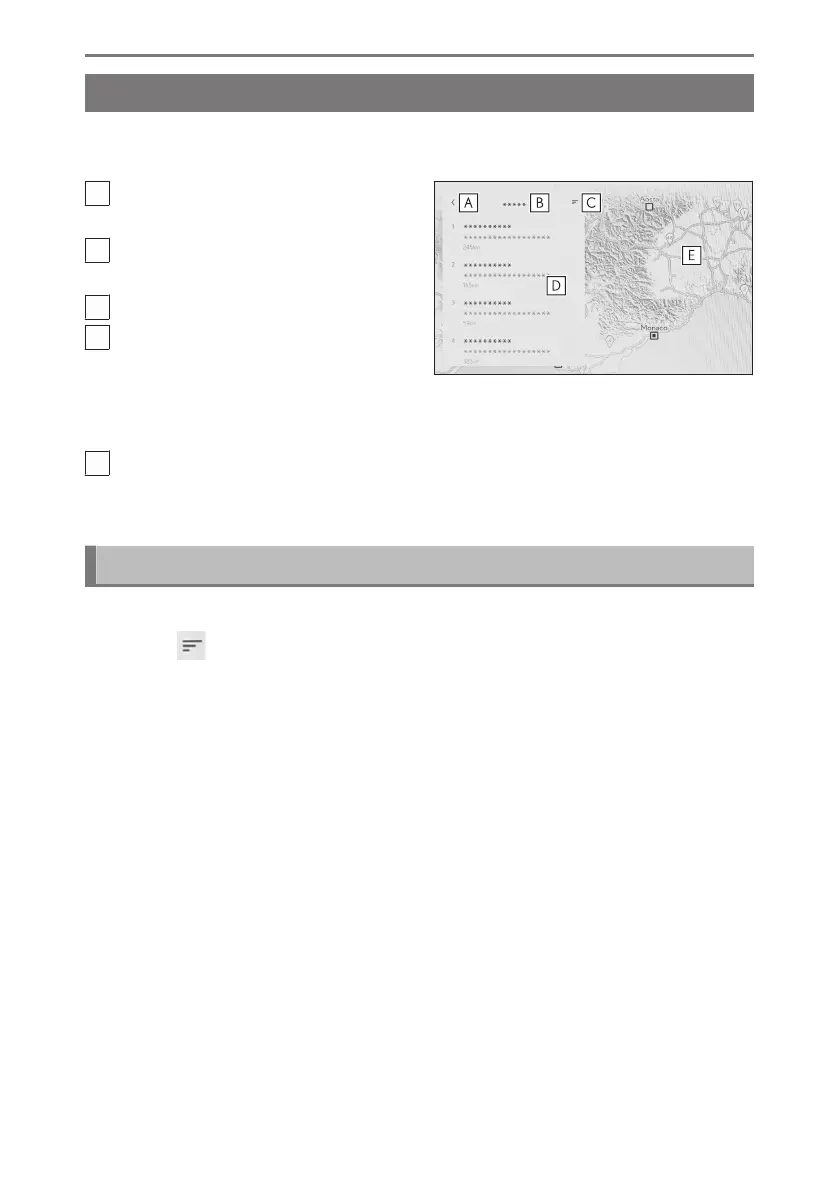
Search result list screen
When searching for a destination, if there are multiple search results, a destination
list will be displayed.
A
Touch to return to the previous
screen.
B
Displays the input characters for the
search.
C
Touch to display the search options.
D
Displays a list of search results.
Potential destinations within a loca-
tion will also be displayed.
●
Potential destinations within a location will also be displayed.
E
Displays the position of the items in the currently displayed list on the map.
●
After scrolling the map, if [Search this area] is touched, a destination can be
searched for within the area scrolled to.
Search options
The displayed range and order of the search result list can be changed.
1 Touch [
] on the search result list screen.
2 Set search options.
3 Touch [OK] to complete changing settings.
4-3. Destination search operation
160













 To Next Page