[Scan] : Search for broadcasting stations while moving automatically toward
higher frequencies.
When a broadcasting station is received, it can be monitored for about
5 sec. Touch to continue listening to this broadcasting station.
[ ] : Registers the received broadcast station in the preset. When
registered, touch to cancel.
[ ] : Displays the settable items.
• [Radio text] : Displays the radio text distributed by the FM broadcasting
station.
Preset switches or station list of submenu : Receives the selected broad-
casting station.
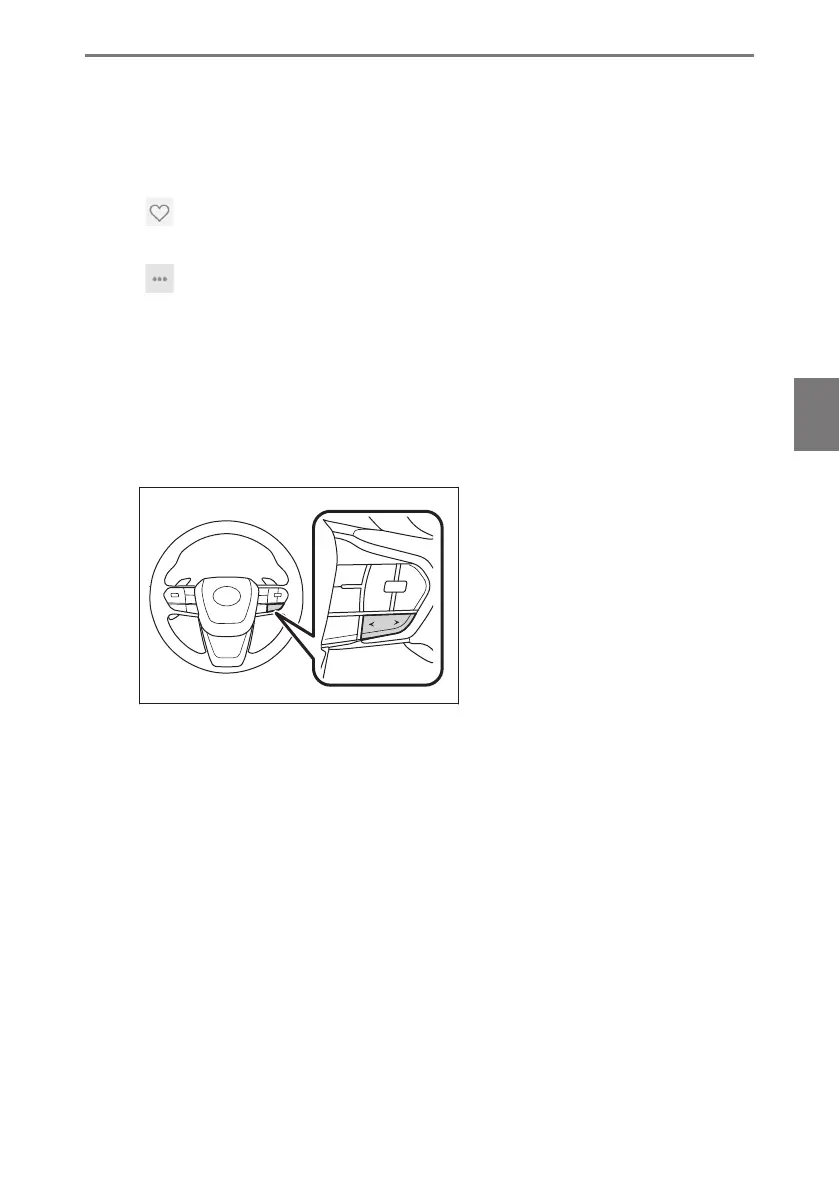
● Operating with the steering switches
▶ Type A
[<]/[>] switches
When selected from the "Presets" screen, switches the frequencies or broad-
casting stations registered in the preset switches in order.
When selected from the "Station list" screen, switches the broadcasting stations
displayed in the station list.
When selected from the "Direct tune" screen, automatically selects the broad-
casting station closest to that position with the best reception sensitivity.
Push and hold to switch frequencies. When released, the broadcasting station
closest to that position with the best reception sensitivity is selected automatical-
ly.
5-1. Radio operation
179
5
Audio system













 To Next Page