L-DALI User Manual 16 LOYTEC
Version 5.2 LOYTEC electronics GmbH
LDALI-3101-U, LDALI-E101-U, LDALI-3E101, LDALI-3E102, and LDALI-3E104 are
gateways connecting a DALI network to a CEA-709 network, LDALI-ME204 and
LDALI-E201-U are gateways connecting a DALI network to a BACnet network. On the
DALI network the L-DALI controller represents a DALI master controller. On the
CEA-709 or BACnet network the L-DALI controller offers a NV interface or a BACnet
server objects respectively to control the ballasts and the sensors connected for the DALI
network.
The constant light controller (LONMARK functional profile #3050, BACnet Loop object)
allows controlling DALI ballasts with lighting nodes on the CEA-709 or BACnet network.
Occupancy and lux-level sensors for constant light control and buttons for manual operation
can be integrated via the CEA-709/BACnet interface or directly on the DALI side.
On the LONMARK version a built-in sunblind controller (LONMARK functional profile
#6111) interacts with other nodes on the CEA-709 network. Interaction between the
sunblind and constant light controller applications allows adjusting sunblinds depending on
the constant light controller output, e.g. for energy saving concepts.
L-DALI supports automation functions such as alarming, scheduling, and trending. The
L-DALI controllers offer local scheduling services including the possibility to configure
several local and remote 24 hour schedulers through the Web UI. Alarming includes the
functionality to generate, deliver, acknowledge, and display alarm conditions and logs
regardless whether the condition comes from the DALI or the CEA-709/BACnet network.
The trending capability includes periodic and event triggered data logging of values and
time stamps. Alarms and trend data are stored on the device accessible via an FTP
connection as CSV files.
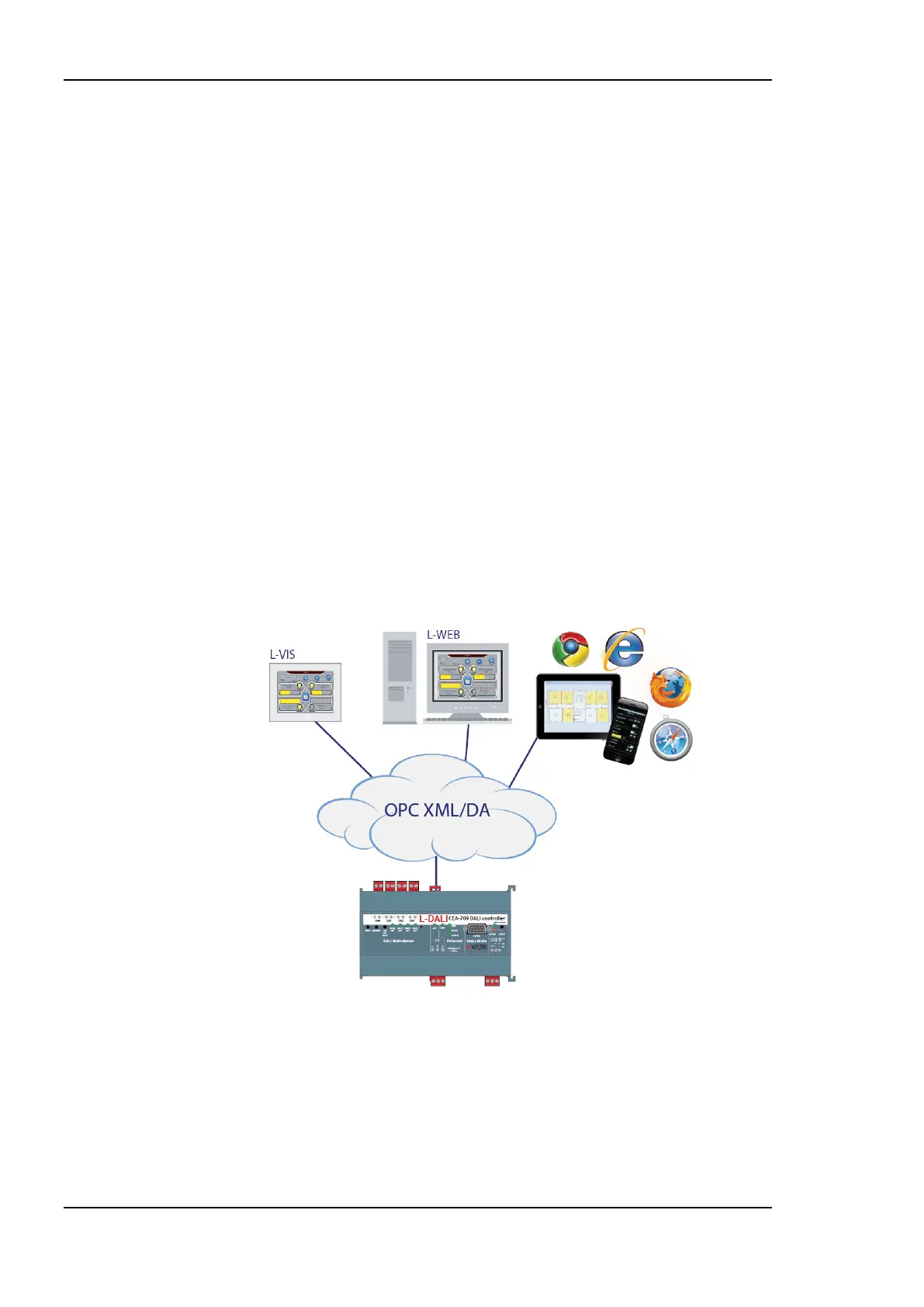
Figure 2: Using L-DALI together with the L-WEB product family.
L-DALI devices can be integrated with LWEB-802/803 visualization and LWEB-900 using
OPC XML-DA. LWEB-802/803 and LWEB-900 can be used for visualization of an
L-DALI based lighting control system. LWEB-900 offers additional functionality like
saving trend and log files for long term storage, easy managing of remote schedulers and
calendars, data analysis and report generation. L-DALI supports event-driven e-mail
notification as a result of a predefined action triggered by a specific status or an exceeded
high limit. e-mail notification can also be used to forward trend and log files to central SQL
databases for long term storage (see LWEB-900 for details).



 To Next Page