L-DALI User Manual 190 LOYTEC
Version 5.2 LOYTEC electronics GmbH
To Duplicate BACnet Devices
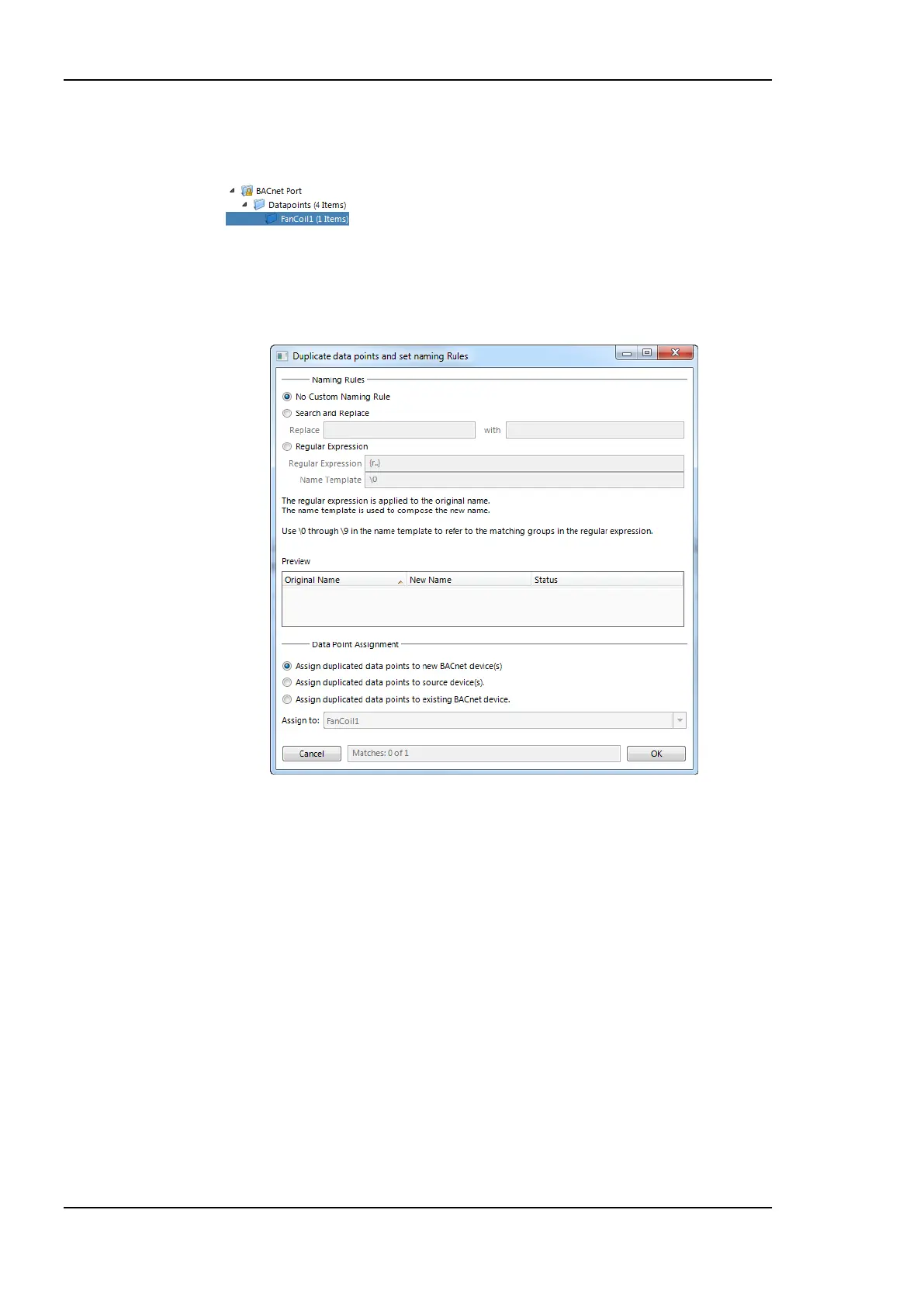
1. Select a folder created for a scanned/imported BACnet device.
2. Right-click and choose Duplicate in the context menu.
3. The Duplicate data points and set naming rules dialog opens as shown in Figure
172.
Figure 172: Duplicate BACnet devices.
4. In the Data Point Assignment section choose to assign the duplicated data points to a
new BACnet device instance and click OK.
5. A new BACnet device folder is created with the duplicated client mapping data points.
The original BACnet device is also duplicated, leaving the actual device instance
number empty and marking the device to be commissioned later on the Web interface
as described in Section 5.3.1.
6. The BACnet Device Manager shows the created devices as depicted in Figure 173.



 To Next Page