2.5. EXPERT MODE
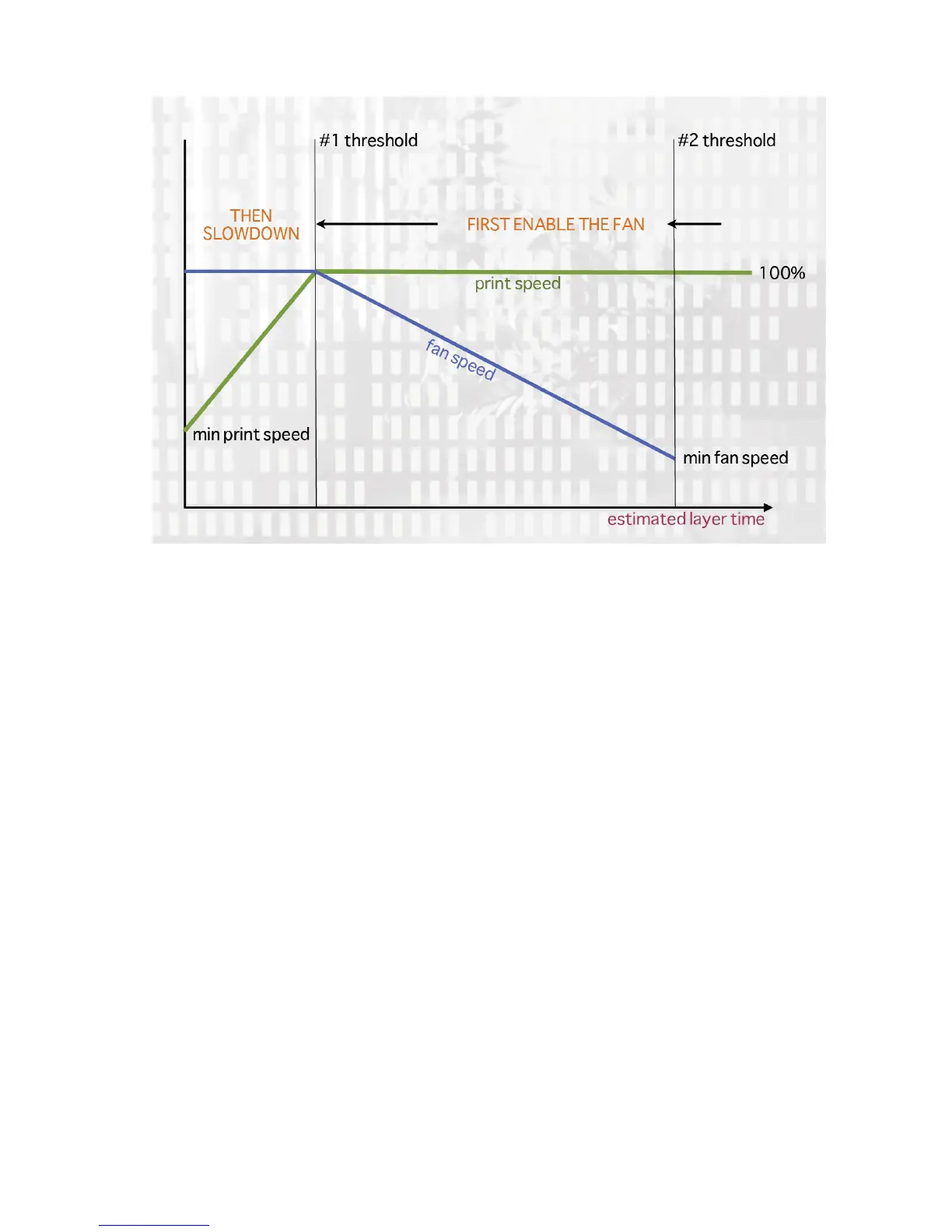
Figure 2.35: Cooling strategy.
Figure 2.35 shows the strategy adopted by Slic3r. Reading from right
to left, when the minimum fan threshold (#2) is reached the fan is turned
on. This increases in intensity as the layer time decreases. The print
speed remains constant until the estimated print time drops below a certain
threshold (#1), this is when the print speed is reduced until it reaches it’s
minimum value.
Fans
Most electronics and rmware allow the addition of a fan via a spare
connector. These can then be instructed with G-code, from Slic3r, to turn
on or o as the model requires, and to rotate at dierent speeds.
Care should be taken with the positioning of the fan so that it does
not cool any heated bed more than necessary. It should also not cool the
heater block of the hot-end so as not to force it to do more work and waste
energy. The air movement should aim for the nozzle tip, owing over the
freshly extruded material.
101



 To Next Page