Slic3r
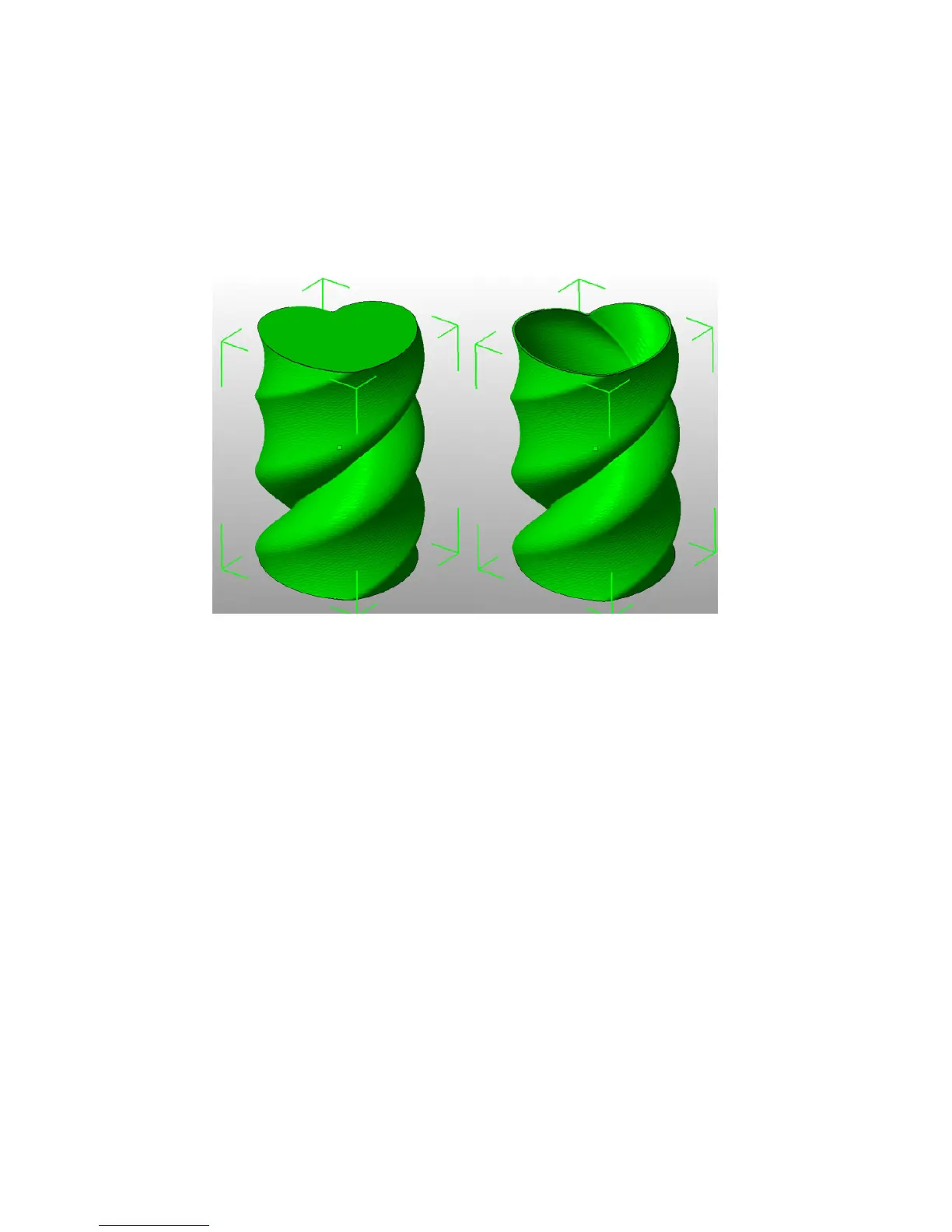
Another tip to consider: Setting the top solid layer to zero, and setting
the inll also to zero, will result in a hollow receptacle, ideal for turning
models into vases
13
for example. Here manipulating the settings within
Slic3r can be used to generate dierent kinds of prints, and not only be
used to control surface accuracy.
Figure 2.16: Creating a vase from a solid model.
Infill. Fill density is dened on a scale of between 0 and 1, where
1 is 100% and 0.4 would be 40%. For the majority of cases it makes no
sense to 100% ll the model with plastic, this would be a waste of material
and take a long time. Instead, most models can be lled with less material
which is then sandwiched between layers lled at 100% (see Solid layers
above).
A density value of 0.4 is enough to give almost all models good
mechanical strength. A value of 0.2 is usually the minimum required to
support at ceilings.
Slic3r oers several ll patterns which will be discussed in more depth
in subsection 2.5 - Inll Choices. Choosing a Fill pattern will depend
on the kind of model, the desired structural strength, print speed, and
personal taste. The more exotic ll methods are usually too slow and
13
http://slic3r.org/blog/tip-printing-vases
82



 To Next Page