3D Printer Software
Start Print
Once at the desired printing temperature begin your print through your
Graphical LCD controller by navigating to: Print From SD > Desired
File.
Printing from USB Cable
Connect your 3D printer to a computer using a USB cable, power it on
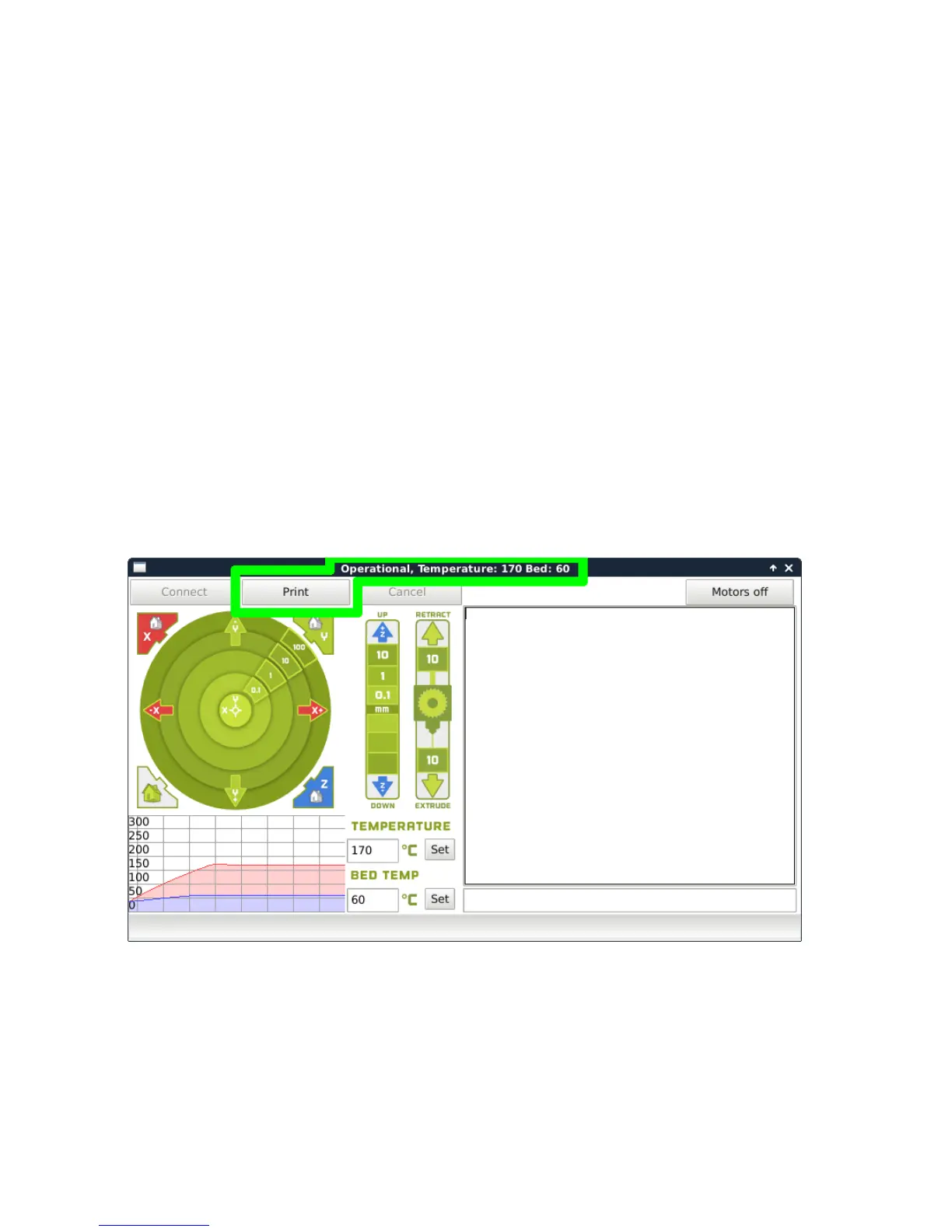
and select the Control button at the top of the 3D viewing window. This
will bring up your Pronterface user interface. You will not be able to send
any commands until the window title changes to Operational. Once it
is operational, you will need to set your lament specic temperatures.
The temperature box heats the hot end, while the bed temp sets the bed
temperature. Your current temperatures will be listed in the top of the
control box. Once your hot end and bed reach temperature, select Print.
This will start the printing process.
Figure 1.12: Control Screen
26



 To Next Page