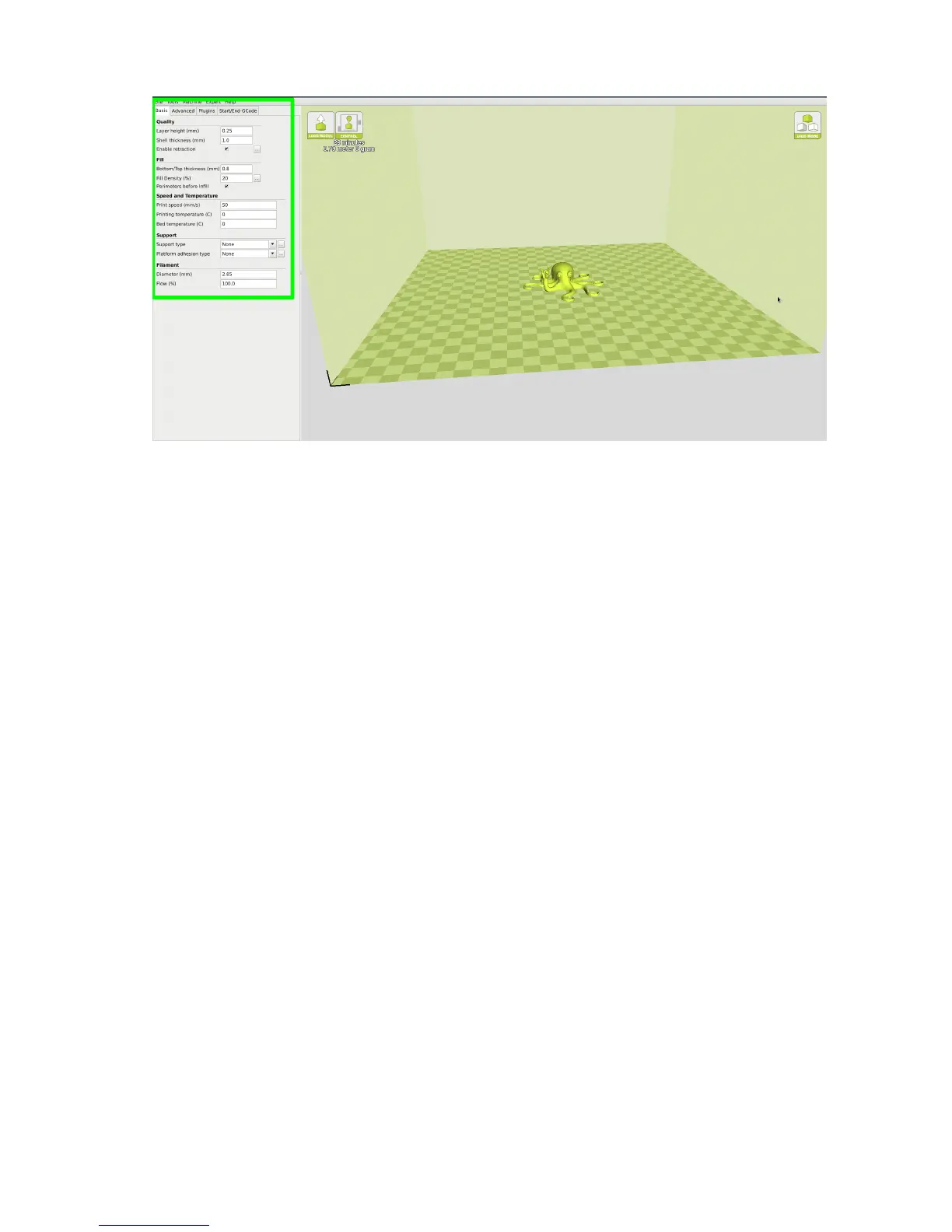
1.10. BASIC TAB OPTIONS
Figure 1.13: View in Full Settings
View in Full Settings
When you rst switch to Full Settings, Cura will need to know what
lament and quality you wish to use. It will automatically transfer our
quickprint settings over to allow adjustments if one is selected. IF A
QUICKPRINT PROFILE IS NOT AVAILABLE, YOU WILL NEED TO
MANUALLY LOAD ONE IN. We recommend using our tested proles
that are available here: https://www.lulzbot.com/cura. You will want
to choose the prole that matches your lament and quality needs. Once
downloaded, you can load the le into Cura by selecting File > Open
Profile. Choose your desired prole. This will automatically update all
of your Cura settings for use with your specic lament.
1.10 Basic Tab Options
Layer Height
The thickness of each printed layer is known as the “Layer Height”. The
smaller the layer height, the smoother curves will appear. Larger layer
heights are better for bridging and overhangs. Smaller layer heights will
also increase print time, as it will take more layers to complete the object.
29



 To Next Page