2.5. EXPERT MODE
parts being unnecessarily solid. Adjust this option to balance these
needs.
• Only retract when crossing perimeters - Retracting, to prevent
ooze, is unnecessary if the extruder remains within the boundaries
of the model. Care should be taken if the print material oozes
excessively, as not retracting may result in enough material loss to
aect the quality of the subsequent extrusion. However, most modern
printers and materials rarely suer from such extreme ooze problems.
• Infill before perimeters - Reverses the order in which the layer
is printed. Usually the perimeter is laid down initially, followed by
the inll, and this is usually the preferable as the perimeter acts as a
wall containing the inll.
Fighting Ooze
Unless the material being extruded has a very high viscosity it will ooze
from the nozzle in between extrusions. There are several settings in Slic3r
to which can help to remedy this.
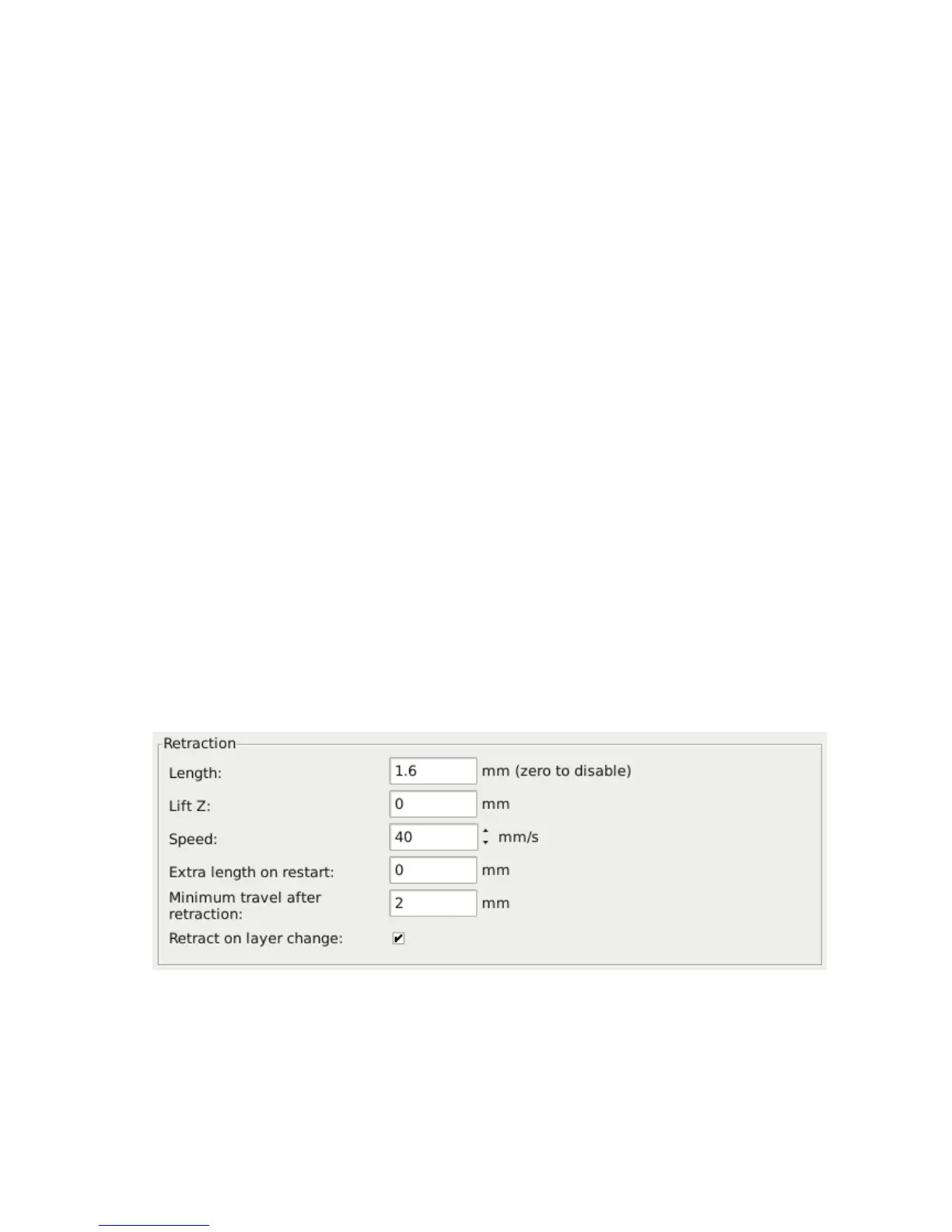
The retraction settings, found in the Printer tab, tell the printer to pull
back the lament between extrusion moves. This can alleviate the pressure
in the nozzle, thus reducing ooze. After the subsequent travel move the
retraction is reversed to prepare the extruder for the next extrusion.
Figure 2.33: Retraction settings.
97



 To Next Page