9HUVD3XOVHPowerSuite6HULHV6HUYLFH0DQXDO 7528%/(6+227,1*
5(9%
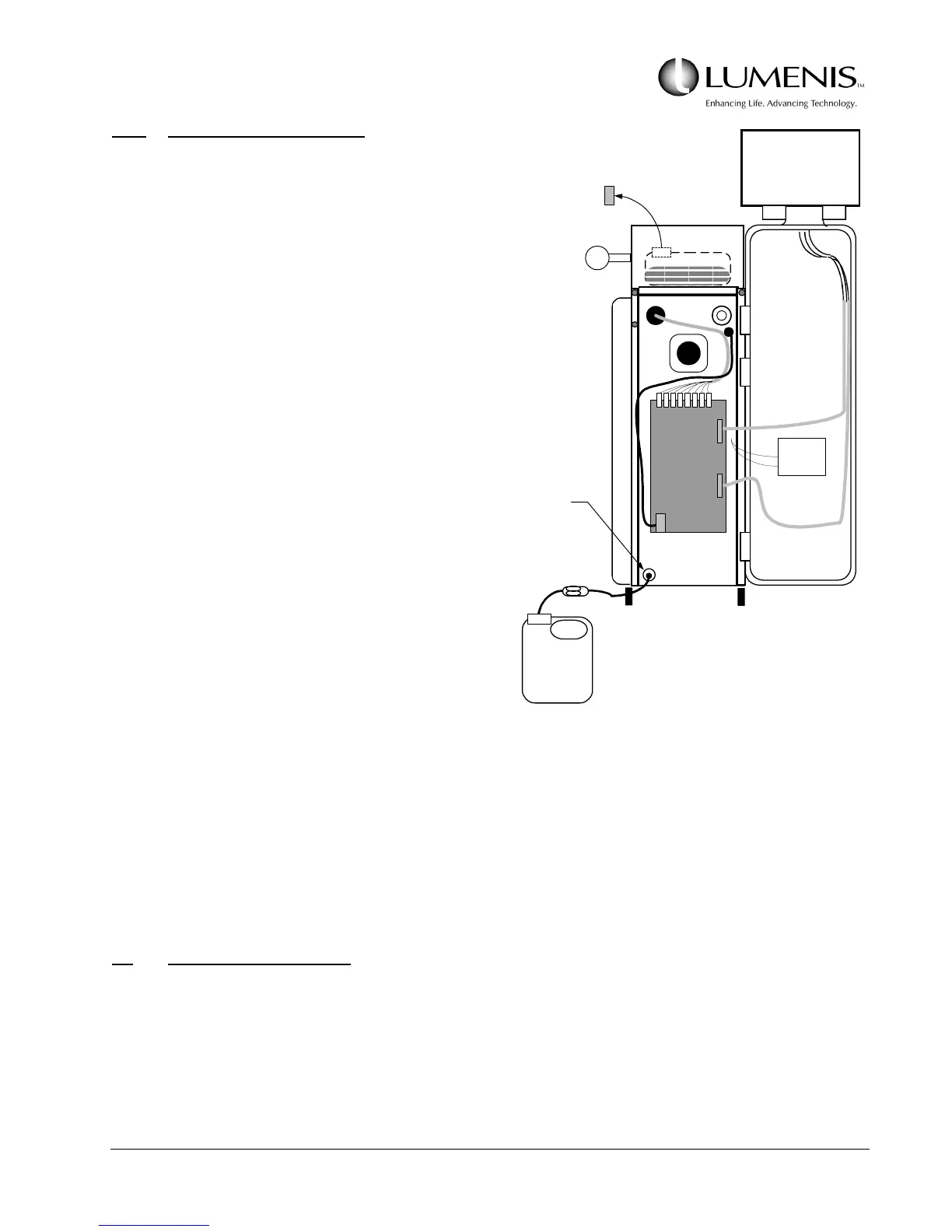
5.6.3 Water Filter Replacement
1. Open the front door and remove the top cover,
then remove the left side panel. Refer to
Topic 5.2.
2. Drain the coolant.
a. Remove the “Remote Interlock” or BRH
plug from the rear of the laser console and
remove the yellow cap on the fill reservoir.
b. Place a bucket under the drain outlet and
open the valve. The flow will eventually
decrease and become intermittent.
NOTE: If the coolant is to be
changed, the drained coolant
requires no special handling - it can
be poured down the nearest drain.
c. Unscrew the clear plastic water filter can-
ister, remove the filter and any remaining
water inside the canister, and install a new
water filter.
d. Close the drain valve.
3. Refill the cooling system. Refer to Section 2 Subtopic 2.1.4.
Upon turning on the system and after the cooling system is properly filled, verify there are no fault
codes pertaining to the cooling system appearing on the display.
5.7 TROUBLESHOOTING
The following is a general check list and troubleshooting guide for the VersaPulse PowerSuite trained service
engineer. Procedures referenced in this section for adjustments, alignments, calibrations and checks are
provided in Section 3.
If any of the following components have been adjusted or replaced, perform the related adjustments,
alignments, calibrations, and checks.
Low Voltage
Power Supply
Plastic clamp
2.5 gallon
container
Open the valve to
drain the coolant.
Remove Cap
(tank at the rear)



 To Next Page