&$/$'-867$/,*1 9HUVD3XOVH3RZHU6XLWH6HULHV6HUYLFH0DQXDO
5(9%
The motor shaft must always slowly rotate to find the index position on the encoder. LED30 (INDEX)
will illuminate green and TP75 “INDEX” will go high.
NOTE: If the service software has lamp #1 turned off, the motor will find the index position
and rotate to the next active brick.
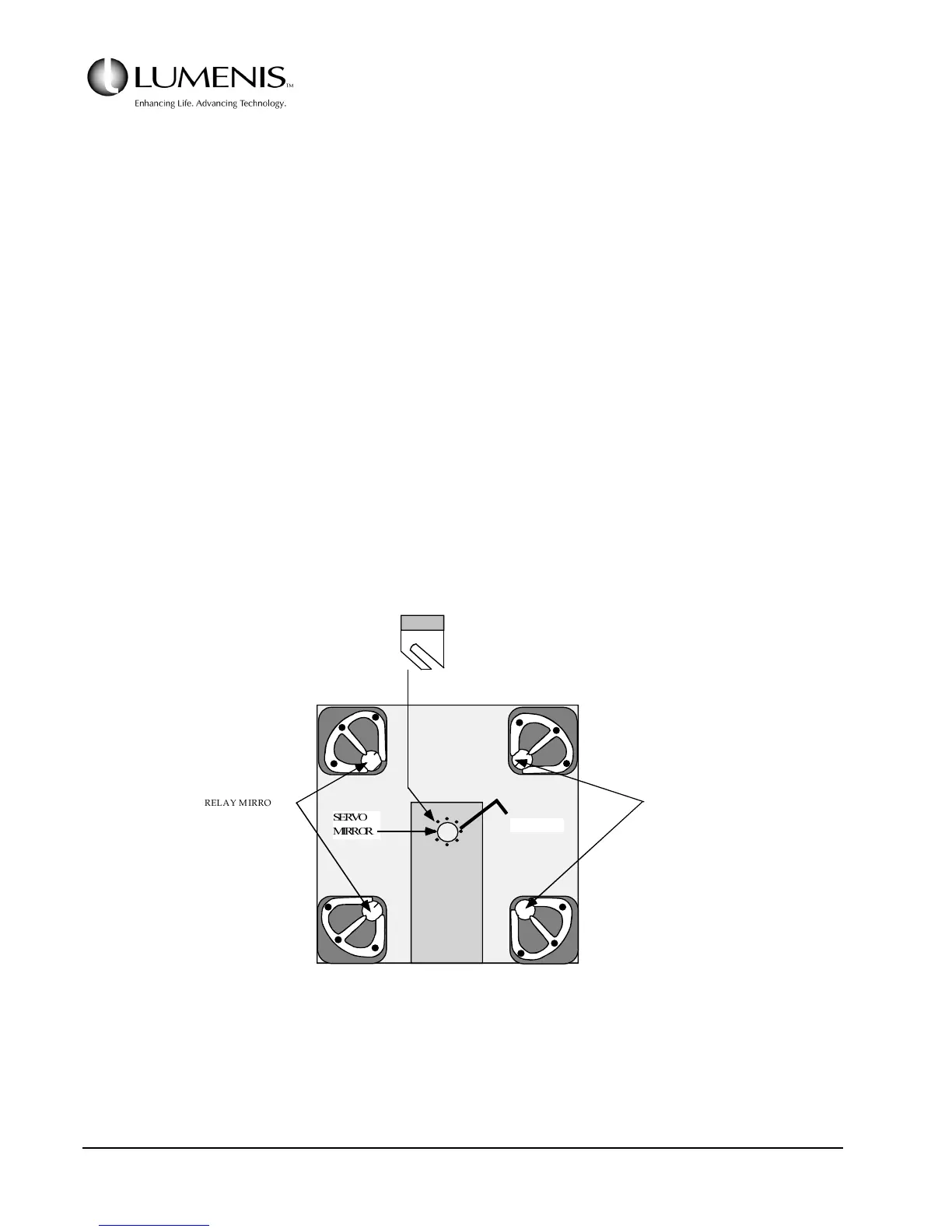
4. Install the Servo Mirror.
a. Using the servo alignment tool (P/N 0622-782-51), install the servo mirror on the motor shaft. Be
sure the mirror mount is pushed all the way onto the shaft. Refer to Fig. 3.6.
b. Rotate the mirror toward brick #1.
The mirror mount will fit into the servo alignment tool in two different ways. But only one
orientation is the correct way.
c. Once the alignment tool is attached properly use the hex key to lock the mirror mount down.
FIG. 3.6: SERVO MIRROR INSTALLATION
6(592
0,5525
ELAY MIRRORS
RELAY MIRROR
CHANNEL #1
CHANNEL #4
CHANNEL #2
CHANNEL #3
SERVO WALL
(Inside View)
CAST HEAD
Hex Wrench



 To Next Page