Lynx
®
NGT-9000
Pilot’s Guide1-8
Description
Detachable Configuration Module (DCM)
The DCM is a solid-state device that retains software and hardware
conguration information. It is permanently attached to the aircraft via
the wiring harness and communicates with Lynx NGT-9000 via serial
bus. Conguration options are set up during installations and saved
in the DCM.
Directional Antenna
A directional antenna is used to receive 1090MHz and transmit
1030MHz for models with TAS.
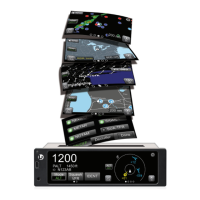
Alternate Displays
Screen information may look different on displays interfaced with the
Lynx NGT-9000. Refer to that display’s manual for a description of
how information is depicted.
The operation and display features provided in this Pilot’s Guide are
specic to the information depicted on the Lynx NGT-9000.
Personal Electronic Device (PED)
The Lynx NGT-9000 supports the use of personal electronic devices
(e.g., tablets) via a WiFi connection. The PED must use compatible
applications that support the ADS-B broadcast services (i.e., ADS-B
In, TIS-B, ADS-R, and FIS-B). Check with an avionics dealer
or contact L-3 Avionics Systems for a current list of compatible
applications.
WiFi Serial Adapter
The Lynx NGT-9000 can be connect to a PED via WiFi using a
compatible WiFi Serial Adapter.
CP-2500 Control Panel
The CP-2500 is a control panel offered by L-3 Avionics Systems for
operation of the remote mount Lynx NGT-9000R. The operational
information provided in this guide is limited. Refer to the CP-2500
Pilot’s Guide (0040-17250-01) for detailed information.
WX-500 Stormscope
The WX-500 is a weather mapping system that detects electrical
discharges from thunderstorms within a 200 nmi radius of the aircraft.
This information plots the location of the thunderstorms and is shown
on the right application screen of the Panel Mount Lynx NGT-9000.



 To Next Page
 Loading...