262335 97 Revision A
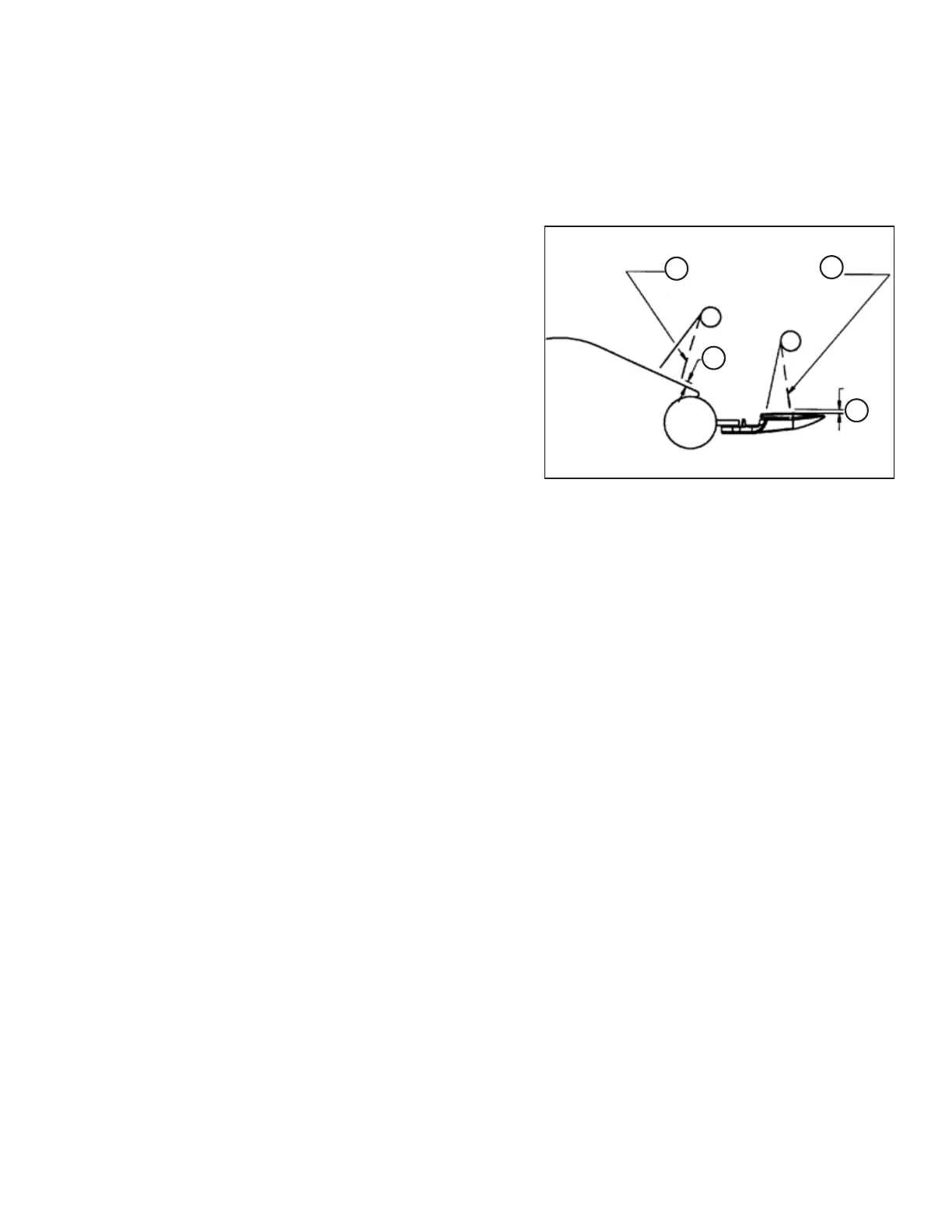
5.3 Checking Reel Tine to Header Pan Clearance
IMPORTANT:
The dimensions provided are guidelines only. Tines may slightly contact the guards, but NOT the knife sections or the
auger pan.
Figure 5.5: Reel Tine to Header Pan Clearance
A-2–10 mm (1/16–3/8 in.) Clearance
B - 2 mm (1/16 in.) Minimum to Knife Section
C - Flex Tines Back When Checking Clearance
1. Rotate reel slowly by hand and check tine clearance at knife
and pan. Flex tines to simulate crop-loaded position to
ensure tine clearances to knife sections and auger pan are
adequate for working conditions.
2. Check that reel rotates freely.
IMPORTANT:
If there are a few reel tine fingers that are touching the pan
while the rest are at the correct height, trim the longer
tines to match the rest. Be sure to adjust both sides of the
reel. Ensure that tines do NOT contact the plastic
header pan.
PERFORMING PREDELIVERY CHECKS



 To Next Page