262335 126 Revision A
Setting Knife Speed with Expansion Module (B4666)
DANGER
To prevent bodily injury or death from the unexpected startup of the machine, always stop the engine and remove the
key from the ignition before leaving the operator’s seat for any reason.
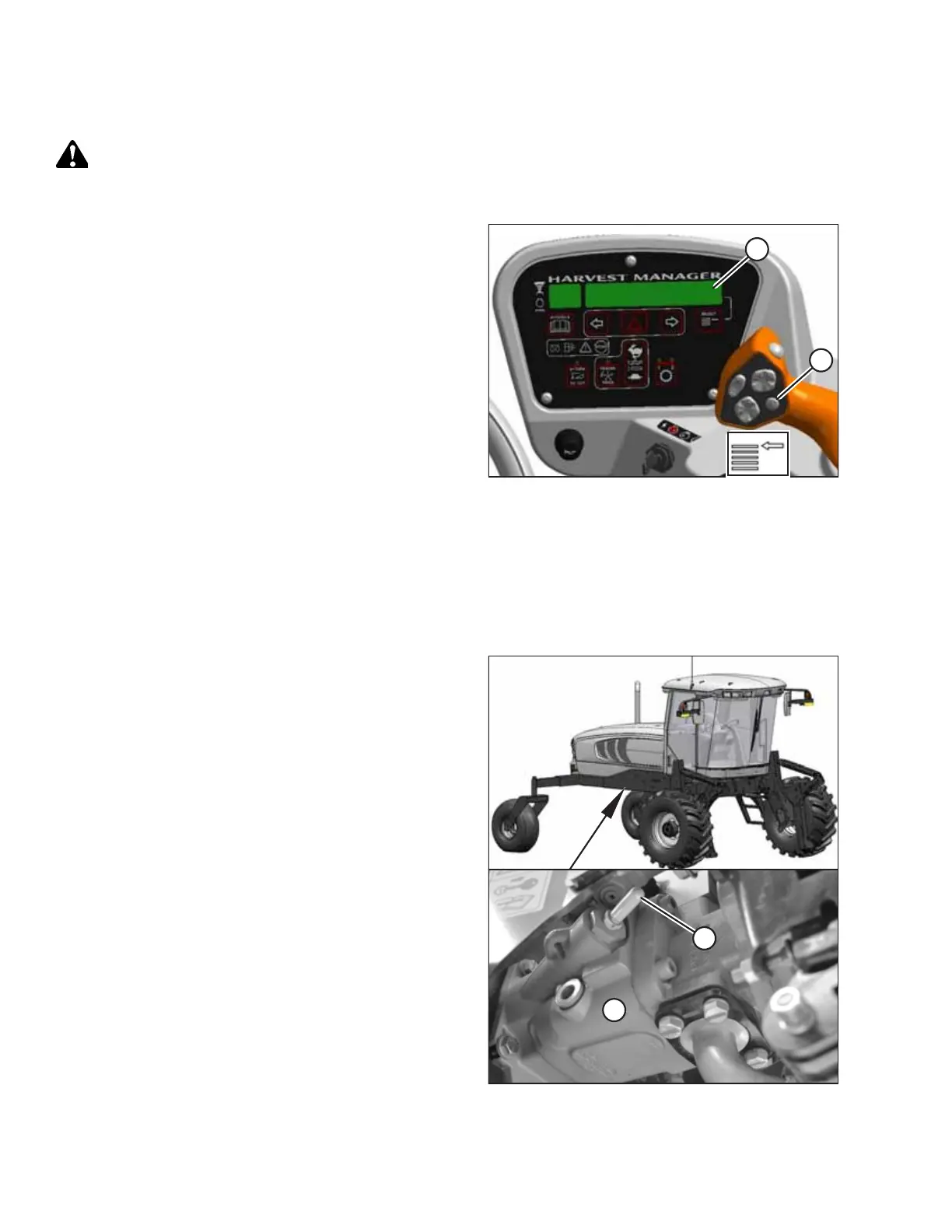
Figure 5.61: Operator Console
1. Press SELECT button (B) on the ground speed lever (GSL)
until the CDM (A) displays the knife speed in spm. This
indicates that optional expansion module (B4666) is
installed.
2. If knife speed is NOT displayed, the optional expansion
module is not installed. Proceed to Setting Knife Speed
without Expansion Module (B4666), page 127.
3. Compare reading to Table 5.1, page 125.
If required, adjust the knife speed as follows:
4. Shut down the engine, and remove the key from
the ignition.
5. Open engine hood.
Figure 5.62: Knife Drive Pump
6. Locate knife drive pump (A) and knife speed adjuster
screw (B) under the right (cab-forward) side of the
windrower.
NOTE:
The knife speed adjuster screw may have a plastic cap (B)
covering it. Pull this cap off to expose the screw.
PERFORMING PREDELIVERY CHECKS



 To Next Page