262335 85 Revision A
3.19 Connecting A40DX Auger Header Hydraulic and Electrical Systems
The header’s hydraulic and electrical multicoupler will need to be connected to the windrower.
DANGER
To prevent bodily injury or death from the unexpected start-up of the machine, always stop the engine and remove the
key from the ignition before making adjustments to the machine.
CAUTION
Do NOT stand on an unlocked platform. It is unstable and may cause you to fall.
IMPORTANT:
To prevent contamination of the hydraulic system, use a clean rag to remove dirt and moisture from all (fixed and
movable) hydraulic couplers.
1. Shut down the engine, and remove the key from the ignition.
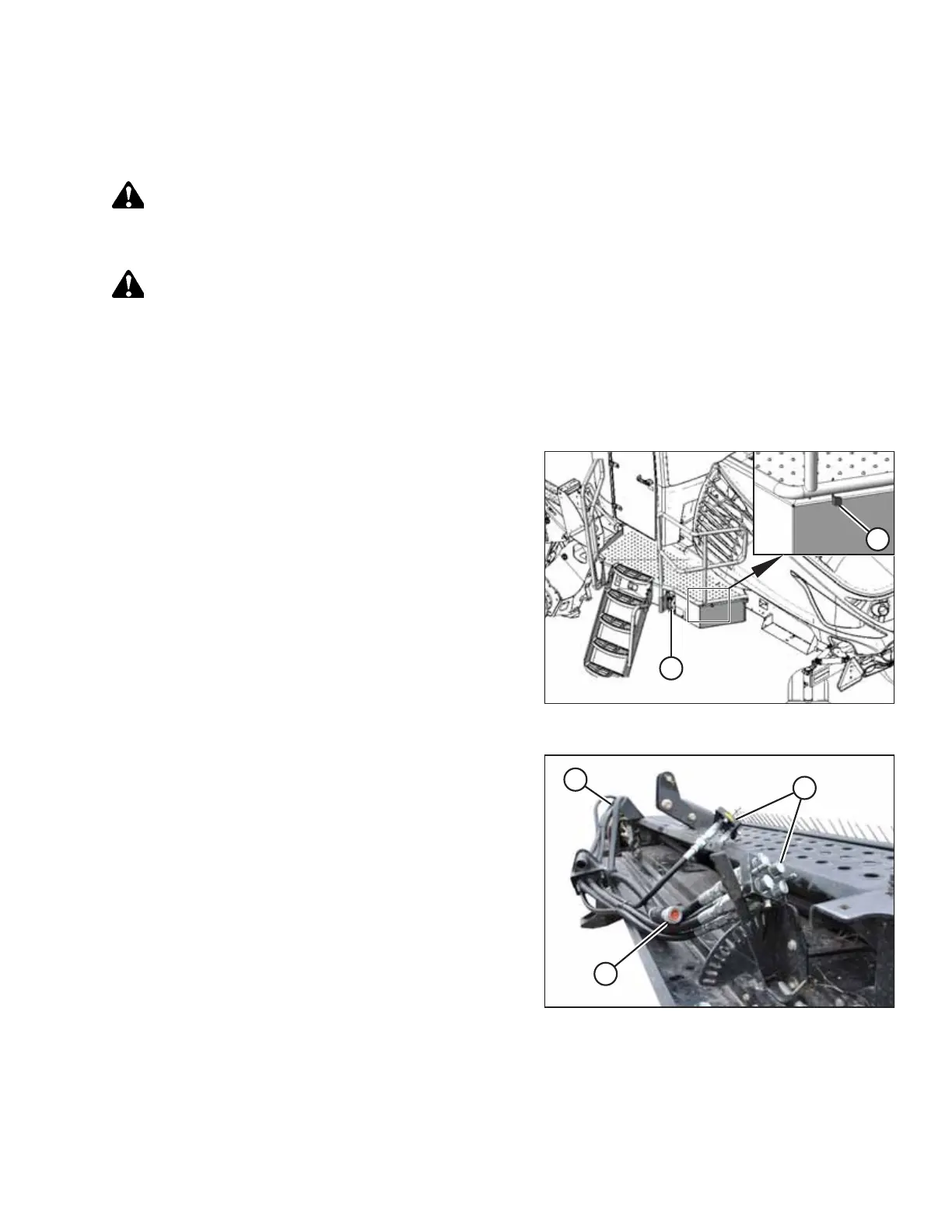
Figure 3.158: Left Platform
2. Approach platform (A) on the left side of the windrower.
Ensure that the cab door is closed.
3. Push latch (B) and pull platform (A) toward the walking
beam until it stops and the latch engages.
Figure 3.159: Hydraulic Hoses in Storage Position
4. Retrieve hydraulic multicouplers (A) and electrical
harness (B) from the header.
5. Route the hose/harness bundle toward the windrower
through support (C).
ASSEMBLING THE MACHINE



 To Next Page