262335 121 Revision A
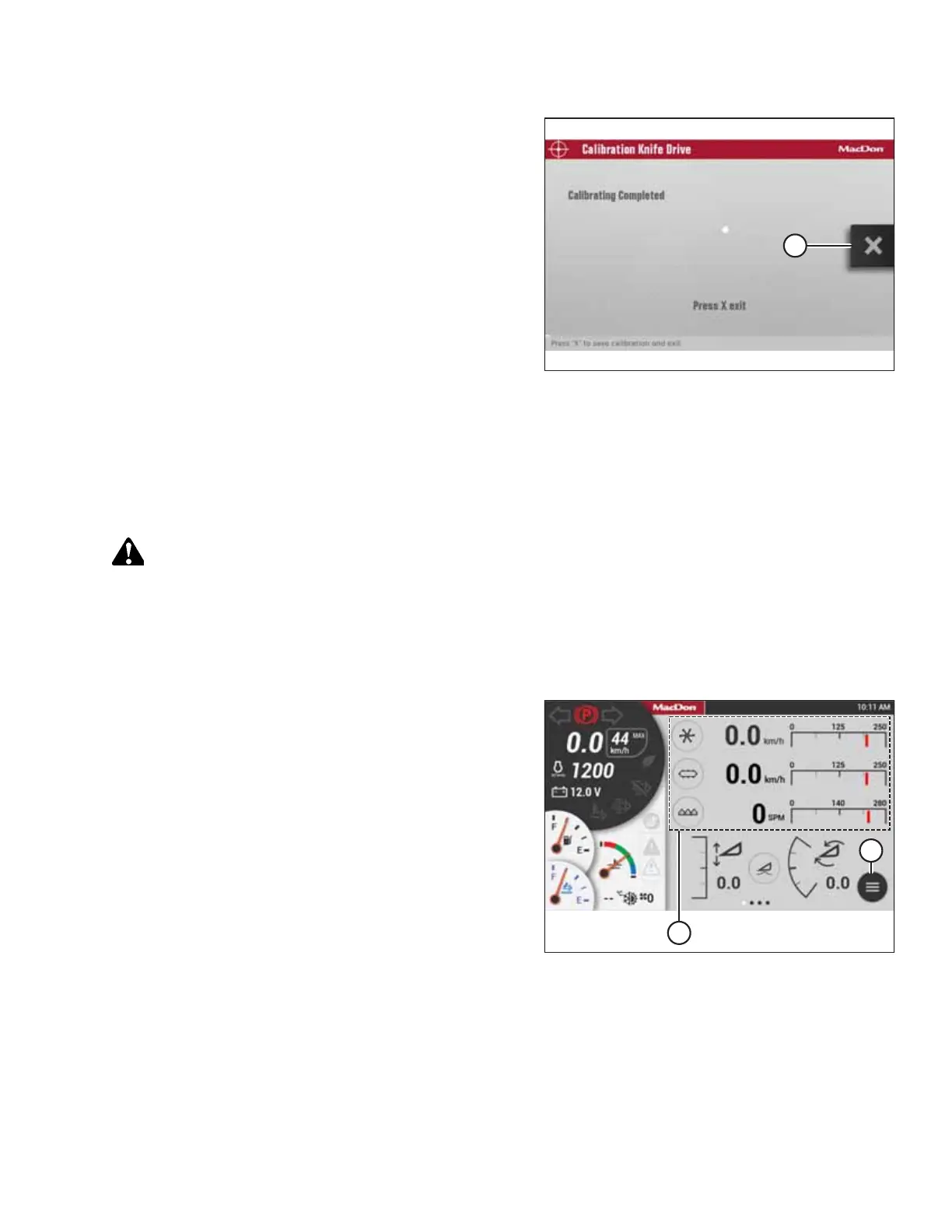
Figure 5.51: Knife Drive Calibration Page
8. When the calibration is complete, press X icon (A) to save
the calibration and exit the page.
NOTE:
This calibration procedure can also be done when the
machine is in normal operation; however, this will result in
more erratic knife speeds. Performing a deliberate
calibration prior to normal operation will make sure that
the calibration is automatically maintained and adjusted as
performance varies. This also ensures that the system
constantly or periodically monitors the relationship of the
engine speed, the knife speed, the valve current, and the
pressure.
5.14.2 Calibrating Knife Drive on HarvestTouch
™
Display
When a header is attached to the windrower, the windrower’s HarvestTouch
™
Display will recognize the header ID and
choose the appropriate settings for that header. Before it can be operated, however, the header’s knife drive must be
calibrated to ensure that the knife drive pump output is accurate.
DANGER
Ensure that all bystanders have cleared the area.
NOTE:
This calibration MUST be performed with the engine running and the header engaged.
1. Start the engine.
Figure 5.52: HarvestTouch
™
Display
2. Engage the header.
NOTE:
Once the header is engaged, header gauges (A) will appear
on the HarvestTouch
™
Display home page.
3. Select MENU icon (B).
PERFORMING PREDELIVERY CHECKS



 To Next Page