262335 19 Revision A
3.5 Removing Shipping Stands
To remove shipping stands, follow these steps:
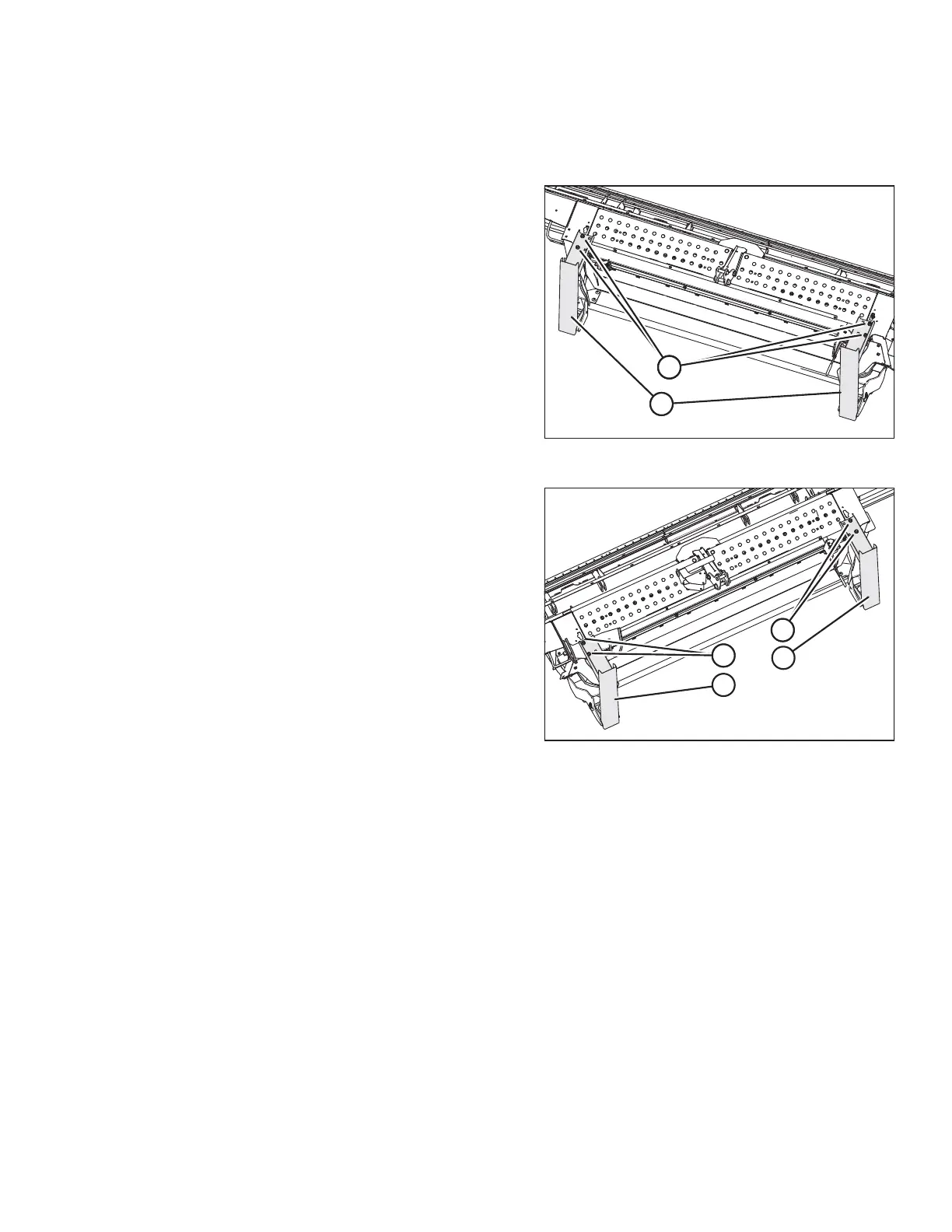
Figure 3.15: A40D Shipping Stands
1. A40D headers only: Remove and discard two bolts and
nuts (A) from each shipping stand (B) at the right and left
sides of the header.
Figure 3.16: A40DX Shipping Stands
2. A40DX headers only: Remove and RETAIN two bolts and
nuts (A) from shipping stand (B) at the left side of the
header. Remove and discard the two bolts and nuts (C)
from shipping stand (D) at the right side of the header.
ASSEMBLING THE MACHINE



 To Next Page