262335 112 Revision A
5.9 Leveling Header
The windrower lift linkages are factory-set to provide the proper header level and should not normally require adjustment.
DANGER
To prevent bodily injury or death from the unexpected startup of the machine, always stop the engine and remove the
key from the ignition before leaving the operator’s seat for any reason.
If the header level needs to be adjusted, follow these steps:
1. Remove the float spring tension to ensure that the lift windrower linkages are not affected by the float springs. For
instructions, refer to 5.6.3 Removing and Restoring Float – M2 Series Windrowers, page 104.
DANGER
Ensure that all bystanders have cleared the area.
2. Start the engine.
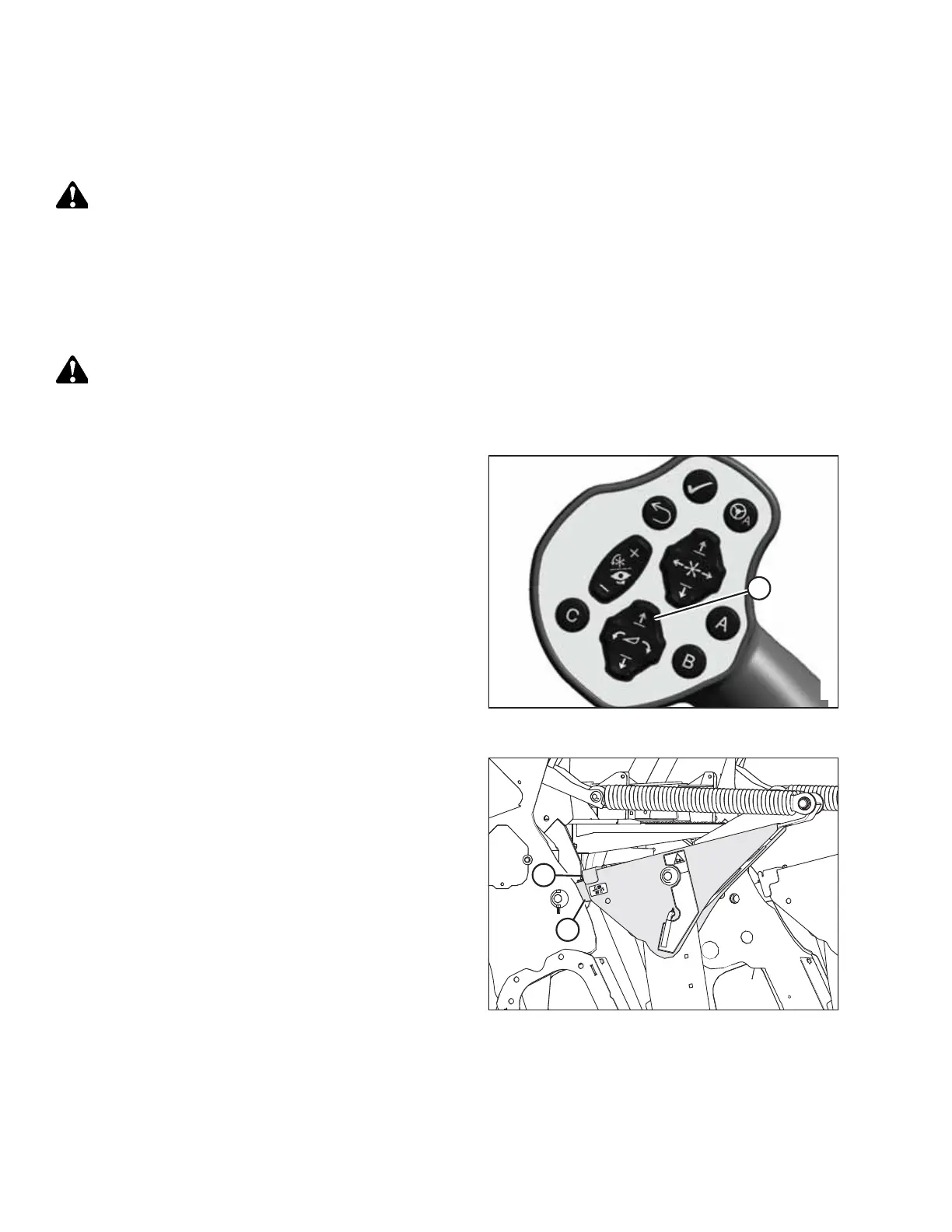
Figure 5.35: Ground Speed Lever (GSL)
3. Park the windrower on level ground.
4. Press header raise button (A) on the ground speed
lever (GSL) until the header reaches maximum height.
Continue to hold the header raise button for 3–4 seconds
to rephase the lift cylinders.
Figure 5.36: Lift Linkage
5. Lower the header to approximately 150 mm (6 in.) off the
ground.
6. Ensure that member (A) is against link (B).
7. Shut down the engine, and remove the key from
the ignition.
8. Measure the distance to the ground at both ends of the
header to determine if the header is level.
PERFORMING PREDELIVERY CHECKS



 To Next Page