262335 101 Revision A
5.5.3 Removing and Restoring Float – M1 Series Windrowers
The header float can be removed and restored using the Harvest Performance Tracker (HPT).
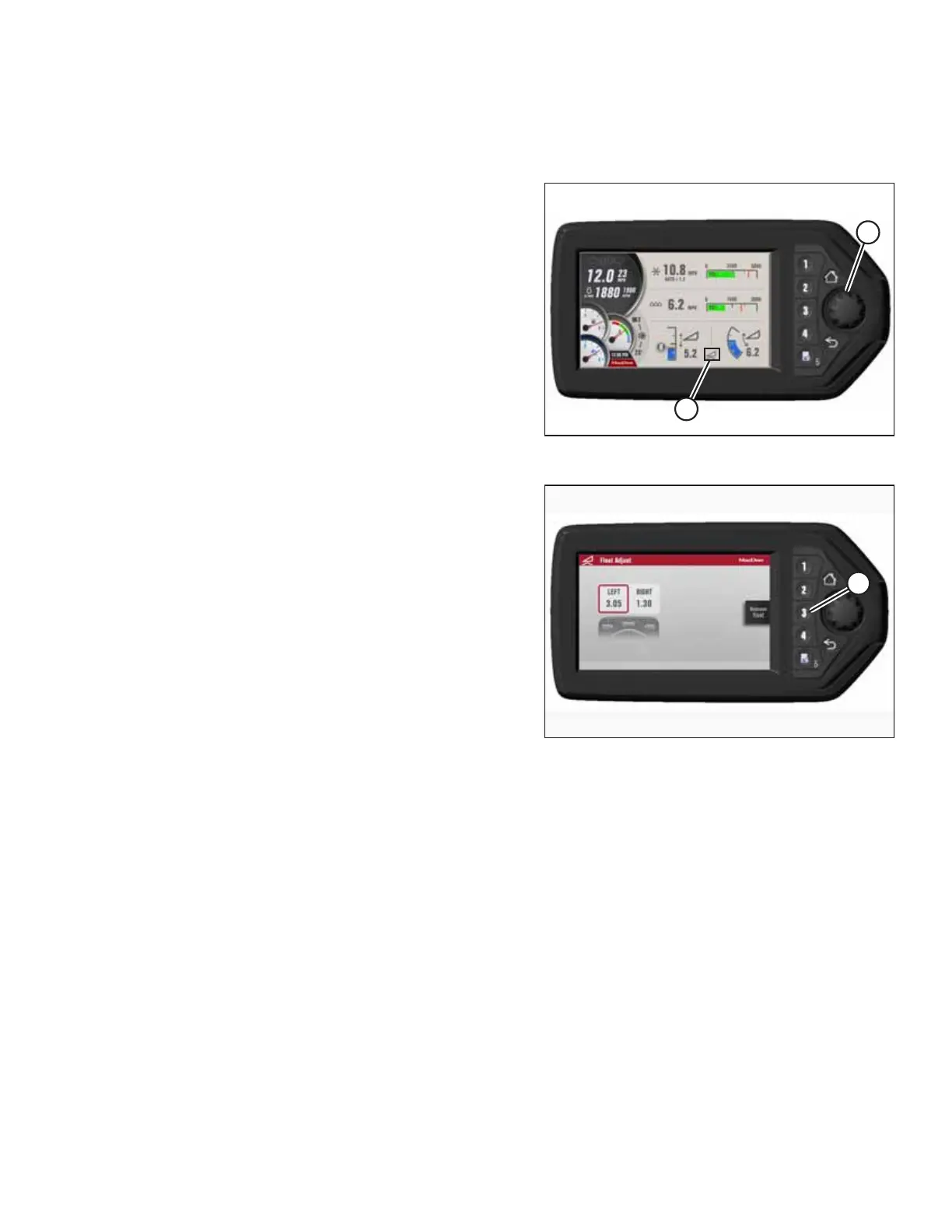
Figure 5.11: HPT Run Screen
1. To display the QuickMenu page, press rotary scroll knob (A)
on the HPT or press F1 on the console.
2. Rotate scroll knob (A) to highlight HEADER FLOAT icon (B)
and press the scroll knob to select.
Figure 5.12: HPT Display – Adjusting Float
3. Press soft key 3 (A) to remove or restore the header float.
NOTE:
If the header float is active, the icon at soft key 3 will say
REMOVE FLOAT; if the header float has been removed, the
icon will say RESTORE FLOAT.
PERFORMING PREDELIVERY CHECKS



 To Next Page