214325 108 Revision A
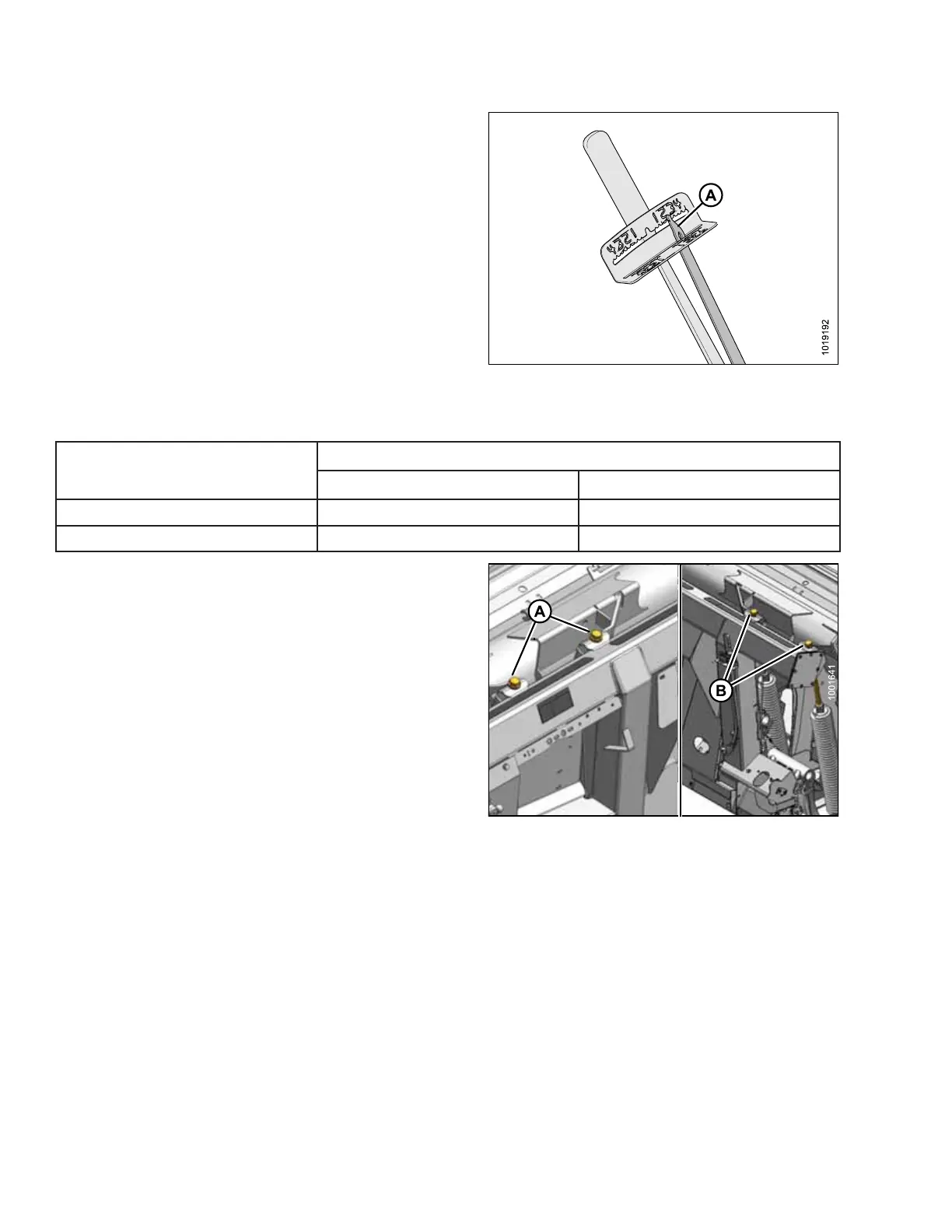
Figure 4.36: Indicator
12. Push down on wrench until indicator (A) reaches a
maximum reading and then begins to decrease. Note
maximum reading and repeat at opposite side.
13. Use following table as a guide for float settings:
• If reading on wrench is high, header is heavy
• If reading on wrench is low, header is light
Table 4.3 Float Settings
Header Size (feet)
Torque Settings
Cutting on Ground Cutting off Ground
30 and 35
1-1/2 to 2 2 to 2-1/2
40 and 45
2 to 2-1/2 2-1/2 to 3
Figure 4.37: Float Adjustment
14. To increase float (decrease header weight)
a. Loosen jam nuts.
b. Turn left adjustment bolts (A) and right adjustment
bolts (B) clockwise.
c. Tighten jam nuts.
15. To decrease float (increase header weight)
a. Loosen jam nuts.
b. Turn left adjustment bolts (A) and right adjustment
bolts (B) counterclockwise.
c. Tighten jam nuts.
16. Use following guidelines when adjusting float:
• Adjust float so wrench readings are equal on both sides of the header.
• For 40- and 45-foot double-knife headers: adjust float so wrench readings are equal at both sides, and
then loosen both right spring bolts two turns.
• Turn each bolt pair equal amounts. Refer to Step 12, page 108, and repeat torque wrench
reading procedure.
NOTE:
If adequate header float cannot be achieved using all of available adjustments, an optional heavy duty spring is
available. Refer to parts catalog for ordering information.
PERFORMING PREDELIVERY CHECKS








 To Next Page