Scala | V7 | Display Configuration
b)
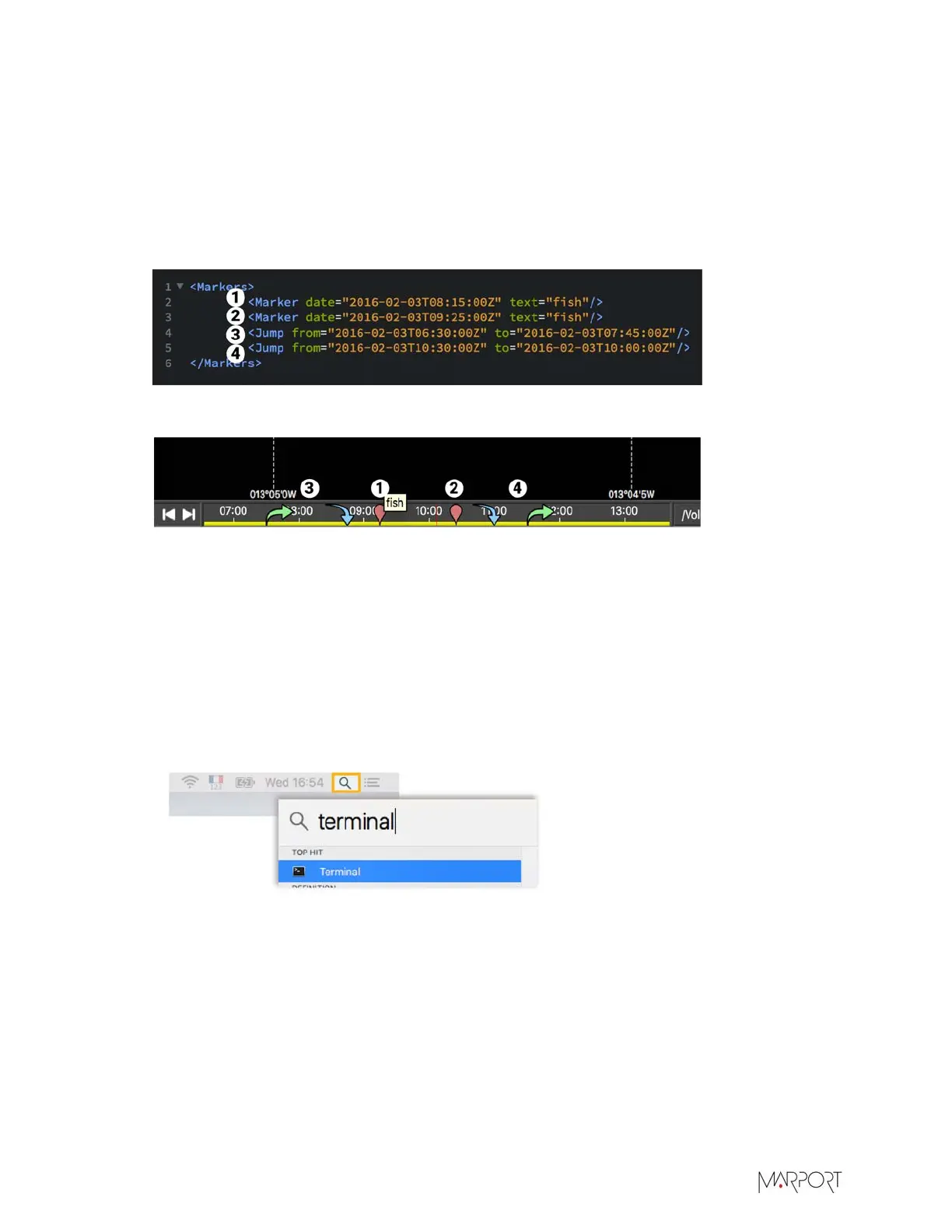
To add a marker (1, 2), enter the following line: <Marker date="YYYY-MM-DDTHH:MM:SSZ"
text="xxx"/>. The time is in UTC time zone. The content of "text" appears when hovering
over the marker in the timeline (1).
c)
To add jumps, enter the following line: <Jump from="YYYY-MM-DDTHH:MM:SSZ" to "YYYY-
MM-DDTHH:MM:SSZ". Jumps allow you to directly jump from a given position (green arrow) to
another location (blue arrow). You can jump forward (3) or backward (4) in the timeline.
Here is an example of a code and the result.
Figure 2: Example of XML file
Figure 3: Example of display in the timeline
Extracting Data from SDS Files
You can extract data contained in an SDS file and display them as a table on Excel.
Procedure
1.
Open a Terminal:
a)
From the top right corner of the screen, click the magnifying glass and type Terminal.
b)
Select Terminal from the results.
2.
The syntax of the command is: /Applications/Scala.app/Contents/MacOS/sds2txt
[options] source destination. Below is the list of available options:
-h, --help Displays this list.
-v, --version Displays version information.
--folder Convert all sds files in the folder specified by source argument.
--csv Convert data in CSV format.
--no-sonar Do not convert Sonar data.
| 114


 To Next Page
 Loading...