94 CONTENTS
• The current version of the mvGenTL-Acquire driver is meant to work with every GigE Vision (p. 156) and
every USB3 Vision (p. 161) compliant device.
• Developers either can use the generic GenICam (p. 155) properties or the mvIMPACT Acquire (p. 157)
properties.
You can change the property interfaceLayout with wxPropView (p. 74) to select the preferred interface.
• When GigE Vision (p. 156) and GenICam (p. 155) compliant devices from several vendors shall be used
in the same application it's recommended to use the "GenICam" interface layout only in order to keep the
application code simple.
• When several different MATRIX VISION devices (e.g. a frame grabber, a USB camera and a GigE Vision
camera) shall be operated by the same application, it's recommended to use the device specific interface
for the same reasons.
• When an application shall be able to work with every MATRIX VISION device and every GigE Vision (p. 156)
and GenICam (p. 155) compliant device both approaches make sense however a mixture between the 2
worlds can't be avoided.
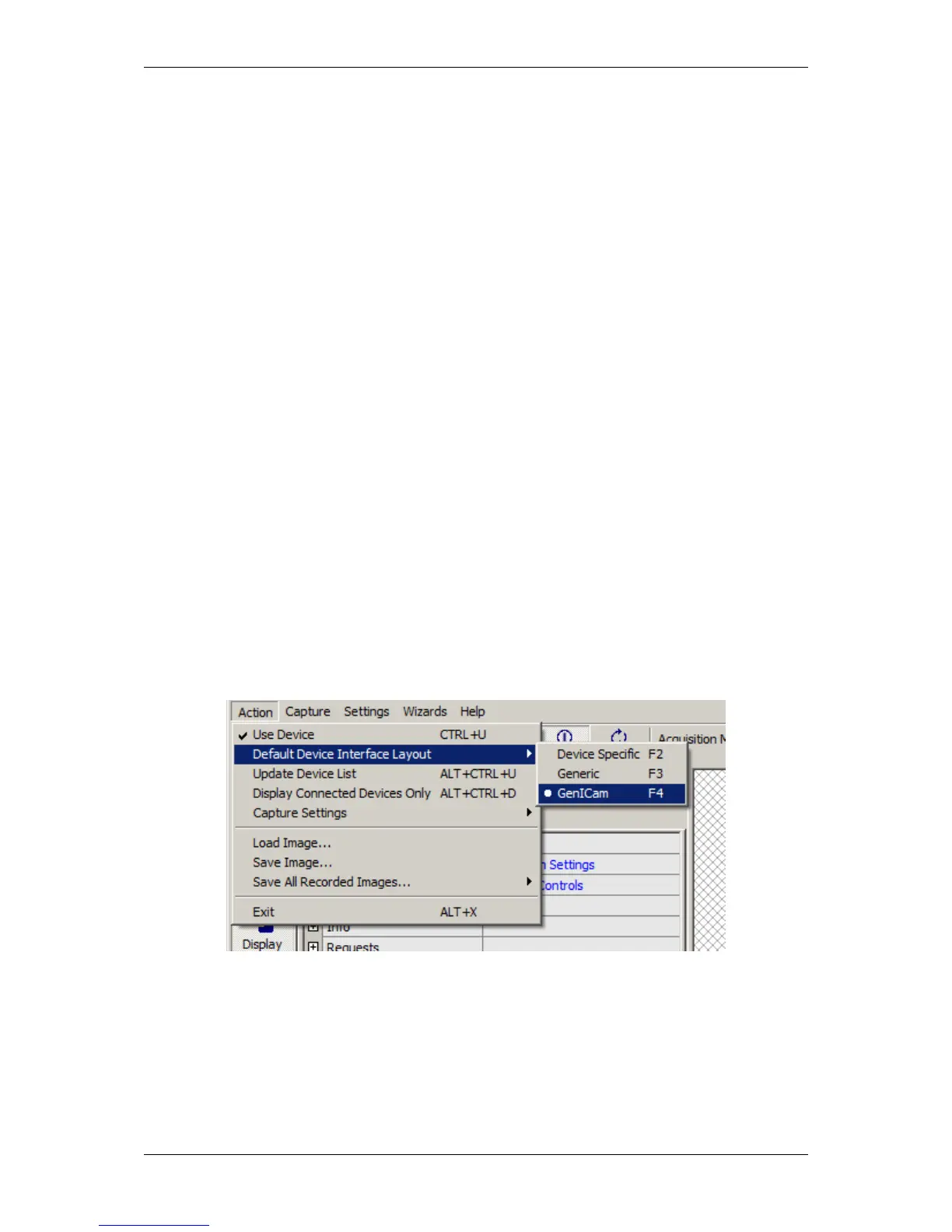
To specify the InterfaceLayout for all devices globally, you can do this via the "Action -> Default Device Interface
Layout" in the "Menu Bar":
Figure 19: Global selection of the interface layout for all devices
If you want to specify the InterfaceLayout for the used device, you can do this via "Device Properties" in the
section "Device -> InterfaceLayout":
MATRIX VISION GmbH



 To Next Page